Олег ОнопрієнкоGadgets
26 May 2026, 10:38
2026-05-26
A workplace that makes you want to run away in the evening. We put together the perfect IT setup for any budget
When you spend 6-8 hours a day in front of a screen, everything becomes critically important: how naturally your hand rests on the mouse, whether your eyes don't get tired from small print, and whether your internet will withstand another power outage right in the middle of an important daily. Together with Telemart, we've put together three levels of setups from entry-level to uncompromising premium, which show you how to organize a space for productive work and evening gaming sessions.
When you spend 6-8 hours a day in front of a screen, everything becomes critically important: how naturally your hand rests on the mouse, whether your eyes don't get tired from small print, and whether your internet will withstand another power outage right in the middle of an important daily. Together with Telemart, we've put together three levels of setups from entry-level to uncompromising premium, which show you how to organize a space for productive work and evening gaming sessions.
Budget-friendly but adequate setup
The conditional entry level is when you already have a laptop or system unit, but everything else looks like a temporary solution: an old monitor, an office mouse, headphones from your phone. The most noticeable upgrade here is the monitor: instead of staring at a 14–15” laptop screen, you put a full-fledged display on your desk with a high-quality matrix and an increased refresh rate.
A good example is the Asus 23.8 TUF Gaming VG249QE5A as a variant of a “combat” monitor with a high frequency and fast response. At 23.8” and an IPS matrix, it provides a clear picture, Full HD resolution and a frequency of up to 146 Hz, which is more than enough for daily work, as well as for games after it.
It is logical to add a normal, but not yet “fancy” keyboard to the monitor. Ajazz AF98 Black is a full-size keyboard with a classic key layout and a body that looks more modern than the typical “office grayness”. It still does not claim to be at the level of custom mechanics, but it gives the feeling of a more “serious” instrument and fits better into the visual image of the workplace than the simplest OEM models.
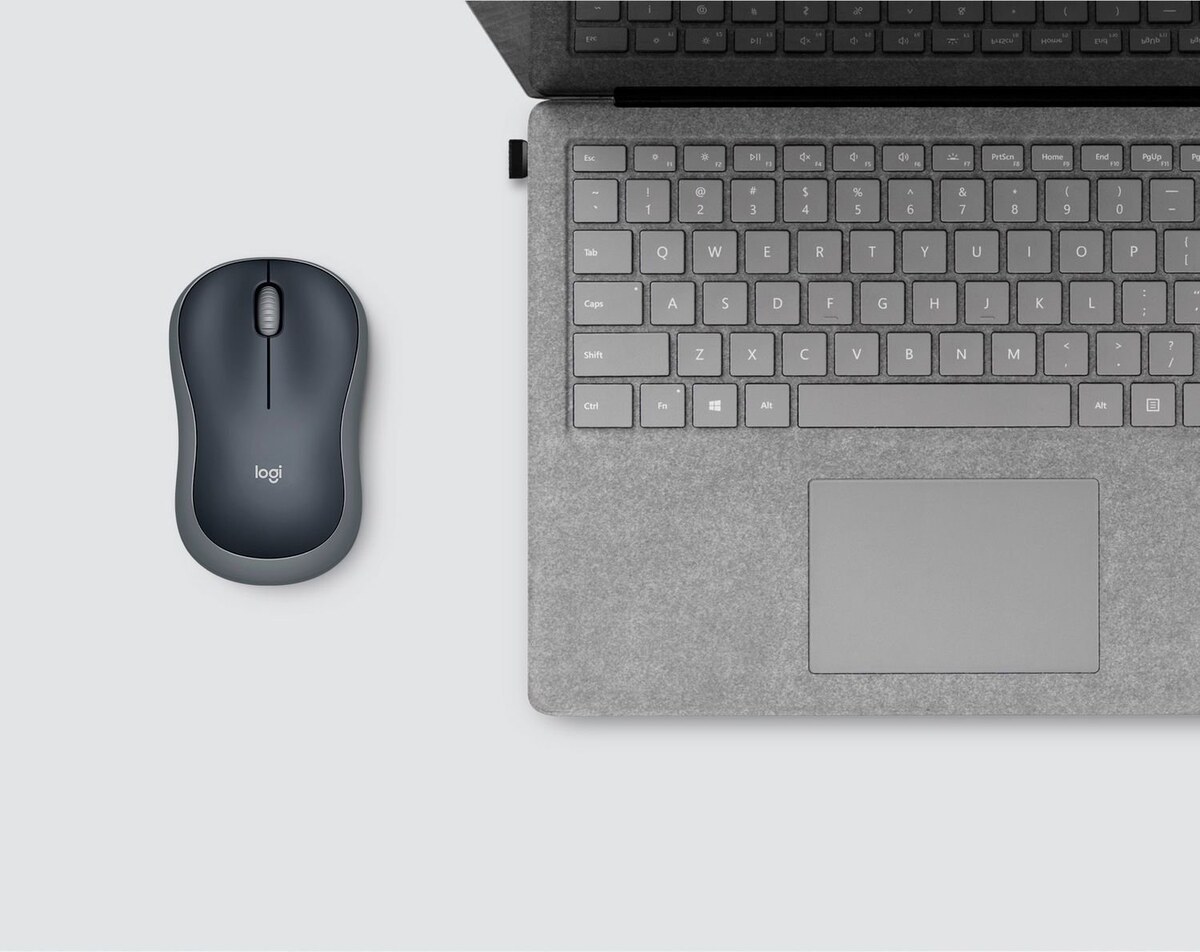
To avoid torturing your hand, it is worth replacing the conventional office mouse with something that does not annoy you over trifles. Logitech Wireless Mouse M185 is a simple, reliable wireless mouse that frees you from the cable on your desk. It is compact, holds a charge for months and does not require any settings: you connect the USB dongle and work without thinking about wires or connections every time you move your laptop. For a starting workplace, this is exactly what you need - take it in your hand and forget that the mouse even exists.
Logitech Wireless Mouse M185
The mouse immediately opens up when it slides not on a bare table, but on a mat: the 360×300 mm EVOLVE OnePad M with a rubber base and a thickness of 4 mm provides a stable surface and a small "shock absorber" for the wrist. It doesn't cost a fortune, but it very noticeably changes the feel of any mouse, even a basic one.
For basic calls and learning, a wired headset with a microphone is enough. Fifine H3 RGB Black is a full-size, backlit headset with a headband, focused on the gaming scenario, but also perfectly suitable for work. They provide a denser sound and better noise isolation, and the microphone, placed on the boom, provides a clearer voice during interviews and daily calls.
The Internet for such a setup is most often based on a simple Wi-Fi router. If you live in a small apartment or room, we suggest taking a look at the TP-LINK Archer AX12 — a dual-band router with Wi-Fi 6 support, which provides better stability and a speed reserve for the future. Even if there are only a few devices in the apartment now, such a router will remain relevant when Smart TVs, consoles or a “smart home” are added.
And to prevent the router from "falling" during short-term outages, a small UPS for network equipment is enough: compact UPS solutions for routers from the Telemart section are designed specifically for this scenario and do not take up much space on a table or shelf.
Comfortable daily setup
At the next level, it's not about "just having it," but about not being tired at the end of each day. It's about a bigger, clearer screen, a wireless mouse, a mechanical keyboard, more comfortable headphones, and decent sound for demos and calls.
As the main screen, the Asus 27 ROG Strix XG27ACMEG is a fast IPS monitor with a resolution of 2560×1440 and a frequency of up to 260 Hz. It provides the perfect balance between size, clarity and smoothness of the picture, which is equally pleasant for work, games or viewing content.
A mouse at this level should definitely be wireless. The Logitech Signature M650 Wireless for Business is an office mouse, but it's very capable with an ergonomic shape and quiet clicks. It doesn't look like a gaming mouse, but it fits perfectly into the work context: there is a reliable wireless connection, a convenient scroll wheel and programmable side buttons that can be tied to everyday actions in an IDE or browser.
When the mouse does not "pull" a wire, but slides on a large mat like the EVOLVE OnePad L measuring 500×420 mm, the hand is noticeably less strained during long work sessions. This format allows you to place both the mouse and the keyboard on one soft surface.
A keyboard at this level is often the first “serious” mechanical keyboard. The HATOR HK60 Hellyberry Mechanical Linear is a full-size mechanical keyboard with linear switches. It combines a comfortable full-size layout with a Numpad and a pleasant, predictable key travel, which makes typing code and text less energy-consuming and more pleasant to the ear than with switches.
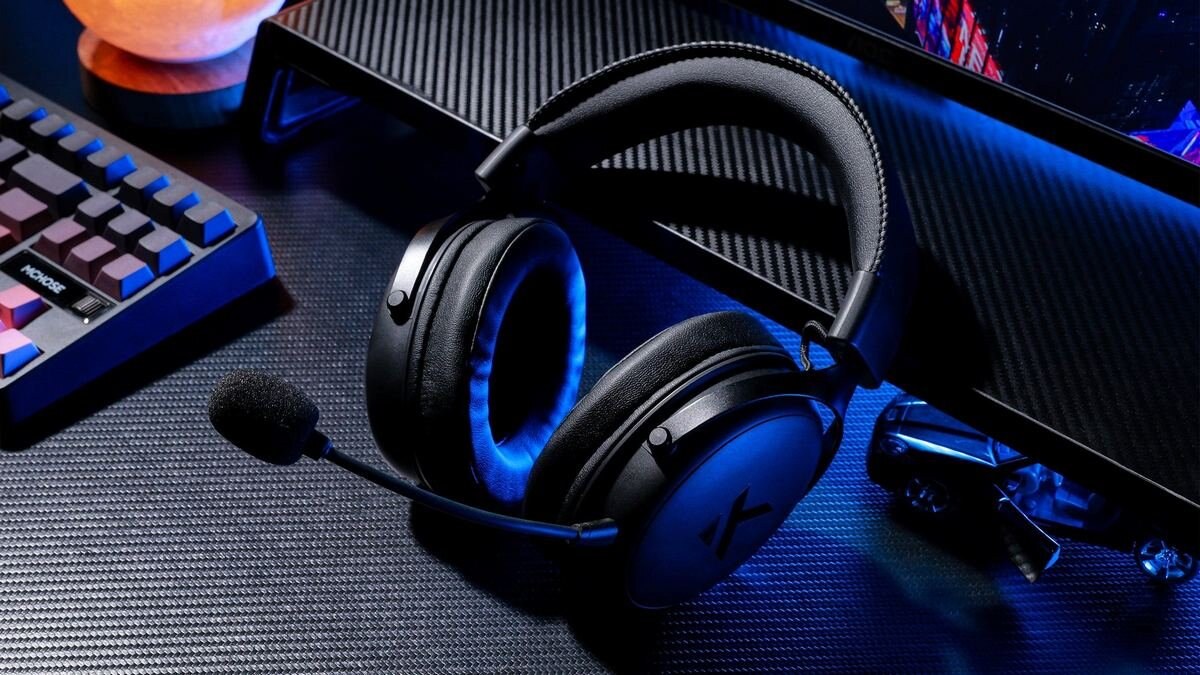
I also want to take the sound a step further. MCHOSE V9 Pro Wireless Steel Black is a wireless headset designed for work and gaming. It supports both radio and wired connections, has a comfortable fit and a microphone that is sufficient for meetings, games, and informal recordings, and the design looks appropriate both at the desk and in a gaming setup.
MCHOSE V9 Pro
At some point, it becomes obvious that the built-in microphone of even a good headset is okay, but not ideal for public speaking and demoing clients. This is where the Fifine K669 comes in handy - a desktop USB microphone with a cardioid polar pattern, a frequency range of 20-20,000 Hz, and a convenient stand. It focuses on the voice in front, better cuts off noise from behind, and makes the timbre more natural than most headsets in a similar budget.
Another element of stability is a router. When two or three laptops are working at the same time at home, someone else is watching a series on a Smart TV, and the console is downloading updates, simple solutions are no longer enough. Asus RT‑AX57 and TP‑LINK Archer BE230 are more modern and powerful options: the first provides reliable Wi‑Fi 6 with good coverage, the second adds a margin of speed thanks to newer standards. Both options are designed for scenarios where dozens of devices “live” on the network and regular calls have priority over background downloads.
Setup for years to come
At this level, you already know exactly what you want from a workplace: plenty of screen space, silence and comfort for your hands, sound and picture that you are not ashamed to show to an external audience, and a network that does not let you down during the release.
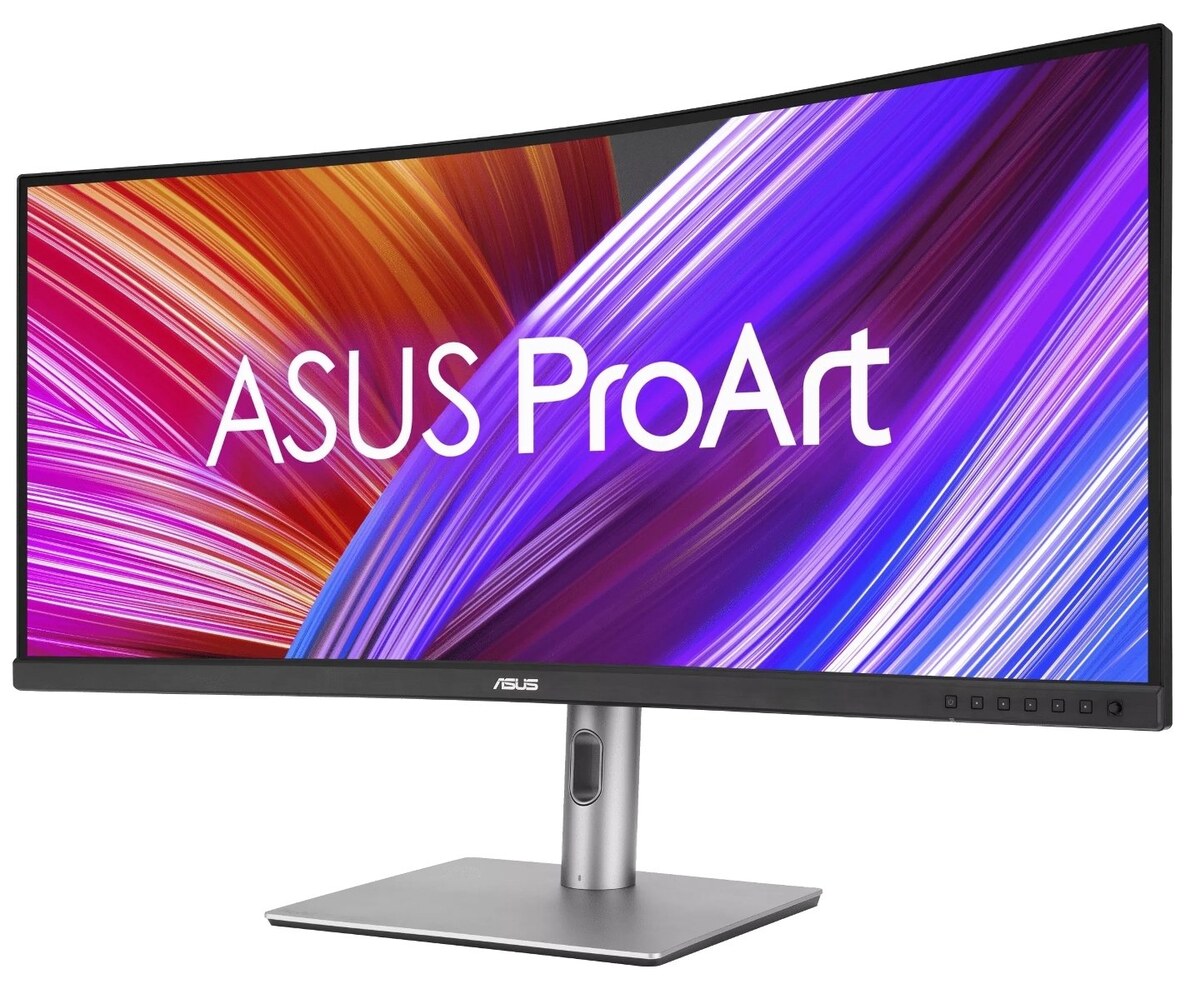
Instead of a bunch of two monitors, people are increasingly choosing one large screen with a high frequency and decent color reproduction. The Asus 34.1 ProArt PA34VCNV is an ultrawide monitor designed for those who work with content and multitask. With a diagonal of 34.1" and a resolution of 3440×1440, it provides even more space than a classic 27" QHD: one screen fits IDE, documentation, task manager, graphics and several browser windows, without the need to install two separate monitors.
Asus ProArt
The ProArt line focuses on accurate color reproduction and expanded connectivity, making this display especially appealing to front-end developers, designers, analysts, and anyone who frequently works with graphics. If you want to regain the feeling of space, you can pair the monitor with a second screen or laptop.
A mouse at this level stops being just a peripheral and becomes a tool from which you expect a complete absence of lag and fatigue. The Logitech MX Master 3S Performance Wireless is Logitech's flagship productivity mouse. It is heavier and more massive, but it gives you what many gaming models at work lack: a comfortable ergonomic shape for the palm, horizontal scrolling for timelines, tables and code reviews, additional buttons for macros and gestures and an excellent sensor for large 4K screens. This is a mouse that you don't want to change when you move from IDE to Figma, from Figma to the browser and then to the video editor.
Paired with the premium OfficePro MP180 mat with a beautiful surface, your hand will feel much softer after hours of computer work. The large mat covers half of the table, allowing you to arrange your keyboard, mouse, and other small items so that everything is within reach, but nothing interferes with your movements.
Regarding the premium keyboard, it is worth noting the Ajazz AK820 MAX RGB Magnetic Switches - a keyboard with magnetic switches, a compact form factor and thoughtful ergonomics. Magnetic switches allow you to fine-tune the actuation point, and the compact case without a Numpad frees up space for the mouse and makes hand movements more natural.
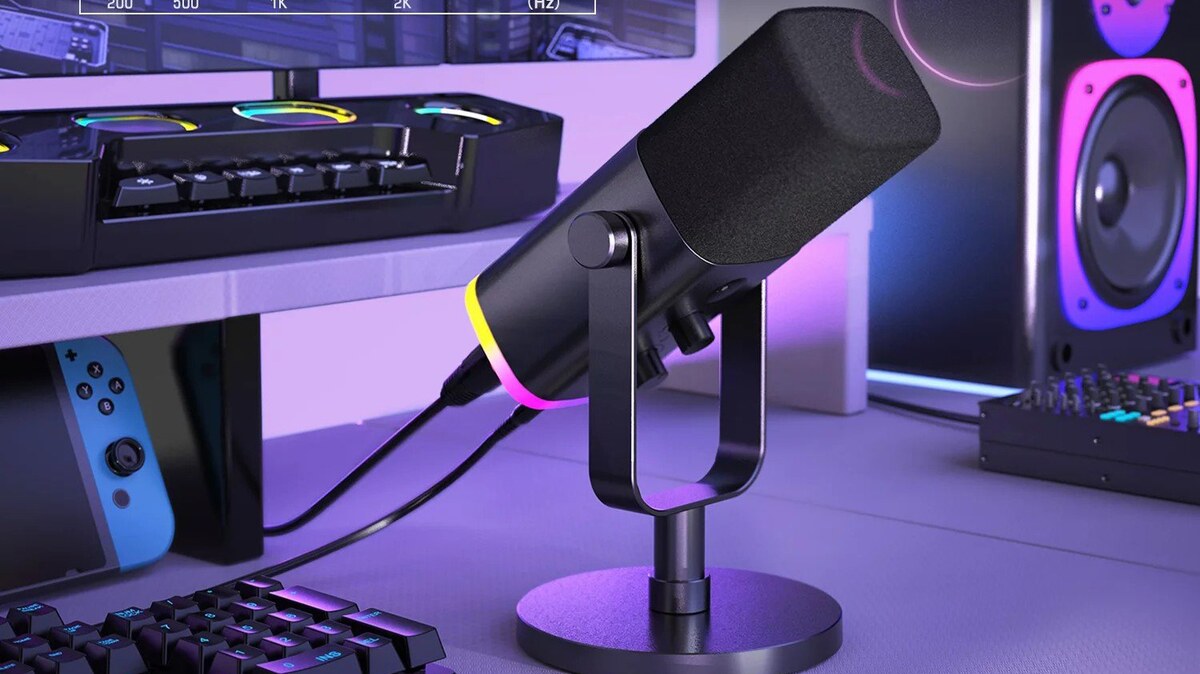
With sound and picture, it is logical to reach a level where you are pleasant to hear and see not only by colleagues, but also by clients and subscribers. The main headset is HATOR Hypergang 3 Wireless — wireless headphones with a pronounced gaming sound and a directional microphone. They provide dense, detailed sound, a comfortable fit for long sessions and a reliable voice in calls and streams. For recording podcasts, webinars and content in this configuration , Fifine AmpliGame AM8 RGB remains — a dynamic microphone with a unidirectional diagram and bright RGB backlight.
Fifine AmpliGame AM8
It’s better to leave the picture to a dedicated webcam. The Razer Kiyo V2 X is a streaming-focused webcam with good optics and room-level settings. If you want to stay in the Logitech ecosystem, a more affordable alternative is the Logitech Brio 100 , a neat 1080p camera that’s more than enough for everyday rallies.
The network for such a setup is a separate topic. TP‑LINK Archer BE230 is a router of the latest generation with support for newer standards (BE series), or the already mentioned Asus RT‑AX57 as an option with Wi‑Fi 6, when the BE line is still too “overkill”. They become the center of the home infrastructure: they are responsible for the ping in the game, and for the quality of the video connection, and for the fast synchronization of backups, when there are a dozen or more devices on the network.
It is logical to take a UPS not only for the router, but also for the workstation: Marsriva 800VA and Marsriva 1500VA from the Telemart catalog keep PCs, monitors, and network equipment powered long enough so that even in the event of an unpleasant power outage, you can complete critical processes without panic. To power network equipment itself, there are compact solutions like the Marsriva KP5 Max 18W 20000mAh , which pick up the router and ONT.