Ігор Вишневський Gadgets
14 September 2026, 11:00
2026-09-14
Curved shape — direct advantages. Why the AOC CU34E4CW monitor will be a good choice for IT professionals and not only. dev.ua review
dev.ua tested the AOC CU34E4CW curved monitor for standard office work, watching movies, and playing games. Why can we recommend this gadget to IT professionals, gamers, fellow journalists, and just anyone who works (and relaxes) at a computer a lot? Read about it in our review.
dev.ua tested the AOC CU34E4CW curved monitor for standard office work, watching movies, and playing games. Why can we recommend this gadget to IT professionals, gamers, fellow journalists, and just anyone who works (and relaxes) at a computer a lot? Read about it in our review.
Thinking that it’s not too late to become a gamer even after 40, I bought myself a gaming computer a few months ago. And later I decided that to fully immerse myself in the world of games, it wouldn’t hurt to upgrade the monitor, replacing the old, already discontinued AOC i2352 Vh (which, however, remains fully functional after 15 years of service) with something much more modern, wider, and with a wow effect.
I didn’t change the manufacturer, because its reliability and quality had already been proven. Moreover, now AOC has offered a truly original solution that I wanted to test in my own use — this is the 34-inch AOC CU34E4CW with a curved screen.
I haven’t had any experience using a monitor of this type yet, but in life, as they say, you have to try everything. Well, almost everything — at least a monitor with a curved screen is definitely on that list.
The manufacturer does not position the AOC CU34E4CW as gaming, but I did not look for such a positioning — on the contrary, I was looking for a universal device that would be equally comfortable for a wide range of tasks, taking into account the daily routine of a technology journalist — Internet surfing, using AI applications, working with text, video, tables and various types of documents, holding meetings and interviews (and for this the built-in webcam is very useful — so you do not need to buy and connect a separate device). And games, movies and music in your free time. After several weeks of use, I can definitely say that this AOC model perfectly meets all these tasks and even more, so it will be an excellent choice for IT professionals. But about everything else — in turn.
First acquaintance
Together with the 34-inch AOC CU34E4CW, the manufacturer includes a stand and a platform for it in the box, which allow you to easily install the monitor on a table with a convenient height adjustment (if desired, the monitor can also be mounted on a wall, but for this you will need to purchase a separate bracket). Also included is a power cable and three other cables — DisplayPort, HDMI and Type C — for connecting the monitor to a computer (or, if necessary, to other devices).
As mentioned in the paragraph above, AOC equipped the monitor with a 5-megapixel webcam hidden in the body. So it doesn’t «dazzle» on a permanent basis, but is always ready to appear outside if necessary with one light push on the monitor body.
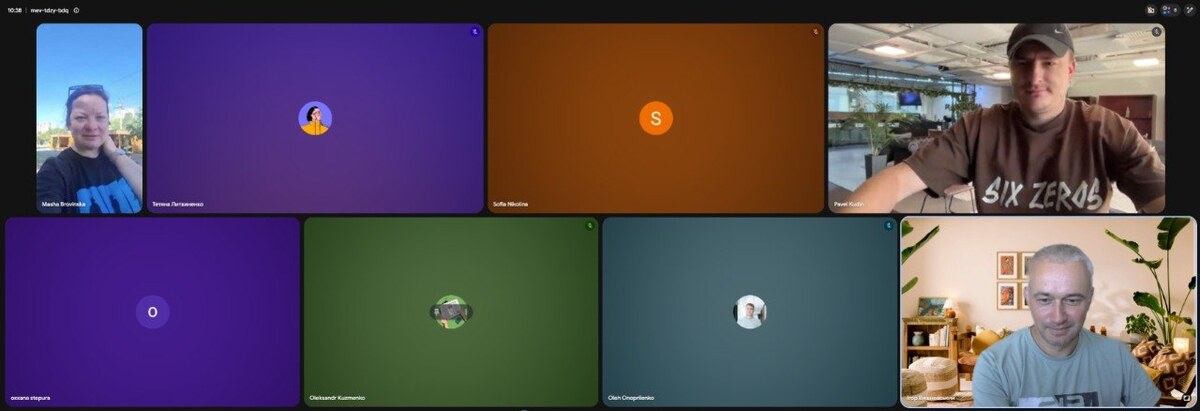
The built-in camera of the AOC CU34E4CW was tested on the daily schedule of dev.ua. True, not all other colleagues wanted to turn on their camera — but that’s on their conscience :)
By the way, the webcam has sensors for facial recognition, so if you use traditional Windows as an operating system, you can use Windows Hello to log in to it in less than 2 seconds. The manufacturer says that people spend on average three times as long entering passwords by hand, and we have no reason not to believe it.
Another pleasant surprise for many is the built-in speaker (or rather, two — 5 W each) — so the sound is available even without connecting separate speakers. Yes, for music lovers and audiophiles this will not be enough, but for basic needs it is more than enough. Thus, with the built-in camera and speakers, AOC provides a solution for those who in the 21st century finally want to have an «all-in-one» device and who are tired of the situation where the monitor is just a screen.
Among the useful features available on board, it is also worth mentioning the 90W USB-C Power Delivery function and docking station. This allows you to connect and charge a laptop or other devices, as well as quickly transfer data.
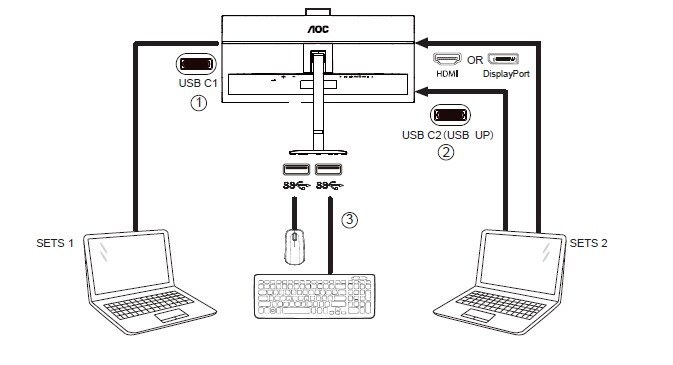
Meanwhile, the built-in Smart KVM switch allows you to control multiple connected devices simultaneously, with one keyboard, one mouse, and one monitor at your fingertips.
Smart KVM operation diagram — from the manufacturer’s website
Among the technologies announced by the manufacturer, which are important for people who spend a lot of time in front of the monitor (in particular, IT professionals), are Low Blue Light and Flicker-Free. They are designed to reduce eye strain and provide comfort during prolonged work.
The 120 Hz refresh rate (which is twice as fast as many standard monitors) also does its job, especially when the screen is displaying dynamic images. Actually, listing all the features and capabilities of the monitor could take up the entire text, so we will stop there. Instead, we will share our own impressions of using it in standard tasks — work and entertainment.
Convenient multitasking on a curved screen
The use of a curved screen is explained by optimization for the human field of vision, reduction of color distortion, ergonomics and reduction of eye fatigue, as well as the immersion effect that the arc-shaped shape gives, blocking the person’s peripheral vision and forcing «less distraction» by what is outside the monitor. In order to confirm the listed effects, prolonged use is required, but my shorter acquaintance with the monitor definitely does not allow to deny it. I will not argue.
Size does matter when it comes to monitors. The tried-and-tested old AOC is still alive, but it’s being put in the closet. Instead, the 34-inch AOC CU34E4CW is up to the task :)
For me, as a person who previously used a monitor one and a half times smaller, the wow effect was partly not only in the shape, but also in the banal size. But when working in text documents, monitoring websites, and watching videos or games, there is a persistent impression that the monitor «envelops» your field of vision. Purely physically and psycho-emotionally, this really immerses you more in the process, whatever is happening on the screen, and makes you «fall» into the picture. Of course, you shouldn’t exaggerate this effect either — it is not global, but still quite noticeable.
For work, in my humble opinion, the AOC CU34E4CW finally demonstrated how convenient it is to use multiple windows on one screen, because there is more than enough space. The height of the 34" monitor is comparable to 27" models. In addition, thanks to the 1500R curvature radius, the edges of the screen remain in sight, so you don’t have to constantly turn your head when working with multiple windows.
To organize such multitasking, you can use the built-in Windows tools to divide windows (Snap Layouts). Or use the proprietary utility from AOC — AOC Screen+, which can be downloaded from the official website. It divides the screen in all possible configurations — and you simply place the necessary working windows in the selected slots.
I also find it convenient to split the screen in half by simply dragging one of the windows to the left edge of the monitor. Then you can do two things at the same time — for example, watch a video and take notes from it in a text document.
This is an extremely banal scenario, but the technological audience of our site will find a thousand other, more advanced ones.
In addition, if necessary, the AOC CU34E4CW supports image output from two different devices simultaneously — thanks to Picture-by-Picture (PbP) or Picture-in-Picture (PiP) modes.
The monitor is «space». How the AOC CU34E4CW coped with watching «Interstellar»
I wanted to watch the biggest movie hit of recent months, Christopher Nolan’s «The Odyssey,» on my new monitor, but it’s not yet available in Ukrainian online cinemas, and using a pirated video for viewing would be a dubious decision. So I decided to focus on the same director’s masterpiece from more than 10 years ago, the film «Interstellar.»
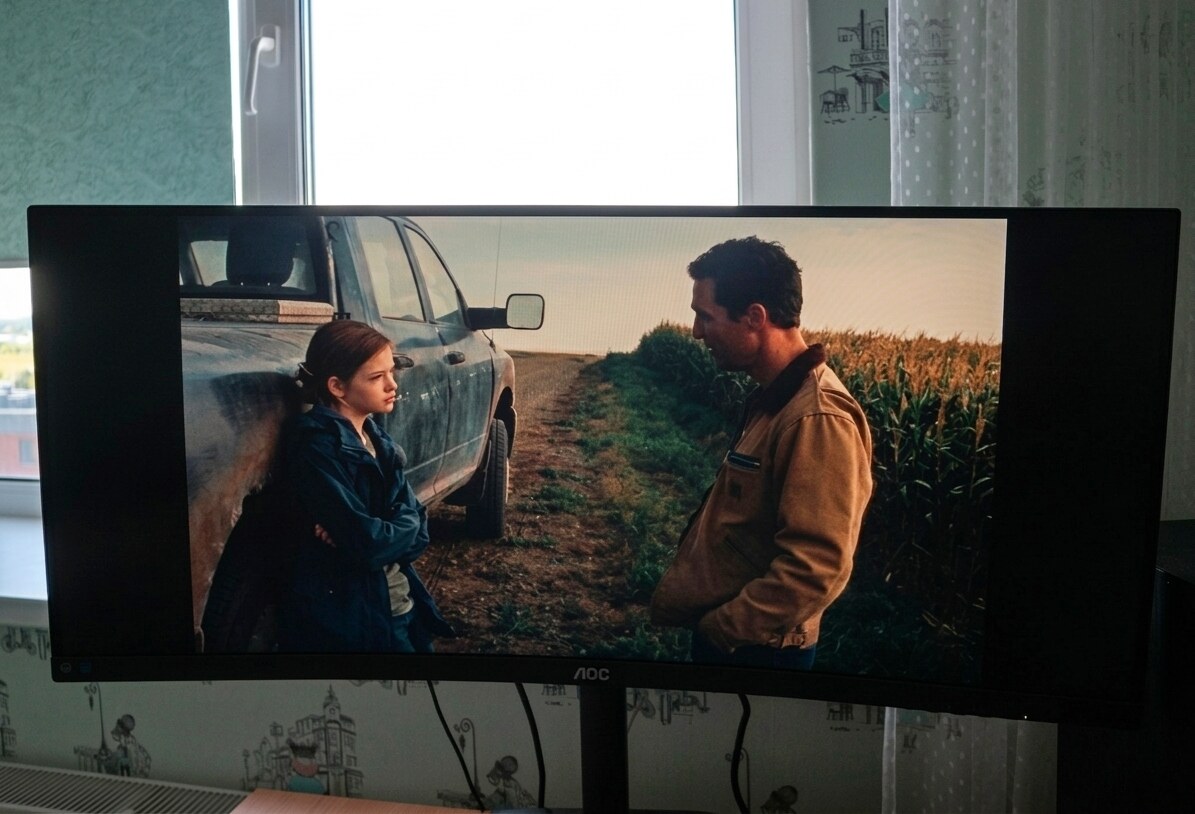
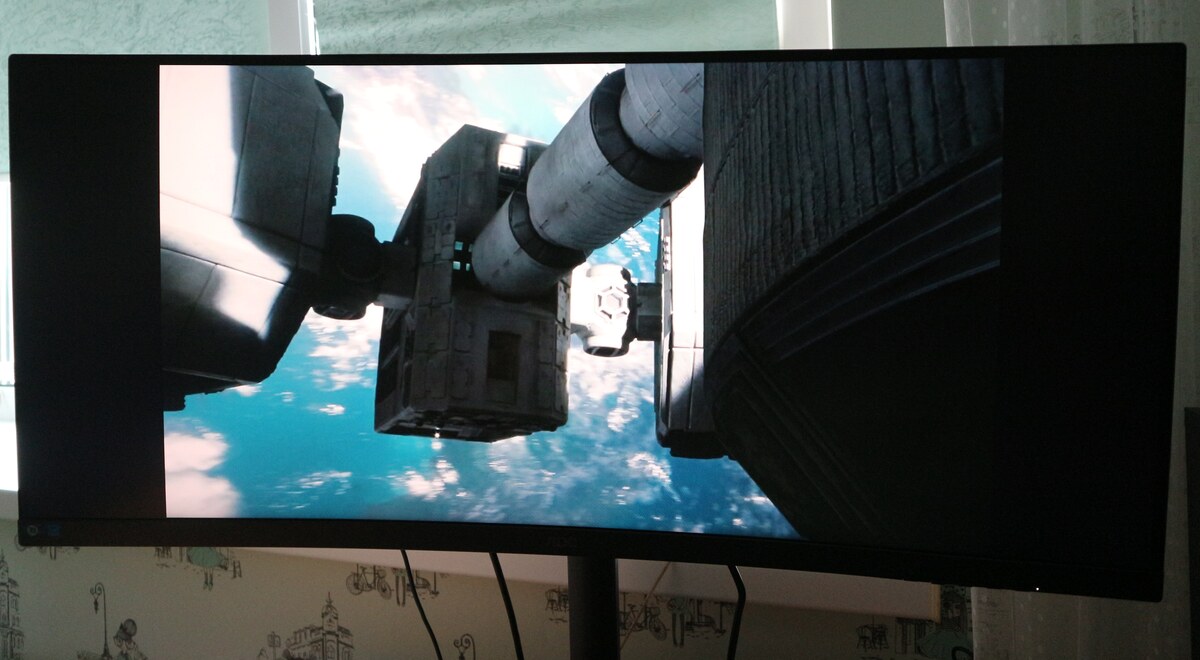
Transmitting video quality by taking a picture of a monitor, and even with far from perfect lighting in the room, is a so-so idea. But the author of the article couldn’t come up with anything better :)
Watching Interstellar on the 34-inch curved AOC CU34E4CW is perceived completely differently than on a standard monitor, because the cinematic 21:9 format itself plays a major role here. The image completely fills your peripheral vision. The 1500R curvature gently envelops the gaze, creating the effect of deep immersion in the cockpit or in the boundless space of the frame.
Among other things, the screen shows its best sides in dark space scenes: deep shades of black make the silhouette of the Endurance station and the monumental Gargantua Nebula voluminous, expressive and saturated. Bright accents — for example, the dazzling ice plateau of the planet Mann — look contrasting and reveal a lot of fine details in halftones.
Here, the monitor shows excellent work with shades of gray and blue — there are no highlights, the ice blocks have texture, and the astronauts' dark gray spacesuits do not blend into the background.
With UWQHD resolution, every texture on a spacesuit or intricate detail on a dashboard remains sharp, while the 120Hz refresh rate ensures smoothness and fluidity in dynamic moments like intense scene rotations and dockings. All of these visuals enhance the emotional experience of the film: the scale of the universe seems grander, and the atmosphere of loneliness and drama is felt from the very first moments of viewing, transforming the film into an almost physically tangible personal experience.
Playing with Fire: How the AOC CU34E4CW Renders the Hellish Landscapes in Baldur’s Gate 3
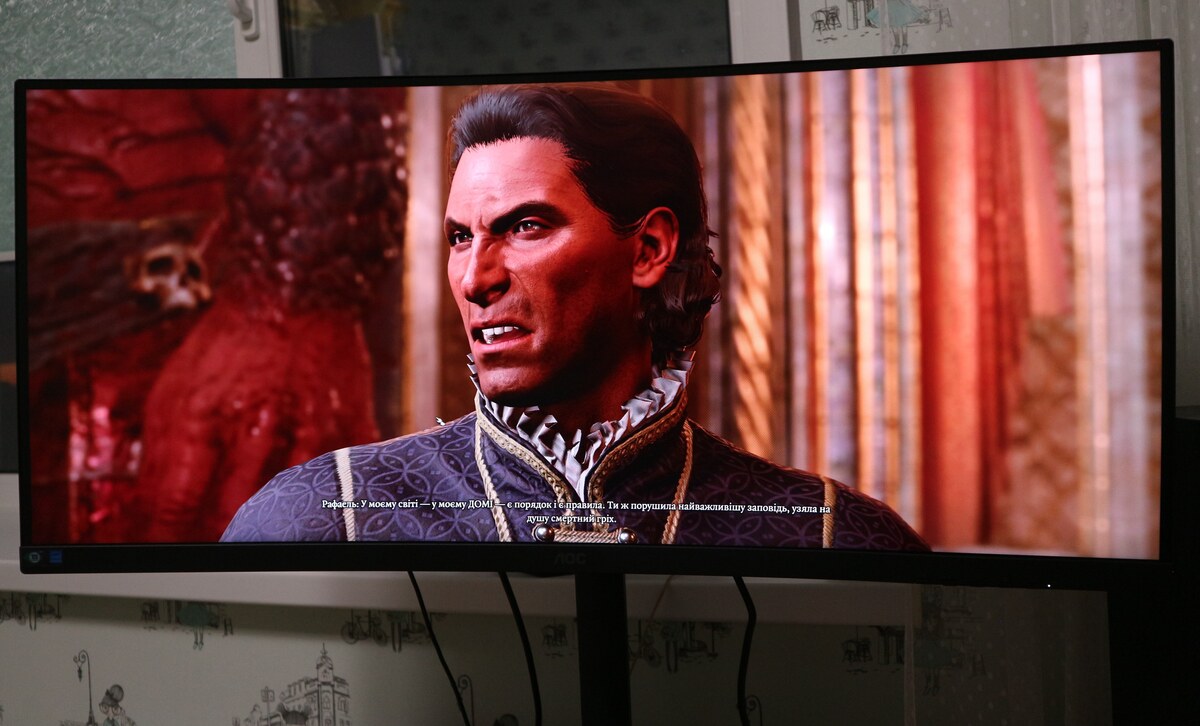
To test the AOC CU34E4CW in games, I chose the cult game Baldur’s Gate 3, which I’m currently playing. Currently, I have a difficult task ahead of me — to defeat the infernal Raphael in the House of Hope.
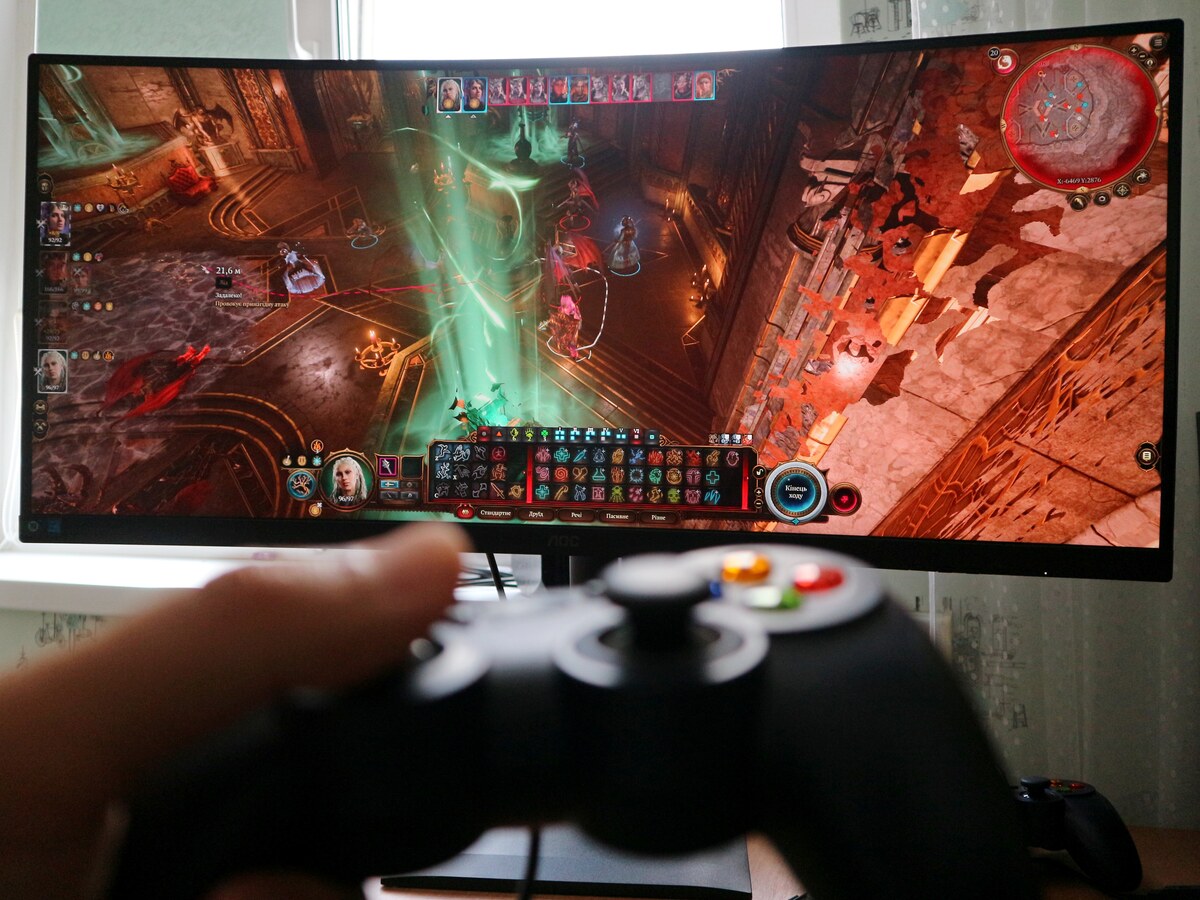
It is in such locations that the 21:9 format is fully revealed. The luxurious and at the same time eerie hall of hell fits almost entirely on the screen.
You don’t have to constantly move the camera sideways to control the balance of power: Raphael, his soul pillars, the demons, and your entire party are in view at the same time. The 1500R curvature further «wraps» your peripheral vision in the hellish interiors, enhancing the feeling that you are truly trapped in the devil’s domain.
The ultra-wide UWQHD format with a resolution of 3440 × 1440 pixels takes the gaming experience to a high level: gloomy dungeons and dark corners of the hall look truly black, not gray, and the orange-hellish glow of magic, fire, and golden decorations of the palace contrast beautifully with the shadows.
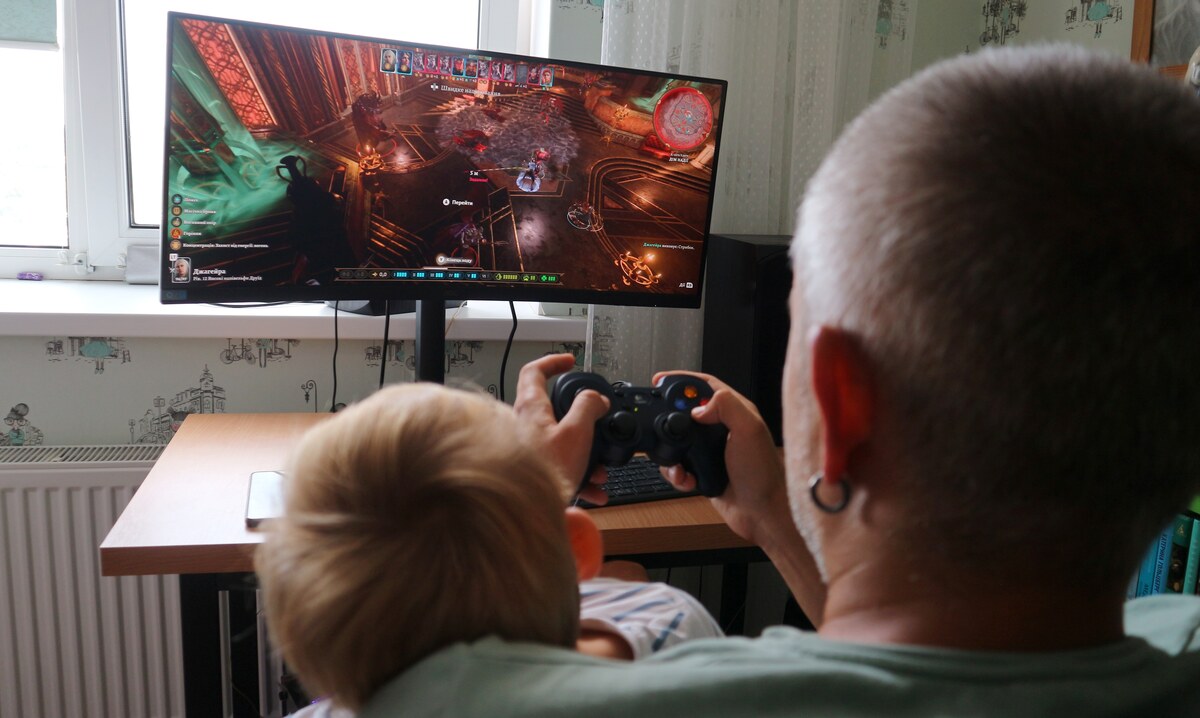
It seems that computer games have gone too far and have lured a family member who is too young to be involved in such activities to the screen. However, Marko himself does not think so :)
We can conclude that for games where the beauty of locations, panoramic views, and overall atmosphere are important, the AOC CU34E4CW monitor, while not specifically gaming, still provides an incredible sense of immersion.
Where can I buy?
AOC CU34E4CW is perceived as a real find for work and daily functions. All the necessary documents and chats are finally in front of your eyes without constant switching between windows. The well-thought-out comfort of the monitor does not tire your eyes after a long working day, and in the evening the monitor easily turns into a private cinema or a playground for your favorite games. At the same time, the picture in films and games gets a completely different depth and scale.
To purchase the AOC CU34E4CW monitor in one of the stores and enjoy its benefits, just click the button. Enjoy!
Granny throws you into a nightmare where silence is your greatest weapon. Locked inside a creepy house, you have just five days to uncover clues, unlock hidden paths, and escape before Granny catches you. Be careful—even the smallest noise can alert her, turning every step into a nerve-racking challenge. https://granny-games.com













Granny throws you into a nightmare where silence is your greatest weapon. Locked inside a creepy house, you have just five days to uncover clues, unlock hidden paths, and escape before Granny catches you. Be careful—even the smallest noise can alert her, turning every step into a nerve-racking challenge. https://granny-games.com