Хочете будувати кар’єру в Data Science та AI? Vodafone Big Data Lab відкриває новий набір —>
Олександр КузьменкоHot News
17 December 2024, 14:58
2024-12-17
UPD. The new Nvidia App for optimizing games can actually reduce their performance by 15%. How the company responded to expert tests
Gamers have been reporting on social media that they’ve noticed an increase in gaming performance on their PCs when they don’t have the new Nvidia App installed. Experts tested a number of games with and without the Nvidia App, and found that it can indeed reduce frame rates in some cases. Does this affect STALKER 2?
Gamers have been reporting on social media that they’ve noticed an increase in gaming performance on their PCs when they don’t have the new Nvidia App installed. Experts tested a number of games with and without the Nvidia App, and found that it can indeed reduce frame rates in some cases. Does this affect STALKER 2?
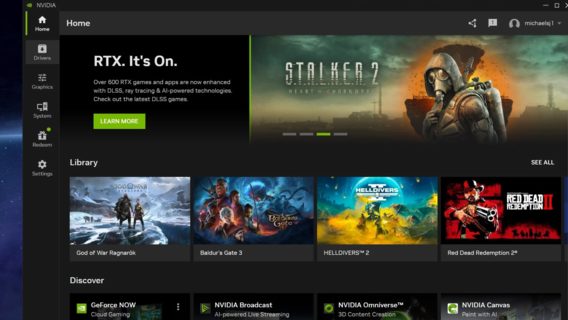
Last month, Nvidia released the 566.14 drivers, officially deprecating the GeForce Experience app that many gamers are familiar with. With the 566.36 drivers, Nvidia removed GFE entirely, leaving only the new Nvidia App, which is out of beta. Like GeForce Experience, one of the app’s main purposes is to install driver updates for Nvidia graphics cards, but it also borrows some features from other Nvidia Control Panel and RTX Experience apps.
«We have confirmed reports online that the app is degrading game performance, reducing frame rates by up to 15% in some cases,» said hardware experts at Tom’s Hardware.
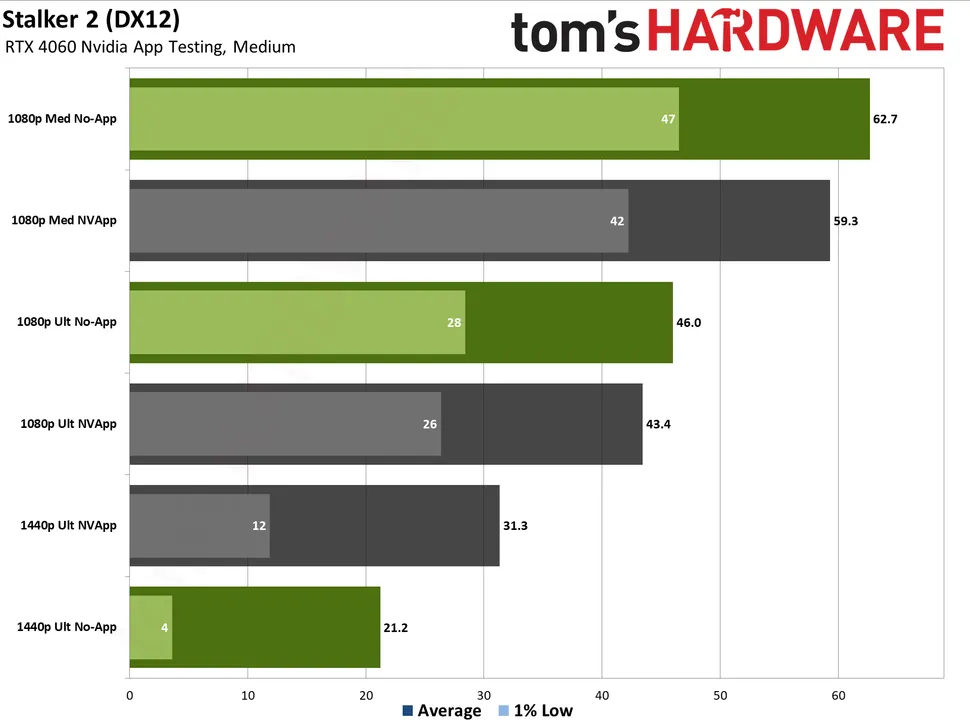
They say 15% is a significant performance hit caused by a driver or application update. In comparison, the more expensive RTX 4060 Ti is only 18% faster than the base model RTX 4060, according to their GPU benchmarks, with both running at medium settings at 1080p. The publication’s tests showed that the performance hit wasn’t 15% in all cases, but they tested with the 4060 and saw frame rate drops of 2-12% in five games.
The Nvidia app was initially launched with default settings (i.e. with the overlay enabled but not actively used). Here’s a quick performance overview.
The experts noted that they received several anomalous results that were not similar to the others. For example , STALKER 2 at 1440p ultra resolution ran faster with the application — but even without it, it clearly lacked video memory, so the numbers did not match.
«Maybe we just got 'lucky' when we did our initial testing. Microsoft Flight Simulator 2024 was also slightly faster in our 1440p ultra results when using the app. However, this was within the margin of error, and none of the results were particularly promising at less than 30fps,» Tom’s Hardware says.
In all other cases, not having the Nvidia app installed improved performance. 1080p was expected to show the biggest delta, as it’s more of a CPU-constrained scenario, but the performance drop was largely independent of settings and resolution. Some games showed a smaller performance drop, others a larger one.
Nvidia App test results. Image: Tom’s Hardware
Some believe that Unreal Engine 5 games are the most affected, but according to testers, Assassin’s Creed Mirage suffered the most, losing 9% performance at 1080p with medium settings, 12% at 1080p ultra, and 6% at 1440p ultra. STALKER 2 also lost about 6% (not including the 1440p ultra result), while Black Myth: Wukong fell «only» 2-6%. Baldur’s Gate 3, a DirectX 11 game, fell 3-4%, and Flight Simulator 2024 also lost 6% at 1080p.
«It’s safe to say that the performance loss will vary across CPUs and GPUs, although without additional testing we can’t say exactly how much. At least one user reported a performance loss of up to 15% in Black Myth: Wukong when testing an RTX 4080 Super paired with a Ryzen 7 9800X3D, so it’s possible that more powerful GPUs will be even more affected,» the experts point out.
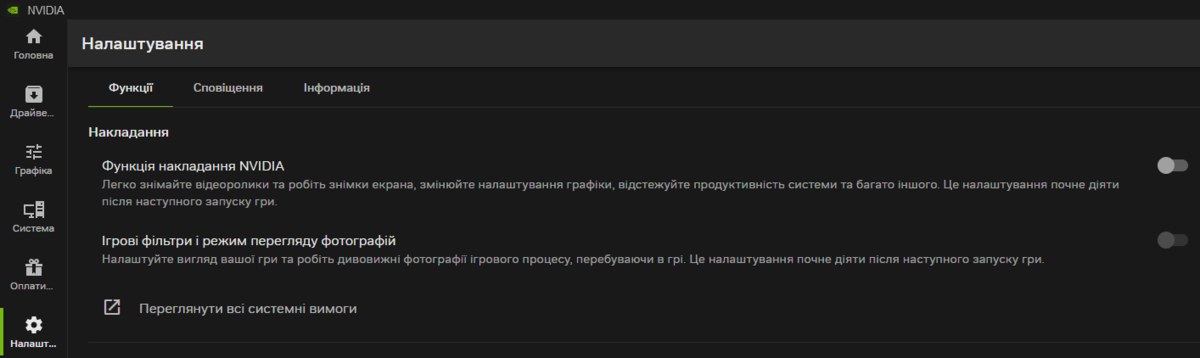
Some gamers have reported that their PC gaming performance improved even when the Nvidia App remained installed but the overlay was disabled in the settings. Nvidia has yet to comment on potential issues with its app, which is supposed to improve gaming performance, not the other way around.
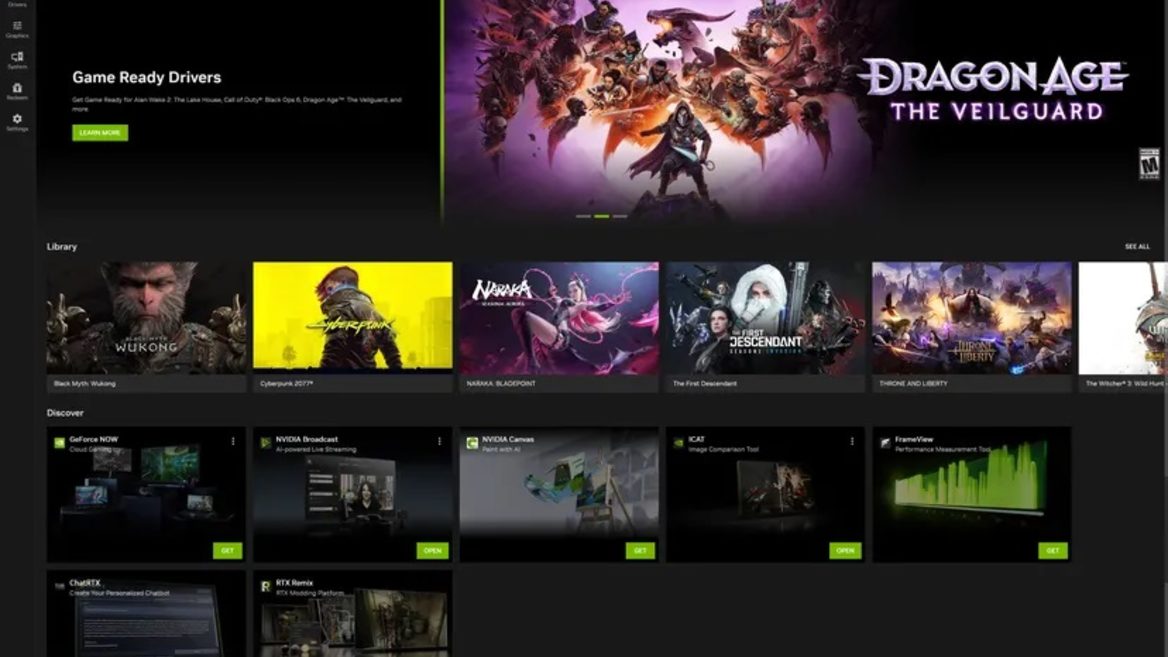
Screenshot of Nvidia App settings
UPD. An Nvidia representative replied that the company was aware of the problem with the Nvidia App and suggested a temporary solution.
«We are aware of a performance issue related to game filters and are actively working on a resolution. You can disable game filters in NVIDIA Settings > Features > Overlays > Game Filters & Photo Mode, then restart the game,» an Nvidia representative wrote on the forum.