Хочете будувати кар’єру в Data Science та AI? Vodafone Big Data Lab відкриває новий набір —>
Оксана СтепураAI Eng
14 August 2026, 14:51
2026-08-14
OpenAI trained ChatGPT to remember what a user did on a Mac. How does Computer History work?
OpenAI запустила для застосунку ChatGPT на macOS функціюComputer History, яка може запам’ятовувати, над чим користувач працював у різних програмах і на сайтах. Завдяки цьому ChatGPT або Codex можна, наприклад, запитати, який документ ви переглядали раніше чи на якій сторінці бачили потрібну інформацію.
OpenAI launches ChatGPT feature for macOSComputer History, which can remember what the user has been working on in different programs and websites. Thanks to this, ChatGPT or Codex can, for example, ask which document you viewed previously or on which page you saw the information you need.
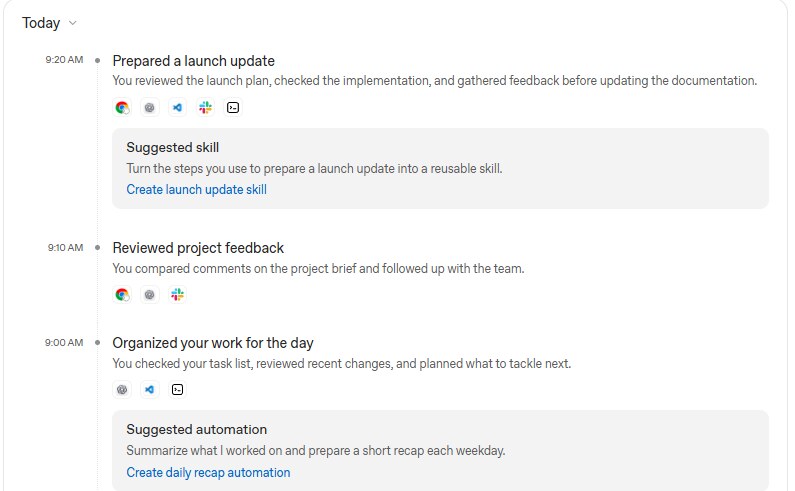
If the system notices that a user regularly performs the same sequence of actions, it may suggest turning it into a “skill” or automation for Codex. So, if ChatGPT notices that a user goes through the same steps before updating documentation, for example, checking the launch plan, implementation, and team feedback, it may suggest turning this process into a ready-made script for Codex.
An example of history.
The system can capture clicks, text input, keystrokes, app switching, read text on the screen, and other context that macOS transmits through the Accessibility system. This data is then converted into text summaries and “memories” that ChatGPT and Codex can access later. However, the feature does not take screenshots or screen recordings, or record audio from the microphone or system. Also, your private browsing activity will not be recorded in your history.
So Computer History differs from the Chronicle system that OpenAI presented earlier, because Chronicle took screenshots to create memories of the user's work.
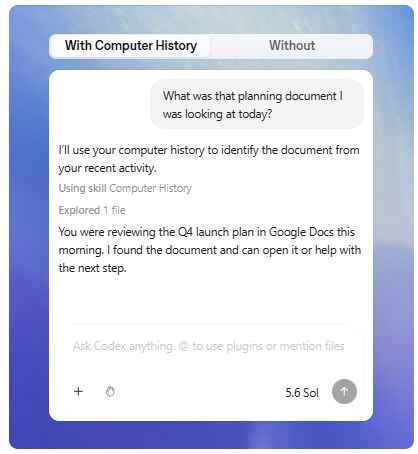
Example of a Codex question about user history.
The user can choose which applications and websites are allowed to be taken into account. For example, allow only certain applications or, conversely, add individual applications and website addresses to the exclusion list.
The "raw" files with Computer History events are temporarily stored locally on the computer and deleted no later than 48 hours later. OpenAI periodically processes them on its servers to create text memories, but states that these temporary files themselves are not stored after processing and are not used to train models. And processed memories can only be deleted by the user themselves.
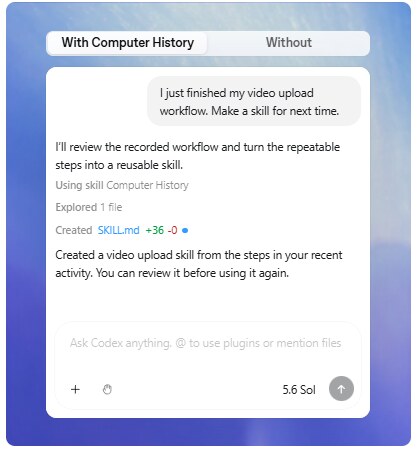
The code created a "skill".
At the same time, OpenAI itself warns of a new risk. Computer History can be used for prompt injections—malicious instructions that can cause AI to perform an unwanted action. For example, if a user opens a site with hidden malicious instructions, they can end up in a context that ChatGPT or Codex will later use.
The feature is currently available to ChatGPT Pro, Business, and Enterprise users in the macOS app.
Previously, dev.ua wrote about a similar feature called Microsoft Recall, which creates a history of a user's Windows activity using screenshots. After criticism over privacy risks, Microsoft had to overhaul its security.
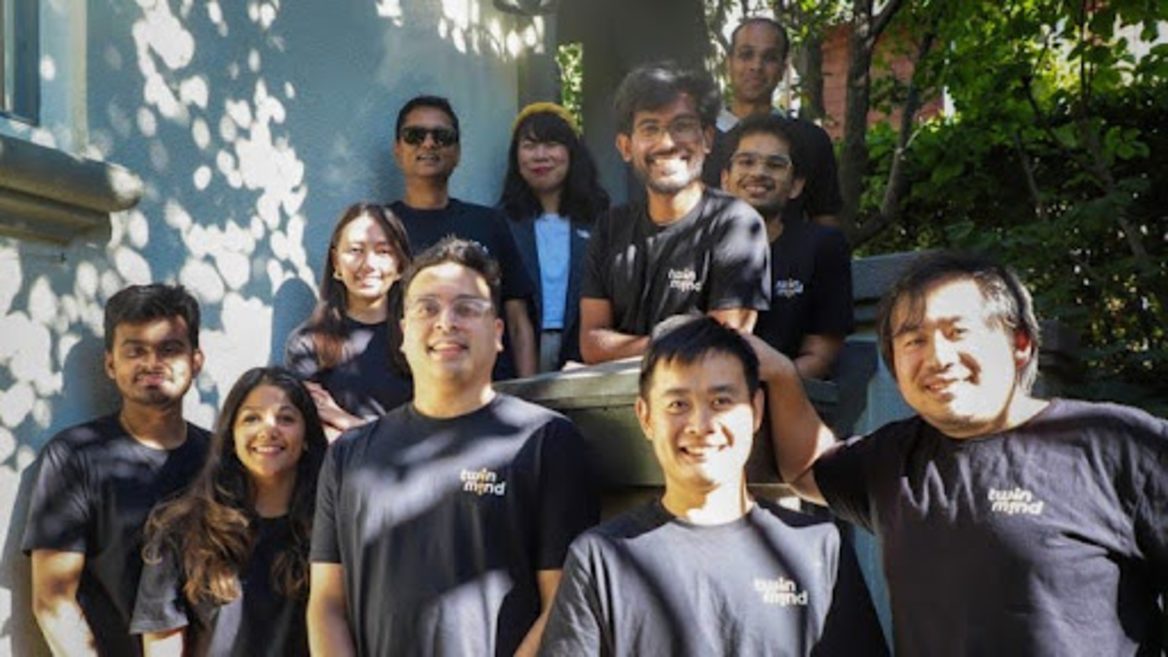
Former Google employees created an AI assistant that lives in a smartphone and always listens to its owner: how TwinMind works and what are its benefits
Як нейромережі бачать вільну та незалежну Україну? Тест dev.ua
Нейронні мережі для генерації зображень бачать світ по-своєму, їхню логіку зрозуміти часом зовсім неможливо. Але таки хочеться. На честь Дня Незалежності України редакція dev.ua вирішила провести невеликий експеримент.
Ми задали чотирьом різним нейронним мережам п’ять однакових запитів: «прапор України», «День Незалежності України», «український Крим», «перемога України» та «українці». Отриманими результатами ми ділимося з вами нижче.
У TikTok тепер можна генерувати фон за допомогою нейромережі. Ми протестували її та ділимося результатами
У TikTok з’явилася нова функція «Розумний фон». З її допомогою як фон для тіктоків можна підставляти згенеровані нейромережею зображення. Редакція dev.ua протестувала цю технологію і ділиться своїми враженнями.