Хочете будувати кар’єру в Data Science та AI? Vodafone Big Data Lab відкриває новий набір —>
Наталя ХандусенкоAI Eng
2 June 2026, 16:19
2026-06-02
Chrome tests Gemini feature disable button after backlash over 4GB AI model
Google has begun testing a new feature that will allow users to better control artificial intelligence in the browser. The Chrome Canary test build has a switch called Enable Skills in Chrome. It allows you to completely disable Gemini-based tools without affecting the browser's other AI capabilities. Since the option is currently in early development, the final release in the stable version of Chrome may be subject to changes. However, if Google leaves everything as is, users will for the first time receive a direct and understandable tool for controlling Gemini integration.
Google has begun testing a new feature that will allow users to better control artificial intelligence in the browser. The Chrome Canary test build has a switch called Enable Skills in Chrome. It allows you to completely disable Gemini-based tools without affecting the browser's other AI capabilities. Since the option is currently in early development, the final release in the stable version of Chrome may be subject to changes. However, if Google leaves everything as is, users will for the first time receive a direct and understandable tool for controlling Gemini integration.
Chrome recently faced a barrage of criticism for secretly loading an AI model weighing about 4GB onto users' devices. Now, Google is testing a new dedicated subpage and toggle for the features so users can turn them off if they find the AI to be an unnecessary bloat, Windows Report reports .
Google has already added a way to control this level. There’s a toggle in Settings > System > On-device AI that lets you turn local AI models on or off, or remove them from your device. This feature isn’t new and isn’t in the most prominent place, but it’s there.
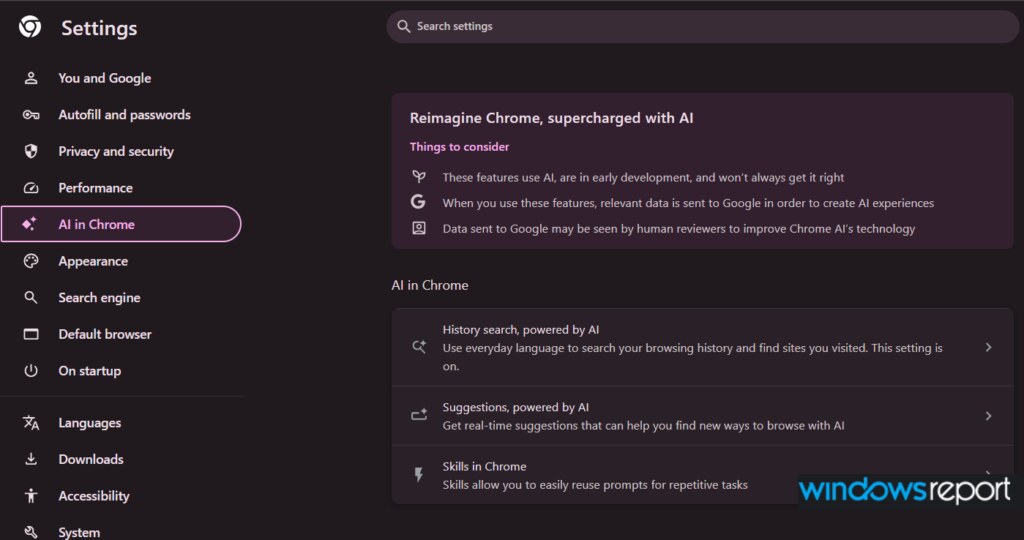
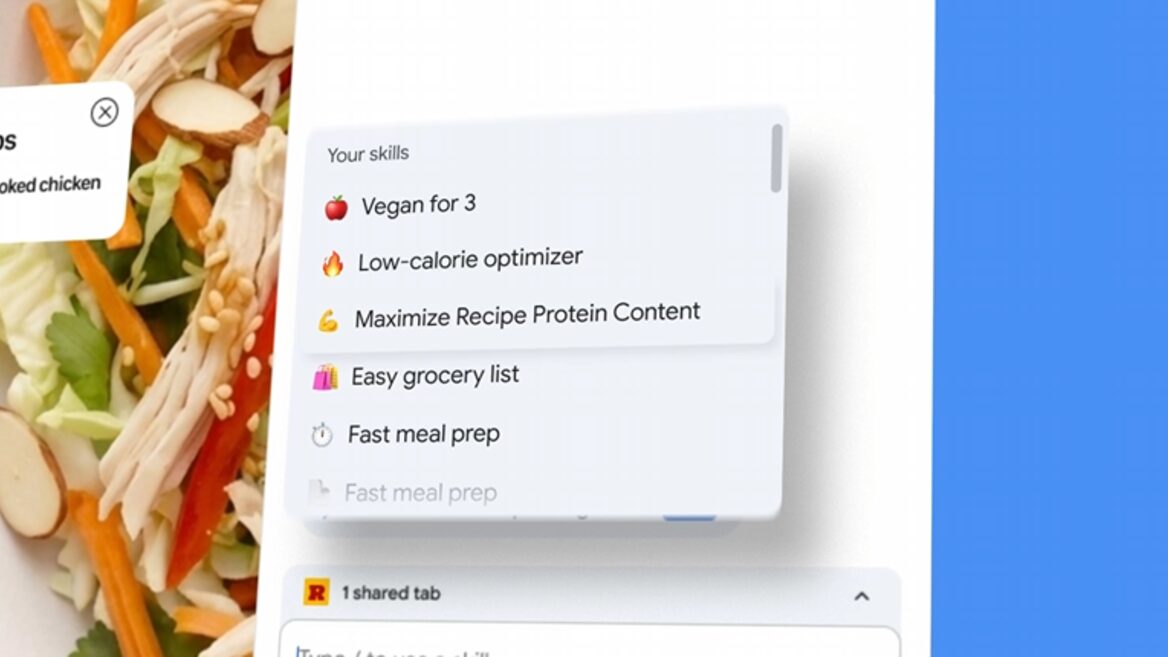
A major innovation, currently only available in Chrome Canary, is a separate Skills subpage in the Chrome AI section (chrome://settings/ai). It looks like this:
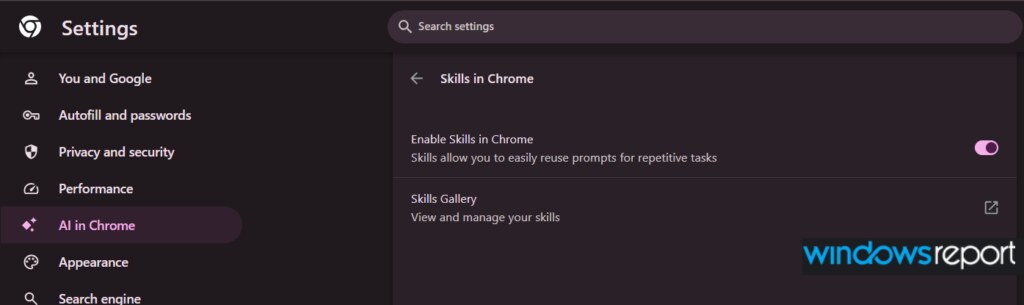
The Skills in Chrome page with the message: "Skills allow you to easily reuse prompts for repetitive tasks."
The main switch labeled "Enable Skills in Chrome."
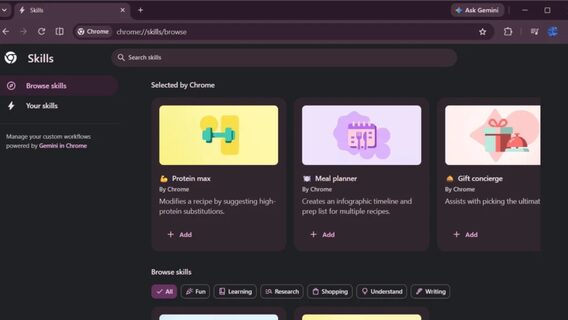
The Skills Gallery link, which opens your saved skills at chrome://skills.
When this switch is off, the Skills will no longer appear in the Gemini sidebar and will stop working, even if you leave the local AI enabled for other tasks. Previously, there was no clear and single toggle specifically for these features.
A quick note: Skills tools are built right into Gemini in Chrome. You type a "/" in the Gemini sidebar to call up and run your saved skills, or go to the Gallery to tidy up your list. If you rarely use them or think of them as just another AI junk that came after the infamous 4GB model, a new toggle lets you get rid of them with a click.
Як нейромережі бачать вільну та незалежну Україну? Тест dev.ua
Нейронні мережі для генерації зображень бачать світ по-своєму, їхню логіку зрозуміти часом зовсім неможливо. Але таки хочеться. На честь Дня Незалежності України редакція dev.ua вирішила провести невеликий експеримент.
Ми задали чотирьом різним нейронним мережам п’ять однакових запитів: «прапор України», «День Незалежності України», «український Крим», «перемога України» та «українці». Отриманими результатами ми ділимося з вами нижче.
У TikTok тепер можна генерувати фон за допомогою нейромережі. Ми протестували її та ділимося результатами
У TikTok з’явилася нова функція «Розумний фон». З її допомогою як фон для тіктоків можна підставляти згенеровані нейромережею зображення. Редакція dev.ua протестувала цю технологію і ділиться своїми враженнями.