Хочете будувати кар’єру в Data Science та AI? Vodafone Big Data Lab відкриває новий набір —>
Оксана СтепураAI Eng
27 August 2026, 09:36
2026-08-27
Claude got its own browser in Cowork. How is it different from Claude in Chrome?
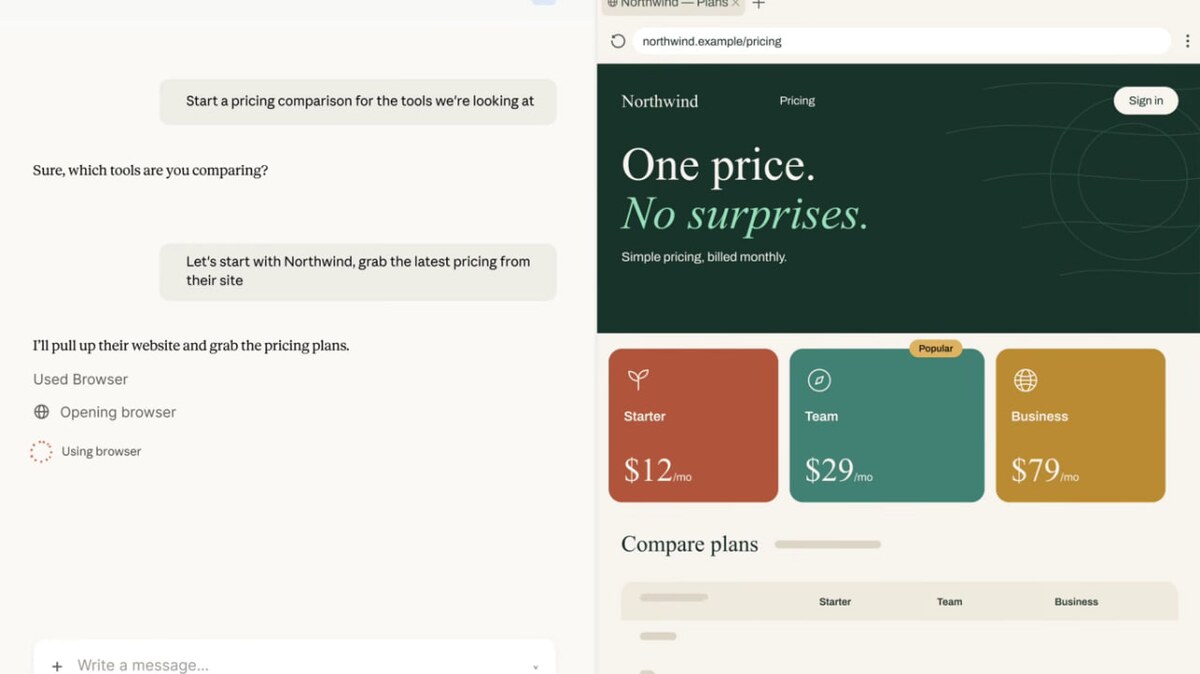
Anthropic has added a built-in browser to Claude Cowork. Now the AI assistant can independently open websites, read pages, click buttons, enter text, and fill out forms.
Anthropic has added a built-in browser to Claude Cowork. Now the AI assistant can independently open websites, read pages, click buttons, enter text, and fill out forms.
A new browser opens in the Claude Desktop sidebar when you need to visit a site to perform a specific task.
Previously, Cowork could use the Claude in Chrome extension to do this, which allows the AI assistant to interact with the user's browser. Now, Claude gets a separate browser and, by default, doesn't see the user's personal tabs, bookmarks, or saved passwords.
However, the user can separately transfer authorization on the desired sites to it. On macOS, logins can be imported from Chrome, Edge, and Firefox, and on Windows and Linux - from Firefox. However, banking services, email, and sites with single sign-on are not automatically transferred, so they must be allowed separately.
So Cowork's own browser is well suited for tasks that can be completely entrusted to Claude. For example, going through a certain site and collecting the necessary information. Instead, Claude in Chrome can be used when the AI assistant needs to work specifically with the already open page and accounts where the user is authorized. If the extension is already installed, Claude in Chrome will remain the default browser. But you can switch to the built-in one in Cowork settings.
However, Anthropic also reminded about a common problem for browser-based AI assistants - prompt injection. These are attacks when instructions hidden on a web page try to force the model to do something other than the user's task. The company claims that it uses the same protective mechanisms as Claude in Chrome, in particular, checking the agent's actions for compliance with the request. At the same time, Anthropic admits that it is not yet possible to completely eliminate such a risk, so it advises to initially entrust Claude with sites that the user trusts.
The built-in browser will be available to Claude Pro, Max, and Team users in the desktop app for macOS, Windows, and Linux within a week. The feature is currently in beta. It is already available for Enterprise, but must be enabled by an administrator.
Previously, dev.ua wrote that Anthropic taught Claude Code and Cowork to work directly in the user's browser.