AI chatbot Claude gets integration with Google Docs and Sheets
Anthropic has released the public beta of its Claude extension for Google Workspace. Now paid subscribers can use artificial intelligence directly within Google Docs, Sheets, and Slides.


Anthropic has released the public beta of its Claude extension for Google Workspace. Now paid subscribers can use artificial intelligence directly within Google Docs, Sheets, and Slides.
Anthropic has released the public beta of its Claude extension for Google Workspace. Now paid subscribers can use artificial intelligence directly within Google Docs, Sheets, and Slides.
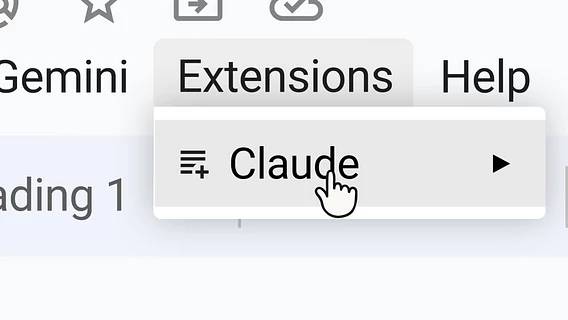
This was announced on the official Anthropic blog. The new tool runs in a sidebar next to an open file, allowing AI to analyze document content, identify selected text or cells, and make changes directly to the file without switching between browser tabs.
In Google Docs, the chatbot can edit sentences, change heading styles, and suggest edits in the form of interactive cards with hints. Users can also instruct Claude to summarize a text report or automatically generate a spreadsheet based on a list of tasks. In Google Sheets, the assistant can write formulas, build pivot tables, add new tabs, and use Python to clean or merge data.
In Google Slides, artificial intelligence helps create slides based on ready-made themes, checking the alignment of elements and readability of the text. The developers have provided two control modes: by default, Claude requires confirmation for each action, but the user can enable the automatic application mode for edits. The tool also retains access to corporate connectors (for example, Salesforce) and company security settings.
The extension is now available in the Google Workspace Marketplace for paid plan users, and administrators can deploy it centrally.
Recall that in the spring, Google introduced Workspace Intelligence, a system based on Gemini artificial intelligence that automates work in the company’s popular office services. The new tools will allow users to create spreadsheets faster, generate texts in Google Docs, and analyze data from Drive, Gmail, and Calendar.