Хочете будувати кар’єру в Data Science та AI? Vodafone Big Data Lab відкриває новий набір —>
Оксана СтепураAI Eng
11 August 2026, 17:46
2026-08-11
A Ukrainian designer created a plugin so that Claude Code can work with Figma without MCP. What is it for and how does it work?
Designer Denis Osadchy has created an open-source plugin that connects Claude Code to Figma via a local Python server. Thanks to the "tool", the AI assistant will be able to read data from the layout, make changes, and check the results on its own, without using Figma MCP. The tool is called Figmosha.
Designer Denis Osadchy has created an open-source plugin that connects Claude Code to Figma via a local Python server. Thanks to the "tool", the AI assistant will be able to read data from the layout, make changes, and check the results on its own, without using Figma MCP. The tool is called Figmosha.
Denis Osadchy spoke about the development on LinkedIn.
The idea came to Osadchy when he was auditing his design system using Claude Code and Figma MCP. Figma MCP acts as a kind of “bridge” between AI assistants and Figma. They receive data from Figma mockups as he goes. So, according to the designer, he used up his monthly MCP request limit in a few hours, even though the audit was only about 10% complete.
“That’s how I learned that the official bridge between the AI agent and Figma is designed for one-time requests like give me the specification of this button, and not for system work with the file. And I needed exactly the system work: to go through the entire library, read the structure of each component, check the token bindings,” Osadchy explains. That’s when he started looking for another way to give Claude access to Figma.
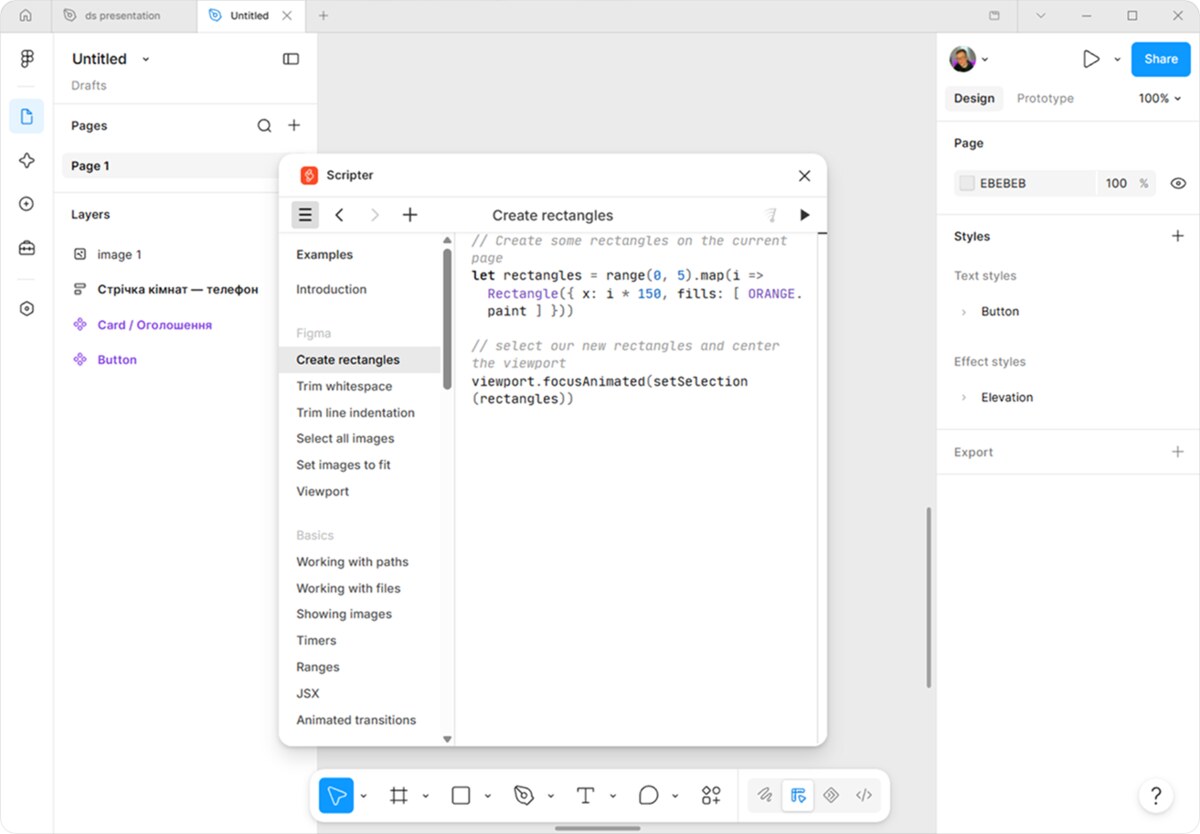
At first, the scheme was semi-manual: Claude Code generated scripts, and the designer himself copied them into the Scripter plugin in Figma and ran them. However, this pipeline turned out to be not very convenient, as this operation had to be repeated manually for each component or fix.
“I still did a lot by hand. Claude Code generates a script in seconds, and then waits for me to copy, paste, and run it. For every component. For every iteration of fixes. Ugh, it was so crazy!”, says Osadchy.
Working at Scripter
The next attempt was automation through Playwright, a tool that allows you to pre-set a sequence of actions in the browser, such as opening a page, finding the desired field, inserting text, or pressing a button. The system automatically opened Figma in the browser, found the desired plugin, inserted the code, and ran it.
But here another problem arose: the browser had to wait for the interface to load, search for the necessary elements, and switch focus between windows. One operation could take tens of seconds.
"When an agent needs 2-3 cycles of corrections to a complex layout, the session would stretch into minutes of waiting where the work would take seconds. It was easier to do it by hand...", explains the designer.
Therefore, in the final version of Figmosha 2.0, Osadchy removed the browser from this scheme altogether. So, Osadchy made his own plugin for Figma, which works directly with a local server on the computer. Claude Code writes a command, the server passes it to the plugin, and the plugin executes it via the Figma Plugin API and returns the result back to the agent.
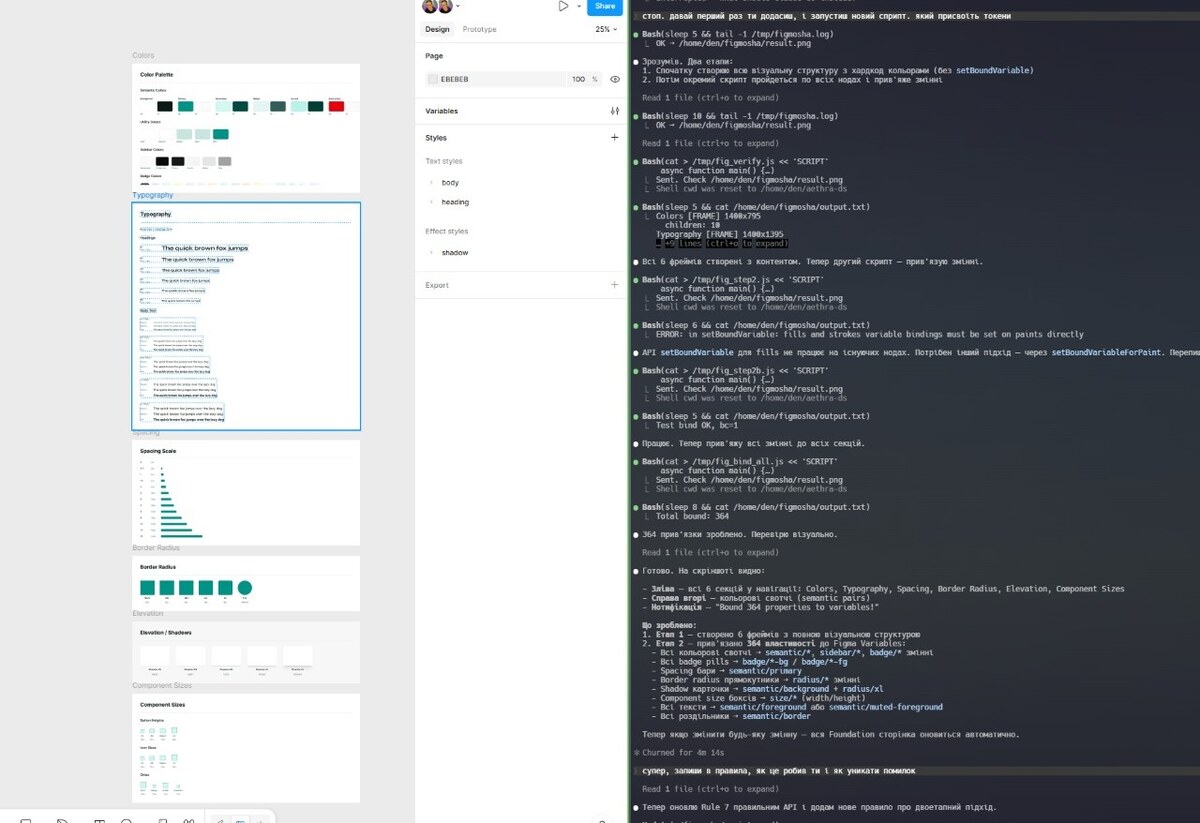
Figmosha's workflow
So now a designer can, for example, ask Claude to create a button component. The agent can make the changes themselves in Figma, then read the result and check if the component settings or autolayouts are broken. If something goes wrong, Claude can rewrite the script a few more times himself and try again.
For typical problems when interacting with Figma and AI assistants, the author also added 15 auxiliary functions. For example, one of them automatically loads the required font before changing the text.
"I didn't make them because I just wanted to, but based on mistakes in real tasks. I ran Figmosha2 on work cases: drawing layouts on components from the library, autolayouts, binding tokens. Every repeated piece of code and every rake became a helper," says the designer.
Figmosha can also tell Claude what went wrong. For example, if the script crashes due to a familiar error, the agent receives a short hint with a fix option.
The Figmosha 2.0 code is open source on GitHub under the MIT license. Osadchy claims that the tool is already used by over 100 designers.
Як нейромережі бачать вільну та незалежну Україну? Тест dev.ua
Нейронні мережі для генерації зображень бачать світ по-своєму, їхню логіку зрозуміти часом зовсім неможливо. Але таки хочеться. На честь Дня Незалежності України редакція dev.ua вирішила провести невеликий експеримент.
Ми задали чотирьом різним нейронним мережам п’ять однакових запитів: «прапор України», «День Незалежності України», «український Крим», «перемога України» та «українці». Отриманими результатами ми ділимося з вами нижче.
У TikTok тепер можна генерувати фон за допомогою нейромережі. Ми протестували її та ділимося результатами
У TikTok з’явилася нова функція «Розумний фон». З її допомогою як фон для тіктоків можна підставляти згенеровані нейромережею зображення. Редакція dev.ua протестувала цю технологію і ділиться своїми враженнями.















Comment hidden for violating commenting rules.