Промо на dev.uaCrypto
16 October 2025, 09:00
2025-10-16
Which Bitcoin Wallet to Choose in 2025: Overview
A Bitcoin wallet in 2025 has become as essential a tool as a banking app was a few years ago. The cryptocurrency market has grown, millions of users are making daily transactions, and the issue of safe storage of assets has ceased to be a technical detail — it is the basis of trust in the ecosystem.
A Bitcoin wallet in 2025 has become as essential a tool as a banking app was a few years ago. The cryptocurrency market has grown, millions of users are making daily transactions, and the issue of safe storage of assets has ceased to be a technical detail — it is the basis of trust in the ecosystem.
More and more owners are choosing to control their funds themselves, rather than relying on centralized exchanges. According to CCN, the number of active non-custodial wallets has increased by 47% over the past year. This shift reflects a general market trend towards self-custody, where the user is responsible for the security and access to their assets.
The Bitcoin wallet segment is growing at a record pace: according to The Business Research Company, its volume will reach almost $19 billion by 2025, up from $14.4 billion a year earlier. At the same time, interest in multi-chain solutions that combine storage, exchange, and work with Web3 projects in a single interface is growing — they are the ones that are shaping a new generation of mobile wallets.
Against this background, products that combine convenience and functionality with a high level of security are gaining more and more attention. One such solution is Best Wallet, a non-custodial multi-wallet that offers the user full control over assets and access to the DeFi ecosystem without intermediaries.
In this review, we will analyze how Best Wallet is structured, what functions it implements, and how reliable its security architecture is.
Best Wallet Bitcoin Wallet: Why is it recommended by experts and users?
Best Wallet is a mobile non-custodial multi-chain wallet available for iOS and Android. It supports over 60 networks, including Bitcoin, Ethereum, Solana, Polygon, Avalanche, and major Layer-2 solutions. The application is designed for those who want to store, transfer, and use digital assets without intermediaries and without ecosystem restrictions.
The key feature of Best Wallet is full control over access to funds. Private keys are generated locally on the device and are not transferred to developers or third-party services. Protection is based on a combination of PIN code and biometrics, and backup recovery is carried out via a seed phrase that the user stores independently. This approach eliminates the risk of losing assets due to compromise of centralized servers.
The application interface is adapted for everyday use. The user can send tokens in a few taps, add new networks, track the balance of each asset, and quickly switch to exchange or staking functions. All actions are accompanied by visual prompts, making the process intuitive even for beginners.
Best Wallet was designed as a universal solution for Web3. It supports connecting to decentralized applications, working with NFTs, and participating in presales through the «Upcoming Tokens» tab. At the same time, the wallet remains lightweight and stable, without overloading the device with unnecessary background processes.
Taken together, this makes Best Wallet not just a storage medium, but a full-fledged access point to the Web3 ecosystem with a balance between mobile simplicity and a high level of security.
Next, we will take a detailed look at the key features of the application — from exchanges and multi-chain support to staking and a presale section — to understand how Best Wallet solves security problems without compromising convenience.
As mentioned earlier, Best Wallet supports over 60 networks, from Bitcoin and Ethereum to Solana, Polygon, Avalanche, and Layer-2 solutions. This coverage allows you to manage assets from different ecosystems in a single interface, without the need to maintain multiple applications.
The main tool for working with tokens is the built-in aggregator Best DEX. It combines liquidity from leading decentralized exchanges and conducts transactions directly through their smart contracts, the entire process takes place entirely within the application.
The user only needs to select the network and token, specify the exchange direction and confirm the operation. All steps are performed in a couple of clicks without going to third-party sites and connecting separate DApp browsers.
Thus, Best DEX acts as a single point of exchange: the program itself selects the best routes and liquidity, providing cross-chain swaps in a secure environment without leaving the wallet.
Buying tokens in the presale
Another feature that makes Best Wallet stand out is the «Upcoming Tokens» tab. This is an internal catalog of tokens that are in the presale stage.
The user can familiarize themselves with the terms of the project and participate in the purchase directly through the application. According to Techpoint Africa, before being added, projects undergo a basic check of the team and tokenomics, which reduces the risk of encountering an outright scam.
The advantage of this format is convenience and security: there is no need to leave a wallet or manually search for smart contract addresses. Other, more well-known and older counterparts, such as Trust Wallet and Exodus, do not have a similar built-in system.
However, the developers remind: presales always carry market risks, it is important to check the sources, volume of issuance, and liquidity of the token.
NFT and Web3 access
Best Wallet is equipped with its own NFT gallery, where you can store and view collectible tokens. In addition to visual display, it also has a quick connection function to decentralized applications.
The Web3 interface is accessible in a few taps: without third-party browsers and without re-entering private keys. Thus, the wallet becomes a complete bridge between storing assets and using them in the Web3 environment.
Buying crypto for fiat
For purchasing cryptocurrency, Best Wallet has integrated an onramp platform that works with bank cards, Apple Pay, and other payment methods.
According to Cryptonews, transactions are made through partner services such as Onramper. After the transaction is completed, the asset immediately appears on the balance sheet of the desired network, which simplifies further exchanges or transfers. For beginners, this is a clear way to enter the ecosystem without registering on exchanges and going through complex verification procedures.
Staking and the ecosystem
The program is built around the native $BEST token, which provides additional bonuses. It is used to encourage user activity, participation in presales through the «Upcoming Tokens» tab, discounts on exchange fees — these privileges are enshrined in the project’s tokenomics. Token holders also get the opportunity not only to store it, but also to increase profitability through built-in staking.
The smart contracts of the $BEST token have been audited by Coinsult and SolidProof. Independent audits confirmed the absence of critical vulnerabilities and the impossibility of issuing additional tokens outside the terms of the smart contract.
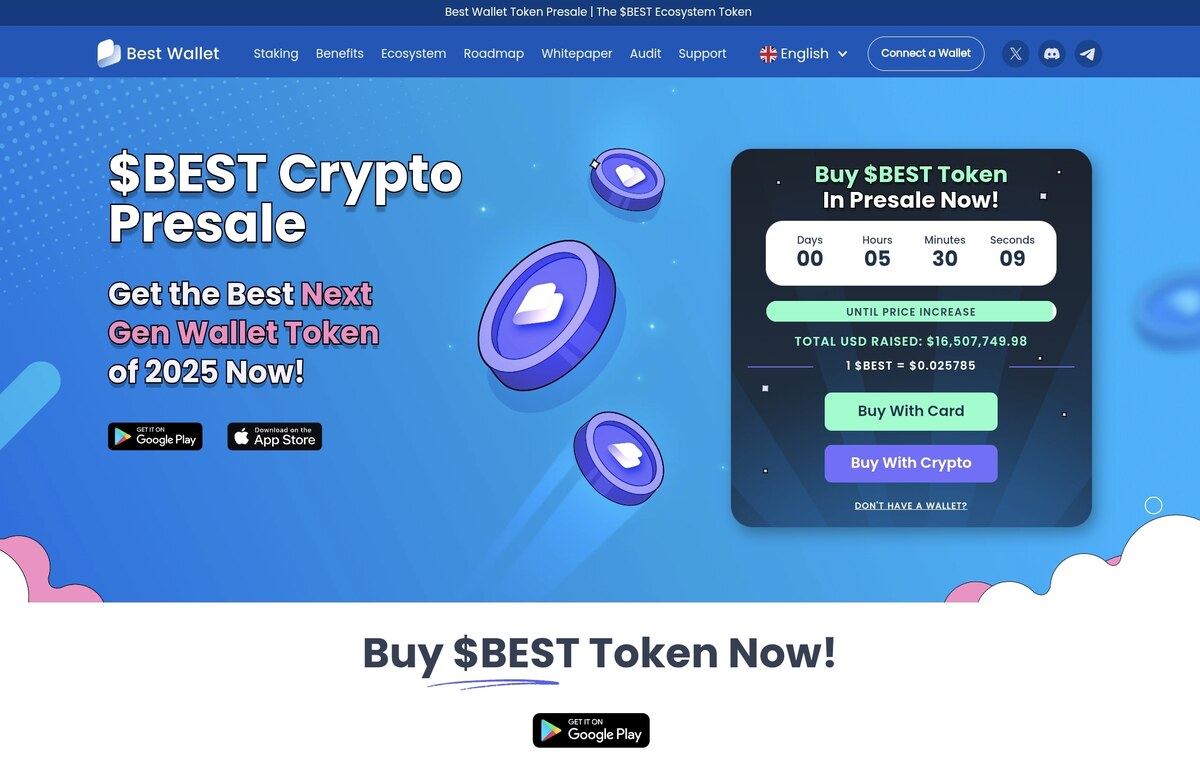
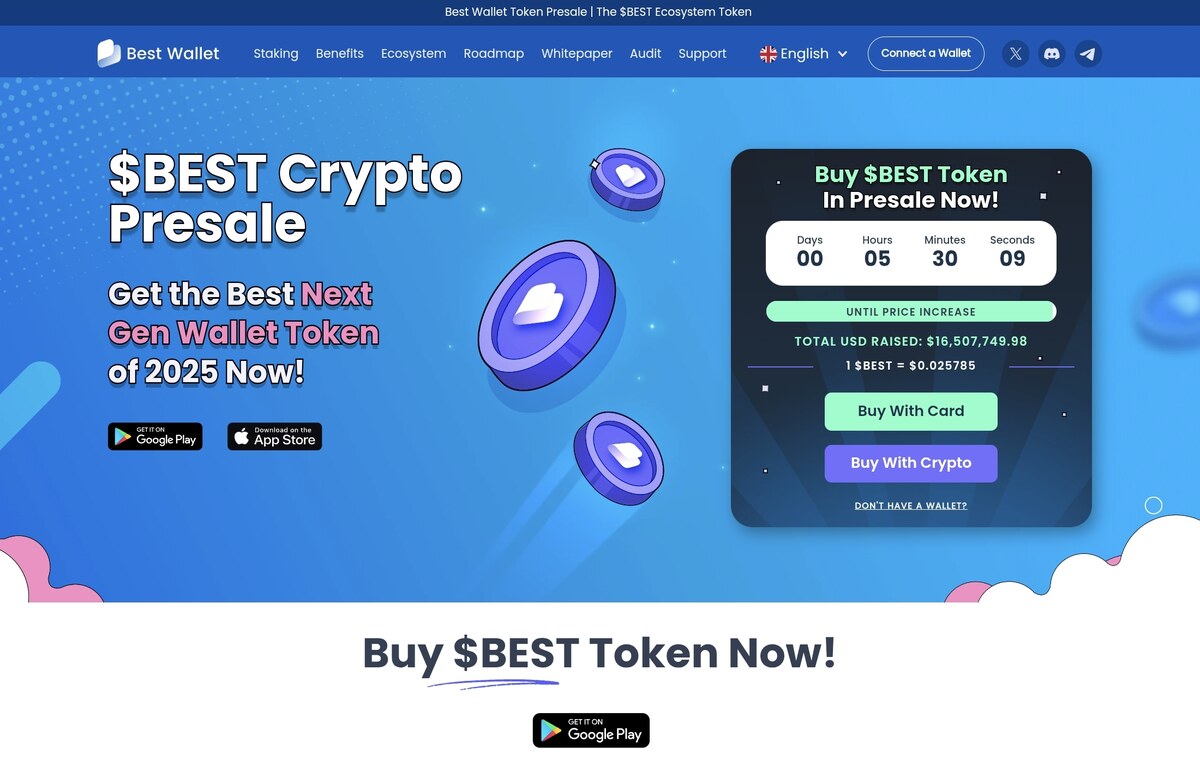
At the time of writing, the value of $BEST is $0.025765, and the total amount of presale proceeds reached $16.4 million. Over 331 million tokens are locked in staking, and the profitability reaches 80% per annum. All transactions are performed directly inside the wallet.
In addition to the native asset, Best Wallet supports staking of other tokens in networks with a proof-of-stake mechanism. For this, a built-in aggregator is used, which selects available pools and allows you to earn on popular cryptocurrencies without switching to third-party DeFi platforms. This makes the application a full-fledged tool not only for storing assets, but also for generating passive income in a multi-chain environment.
Roadmap
The Best Wallet team is actively developing the product. The official roadmap states three directions: Best Card crypto cards with instant conversion of assets to fiat, a browser extension for PC, and analytical tools with staking tracking and optimization functions.
All of these products are still under development, but reflect Best Wallet’s strategy — building a single ecosystem where asset management, storage, and usage are combined in a single solution.
What is the security of Best Wallet?
Best Wallet is a hot non-custodial wallet where funds are accessed via an internet connection. With this format, the user is as autonomous as possible: private keys are stored locally on the device and are not transferred to third parties.
This allows you to quickly perform daily operations without unnecessary actions, but requires the owner to be attentive to security settings, since hot solutions do not eliminate the risks of hacking.
Access to the wallet is protected by a combination of a PIN code and biometrics — a fingerprint or Face ID. This creates an additional layer of protection even in the event of physical access to the device. As ICObench notes, the application also uses two-factor authentication and built-in encryption mechanisms, which increases overall resistance to unauthorized access.
To restore access, a seed phrase is used, which is generated when creating a wallet. It remains only with the user, and recovery is possible only if it is available. This is where the human factor most often manifests itself: beginners often save the seed phrase in the cloud or take screenshots, putting themselves at risk. It is recommended to store it offline — on paper or metal media — and not to transfer it to third parties.
When working with the Best Wallet, you should follow basic security rules: check addresses and QR codes before sending funds, use test transfers for large transactions, avoid public Wi-Fi networks, and download the app only from official stores.
It is important to understand the limits of the hot storage format. Best Wallet provides a high level of security for everyday transactions, but for large amounts it is optimal to combine it with hardware solutions such as Ledger or Trezor, where the keys are physically isolated from the network.
UX and speed: how convenient it is to use
Best Wallet was originally created as a mobile solution where key operations take a minimum of time. At the first launch, the user goes through a short onboarding: creates a wallet, enables a PIN code and biometrics — and immediately gets to the main screen with the balance and the tabs «Home», «Trade», «Rewards», «Apps» and «Settings». The whole process takes only a few minutes and does not require registration on third-party services.
The «Swap» section is available directly from the home screen or in the «Trade» tab — this allows you to carry out a transaction in two steps without going to other tabs. The user selects tokens, the program automatically calculates the rate and commission, after which it remains to confirm the transaction. This scenario saves time and simplifies the exchange for everyday transactions.
To send funds, the user selects the desired token in the «Home”/“Trade» tab, after which the program opens a separate screen with the recipient’s address and the transfer amount entered. After confirmation, the transaction is sent to the network. This two-step process reduces the risk of error and makes the interface understandable even for beginners.
The program works stably even on mid-range devices: the interface is responsive, and navigation is not overloaded with animations. Quick launch, smooth transitions, and a logical tab structure make Best Wallet a universal tool for everyday tasks — from buying and exchanging tokens to interacting with Web3 services and participating in presales.
Pros and cons of Best Wallet: in brief
Best Wallet combines the functionality of a multichain wallet with the simplicity of a mobile interface. Below are the main advantages and limitations to consider before using it.
Pros:
Support for over 60 blockchains, including Bitcoin, Ethereum, Solana, and Layer-2 solutions
Built-in DEX with cross-chain swaps and an «Upcoming Tokens» section for participating in presales
Buying cryptocurrency for fiat directly from a card or via Apple Pay
Staking the $BEST token and the possibility of passive income
Clear interface, biometric protection and backup recovery
Cons:
Hot format does not provide offline isolation like hardware wallets
Some features, including Best Card and browser extension, are still under development.
Safety directly depends on the device and the user’s attentiveness
Best Wallet and other Bitcoin wallets: comparison
To evaluate Best Wallet on the market, below we will compare it with three popular Bitcoin wallets of different formats: mobile Trust Wallet, cross-platform Exodus, and hardware Ledger.
Trust Wallet
Trust Wallet is one of the most popular hot wallets on the market, part of the Binance ecosystem. It supports thousands of tokens and over 70 networks, including Ethereum, BNB Chain, and Polygon. With a built-in DApp browser and a simple interface, Trust Wallet has become the standard among mobile storage and Web3 solutions.
Pros:
Built-in DApp browser with a wide selection of Web3 applications
Supports more tokens and NFTs than Best Wallet
Ability to manually add custom networks
Cons:
No built-in presale section
There is no single multichain DEX
There is no native token of its own that grants additional privileges
Exodus
Exodus is a hot cross-platform wallet available on desktop and mobile devices. It is known for its well-designed interface and detailed portfolio visualization, making it a convenient tool for those who prefer to work with assets on the desktop.
Pros:
Full-featured desktop application with advanced analytics
Bright and extremely simple interface, convenient even for beginners
Broader analytical tools and visualization of portfolio returns
Cons:
No built-in presale section
There is no single multichain DEX
There is no native token of its own that grants additional privileges
Ledger
Ledger is a cold-type hardware wallet, which is a physical device similar to a flash drive. Private keys are stored off-network, inside a secure chip and are not transmitted to the internet. Ledger is designed for long-term and maximum secure storage of large amounts and requires connection via the Ledger Live application.
Pros:
Maximum security and physical isolation of private keys
Resistance to hacking and network attacks
Optimal for storing large amounts and long-term investments
Cons:
Not intended for daily operations and quick transactions.
Requires a separate device and Ledger Live app for use
High cost due to the need to purchase a physical device
Which Bitcoin Wallet is Better? A Quick Summary
Best Wallet is suitable for those who actively use cryptocurrency in everyday transactions and want to manage assets from different networks in one application. It combines mobility, built-in DEX and access to presales, while remaining a non-custodial solution.
Trust Wallet is a better choice for beginners who want a simple interface and a basic set of features without having to understand settings. It is suitable for storing and exchanging popular tokens without delving into Web3.
Exodus is aimed at those who prefer to work with crypto on their computer. Its strengths are the desktop interface and visual portfolio visibility, but mobile Web3 features are limited.
Ledger is a long-term storage solution. It provides maximum security through offline key isolation, but requires a physical device and is not suitable for fast transactions.
Best Wallet: control of assets in your hands
Cryptocurrency wallets have long ceased to be just a means of storage: today they are full-fledged digital asset management centers. Best Wallet fits into the new reality and even slightly anticipates it: it combines the functions of exchange, staking, access to Web3 and participation in presales in one mobile interface.
This is a hot solution: it is convenient for daily transactions, but requires careful attention to security. For large amounts, it is optimal to combine it with hardware storage, for example, using Ledger, where the keys are physically isolated from the network.
Best Wallet looks like a universal tool for active users: it is easy to learn, stable in operation, and offers everything you need to manage capital without intermediaries.
FAQ
Can I transfer Best Wallet to a new phone?
Yes. When creating a wallet, the user receives a seed phrase that allows them to restore access on any device. Simply install the program, select «Import wallet» and enter the backup phrase.
How to verify the authenticity of an application during installation?
Download only from the App Store or Google Play, where the developer is listed as Best Wallet Ltd. You can also check through the official website of the Best Wallet project.
Can Best Wallet be connected to decentralized applications?
Yes. The wallet supports connectivity to Web3 projects via the integrated WalletConnect. This allows you to interact with DeFi services, marketplaces, and NFT platforms directly from the application.
«If you don’t understand anything about the industry, always invest no more than 5%.» 10 quotes from crypto millionaire Konstantin Kudo about the industry, education, trading principles, and mistakes