Microsoft has stuffed the Edge browser with Copilot AI functionality. Will this help it be competitive?
Microsoft has added a large number of Copilot AI features to the Edge browser — both in its desktop version and in the mobile app.


Microsoft has added a large number of Copilot AI features to the Edge browser — both in its desktop version and in the mobile app.
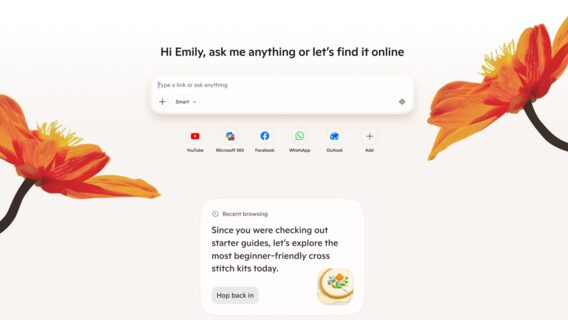
Microsoft has added a large number of Copilot AI features to the Edge browser — both in its desktop version and in the mobile app.
As reported on the official blog, Copilot can now compare information across multiple open tabs.
It is also possible to provide hands-free web browsing using voice.
In the mobile app, in particular, after giving Copilot the appropriate permission, Edge will be able to analyze all your open tabs. «Simply ask a question and it will pull data from your tabs to compare details, find answers, and help you make decisions,» the blog post states.
Additionally, Journeys, previously only available on desktop, is now also available on the Edge 3 mobile app, allowing you to pick up where you left off and resume all your projects.
With the Sight and Voice feature, previously available on the computer and now in the Edge mobile app, users can show their screen and describe what you see.
«Ask questions, get explanations, or brainstorm solutions out loud. It’s like having a second pair of eyes wherever you are. When Copilot is active, you’ll always see clear visual cues so you know when it’s acting, helping, listening, or reviewing,» the blog post says.
With your permission, Copilot can now also use your browsing history to provide more relevant and quality answers, such as completing purchases, returning to a topic you were following, or continuing research you started a few days ago.
The updated Edge for PC now brings chat, search, and web browsing together in one place.
Additionally, the learning mode helps break down topics into guided learning sessions and interactive quizzes.
Writing Assistant 5, in turn, will allow you to create drafts and rewrite texts or adjust their tone. «Just look for the blue dot the next time you write to get help at any time,» the company urges.
Now you can even turn your browser tabs into a podcast.
As dev.ua reported,Microsoft fixed VS Code after the application started attributing human work to Copilot.