Хочете будувати кар’єру в Data Science та AI? Vodafone Big Data Lab відкриває новий набір —>
Олександр КузьменкоGadgets
1 September 2026, 09:33
2026-09-01
A developer from Poltava region has launched the Scinta application for macOS. It turns screenshots into tasks and events using AI
Ukrainian IT professional Anton Holub from Kremenchuk, together with his wife, released the Scinta application for macOS. The tool automatically analyzes the content of screenshots and converts them into specific tasks and events using artificial intelligence.
Ukrainian IT professional Anton Holub from Kremenchuk, together with his wife, released the Scinta application for macOS. The tool automatically analyzes the content of screenshots and converts them into specific tasks and events using artificial intelligence.
The developer announced the official release of the program and its functionality in the Reddit community.
«The idea grew out of a problem where screenshots accumulate and wait for 'I’ll figure it out later': a meeting notice, a signature in a letter, a build error. And that 'later' never comes,» said the author of the project.
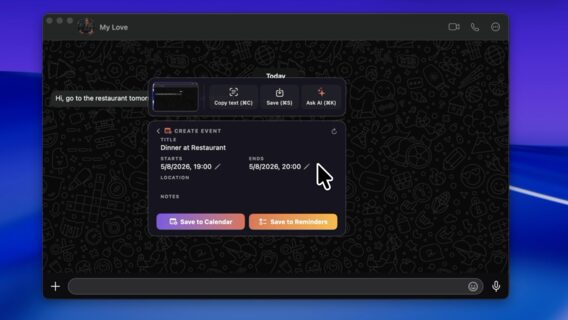
Scinta works through a combination of hotkeys: the user selects an area of the screen, after which the application offers up to three contextual actions depending on the content. For example, the program can automatically generate a ticket in Linear with an attached screenshot of the error, add an event to Apple Calendar from recognized text, or save contact information from an email signature.
Additional features include automatic blurring of private data (passwords, keys, or account numbers) before sharing, formatting of code and tables, OCR reading of text and QR codes on the device, and the Ask AI panel for direct questions to artificial intelligence about the content on the screen.
The developer notes that the main advantage of the application is time savings compared to web versions of neural networks.
«In ChatGPT or Claude, you have to switch, upload a file, write a prompt, copy the answer back, and then create everything by hand. With Scinta, from a screenshot to a specific result, it takes a few seconds and one click without additional setup,» notes Anton Holub.
The application is distributed on a shareware model. The free plan provides basic screenshot features and 10 AI actions per month. The Scinta Pro version with unlimited smart actions costs $8/month or $80/year. The application requires macOS 15.6 or later.
Як нейромережі бачать вільну та незалежну Україну? Тест dev.ua
Нейронні мережі для генерації зображень бачать світ по-своєму, їхню логіку зрозуміти часом зовсім неможливо. Але таки хочеться. На честь Дня Незалежності України редакція dev.ua вирішила провести невеликий експеримент.
Ми задали чотирьом різним нейронним мережам п’ять однакових запитів: «прапор України», «День Незалежності України», «український Крим», «перемога України» та «українці». Отриманими результатами ми ділимося з вами нижче.
У TikTok тепер можна генерувати фон за допомогою нейромережі. Ми протестували її та ділимося результатами
У TikTok з’явилася нова функція «Розумний фон». З її допомогою як фон для тіктоків можна підставляти згенеровані нейромережею зображення. Редакція dev.ua протестувала цю технологію і ділиться своїми враженнями.