Редакція dev.uaCrypto
19 November 2026, 11:25
2026-11-19
TOP 10 crypto wallets in 2027: choosing a wallet for a beginner
Your first crypto wallet should help you use cryptocurrency, not force you to learn dozens of networks and unfamiliar tools at once. At the start, simple things are important: get USDT or USDC, check your balance, make a transfer, and quickly find help if you have a question.
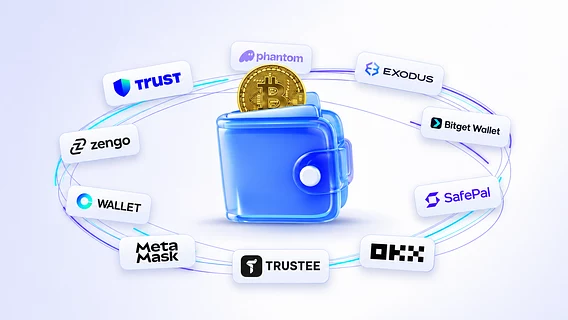
We have collected ten crypto wallets that can be a good choice for a beginner in 2027. The rating includes Trustee Plus, Zengo, Trust Wallet, Exodus, Phantom and other popular solutions. Each has its own advantages: some are better suited for daily transfers, others offer a wide selection of networks or additional tools for working with cryptocurrency.
Your first crypto wallet should help you use cryptocurrency, not force you to learn dozens of networks and unfamiliar tools at once. At the start, simple things are important: get USDT or USDC, check your balance, make a transfer, and quickly find help if you have a question.
We have collected ten crypto wallets that can be a good choice for a beginner in 2027. The rating includes Trustee Plus, Zengo, Trust Wallet, Exodus, Phantom and other popular solutions. Each has its own advantages: some are better suited for daily transfers, others offer a wide selection of networks or additional tools for working with cryptocurrency.
When choosing, we paid attention to ease of registration, stablecoin support, exchange capabilities, and availability of support. Trustee Plus came in first place due to its convenient acceptance of USDT and USDC, transfers via contacts, and support directly in the app.
1. Trustee Plus
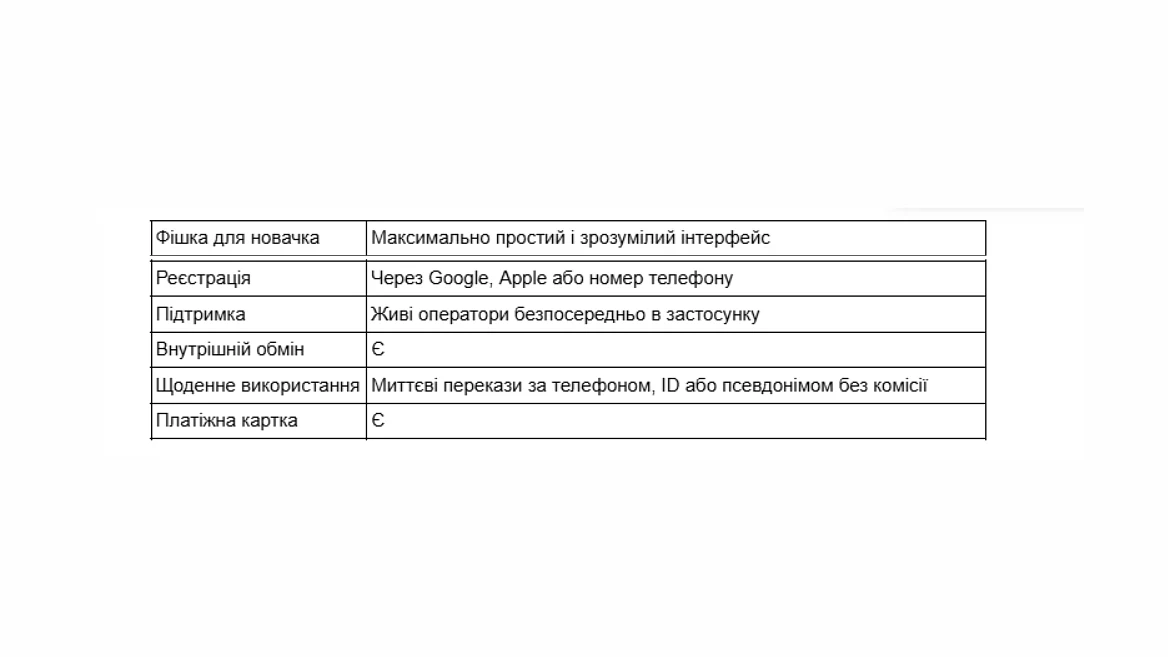
Trustee Plus is a good way to get started with cryptocurrency. Getting started is straightforward: install the app, register with your phone number, and follow the steps provided by the service. To receive USDT or USDC, simply open the asset you want, select the network, and send the sender an address or QR code.
In everyday use, transfers between Trustee Plus clients are especially convenient. The recipient can be found by phone, ID or nickname, without copying a long address. According to the terms of service, internal transfers by phone are instant and have a 0% commission. This makes the wallet practical for regular payments when both parties use Trustee.
If you have a question about replenishment, network or operation, support with live operators is available within the application. For a beginner, this is a significant advantage: you can get help right where you work with funds. Additionally, there is a payment card , but the main reason to choose Trustee Plus is simpler: it is convenient to accept stablecoins , exchange them and transfer them further.
For complex Web3 scenarios, it is worth comparing individual tools of other wallets. For basic operations, the advantage of Trustee is the clear daily experience. The speed of external replenishment depends on the network and its confirmations.
2. Zengo
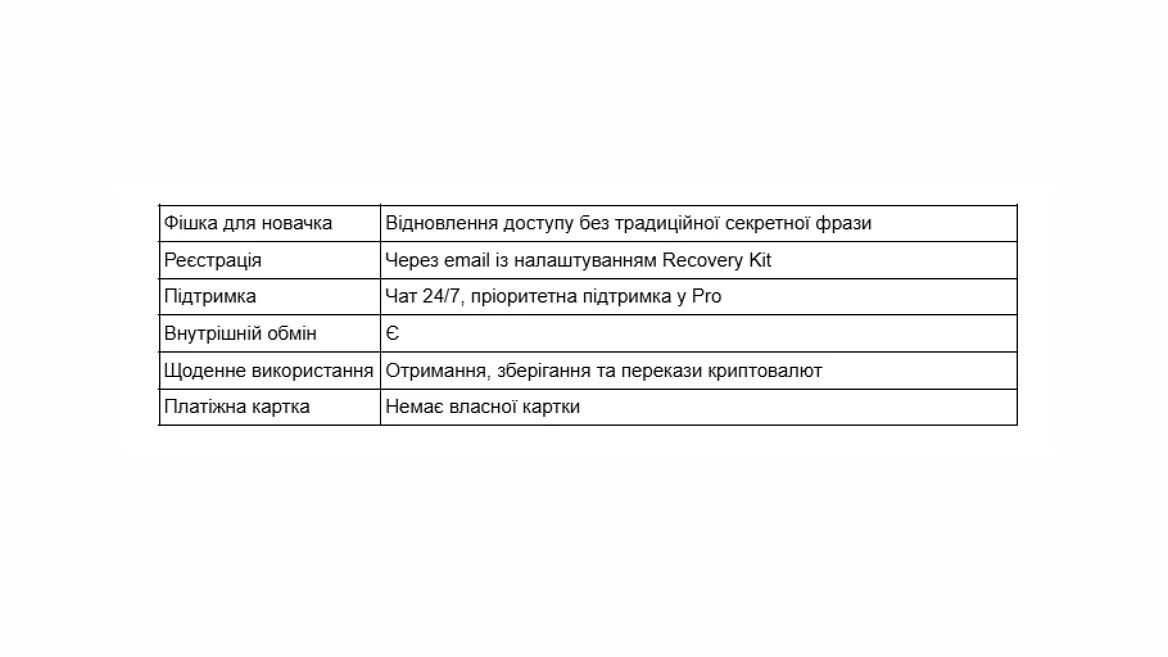
Zengo is worth a look for those who are primarily concerned about regaining access after losing or replacing a phone. Its Recovery Kit relies on email confirmation and a file in the cloud. Additional 3D FaceLock verification is recommended for increased protection, but is not mandatory for basic recovery.
The app allows you to receive USDT and USDC on supported networks, transfer cryptocurrency, and make exchanges. There is 24/7 support chat, and the paid Zengo Pro adds priority service and other features.
Zengo's strength is its clear logic for restoring access. At the same time, Recovery Kit needs to be configured before replenishment and access to associated mail and cloud storage must be maintained. Therefore, setting up recovery is the first step before receiving funds.
3. Trust Wallet
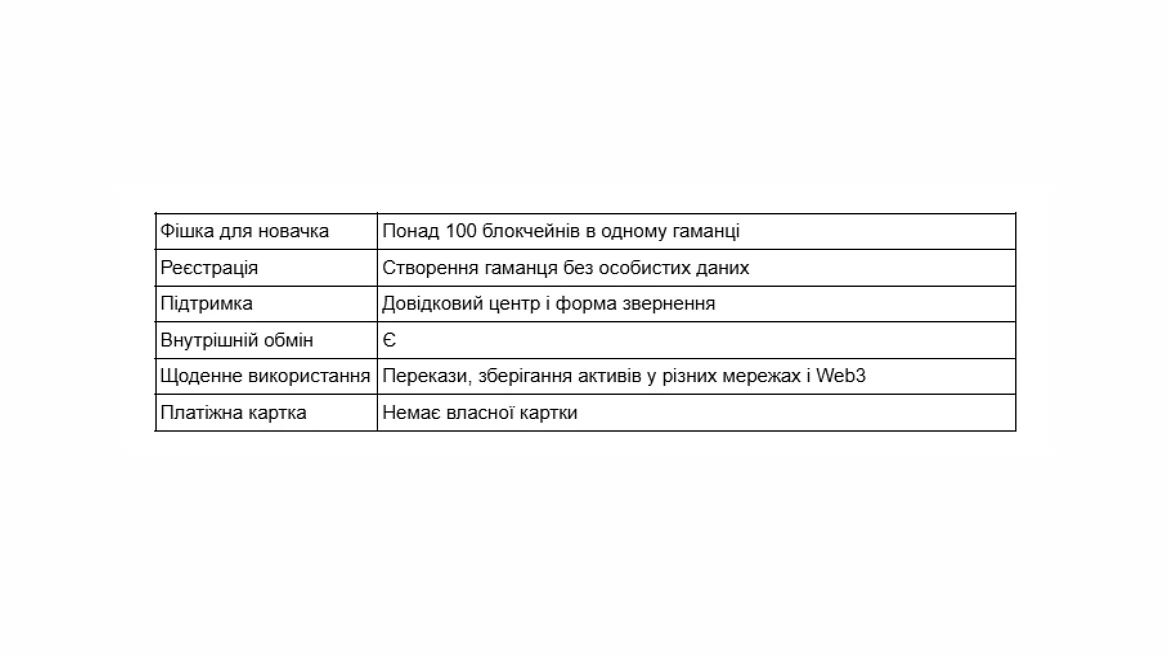
Trust Wallet is perfect for a beginner who receives cryptocurrency from multiple sources and wants to work with it in one place. The mobile app offers receiving, transferring, and exchanging, and a browser extension is available for desktop use.
The convenience here lies in the wide selection of assets and the ability to gradually master new tools. The built-in Security Scanner also helps to spot known risks when interacting with sites and transactions.
At the same time, Trust Wallet has a lot of features. If you only need to receive and transfer stablecoins right now, you can leave the rest of the sections for later. You can contact us for help through the official support center and request form.
4. Exodus
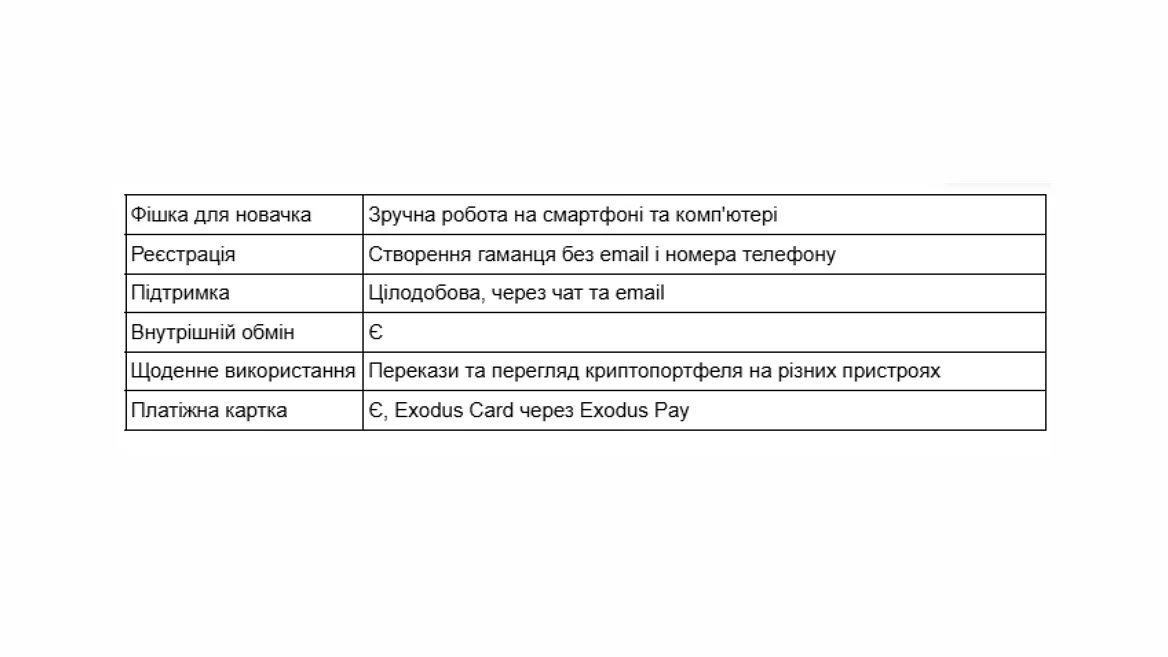
Exodus is convenient for those who want to see their assets not only on their smartphone. It has mobile and desktop versions, a clear portfolio, cryptocurrency withdrawals, transfers, and a built-in exchange.
Its advantage is felt in simple repetitive actions: open a balance, find an asset, receive a payment or send funds. If you need a hardware wallet later, Exodus supports the corresponding integrations. The mobile version also has a backup via passkey.
For basic use, this is a comfortable option, although before exchanging, it is worth checking the total amount and costs. Support works 24/7: a bot helps in the chat first, and if necessary, you can contact a specialist or write to an email.
5. Phantom
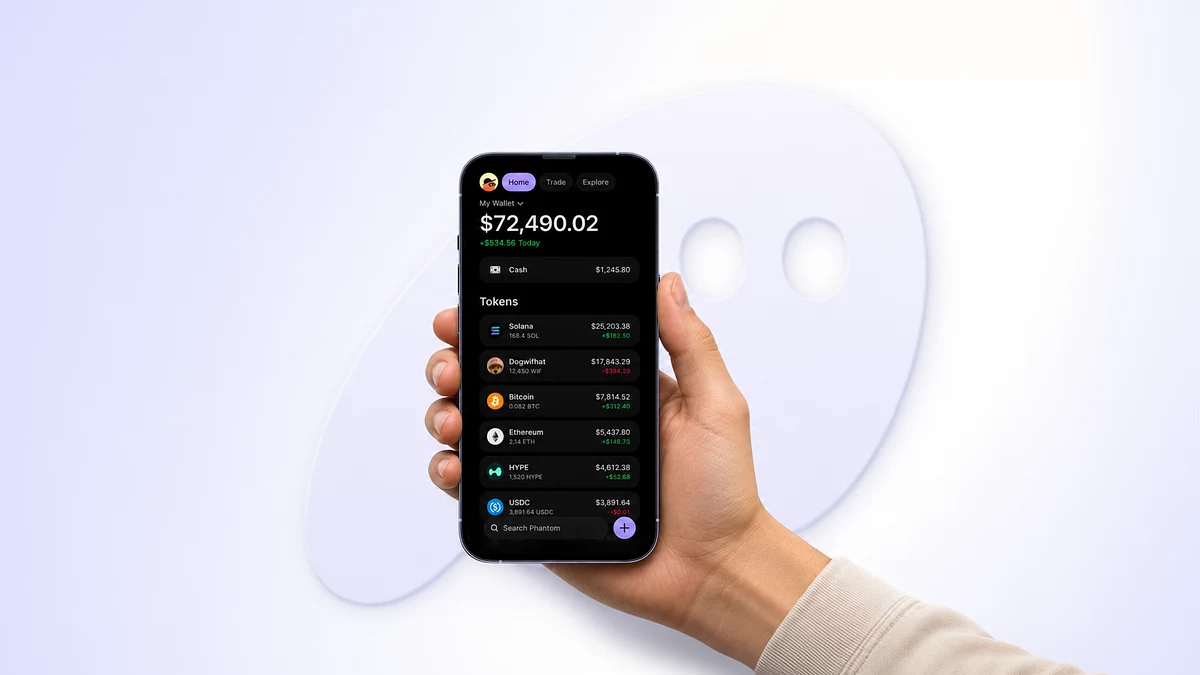
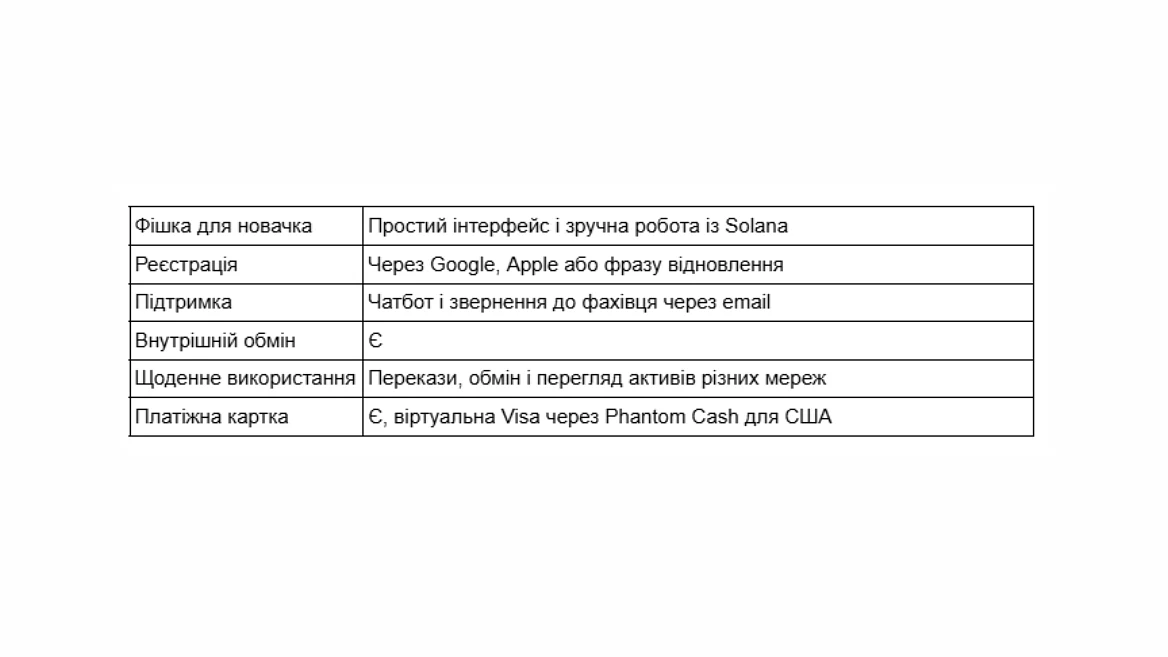
Phantom is a natural fit for the scenario where the first USDT or USDC are arriving on the Solana network. It also supports other networks, including Ethereum, Bitcoin, Base, Polygon, and BNB Chain. A new wallet can be created through Google or Apple.
One of the nicest features is the ability to view assets from supported networks together. You don't have to constantly switch blockchains just to check your portfolio. There's an exchange, and a warning system helps you to pay attention to suspicious activity and spam tokens.
Phantom does not support all networks found on exchanges. Therefore, it is important to check the specific network before making a deposit. Questions to support can be submitted via chatbot, after which a specialist will respond to your email if necessary.
6. Base App
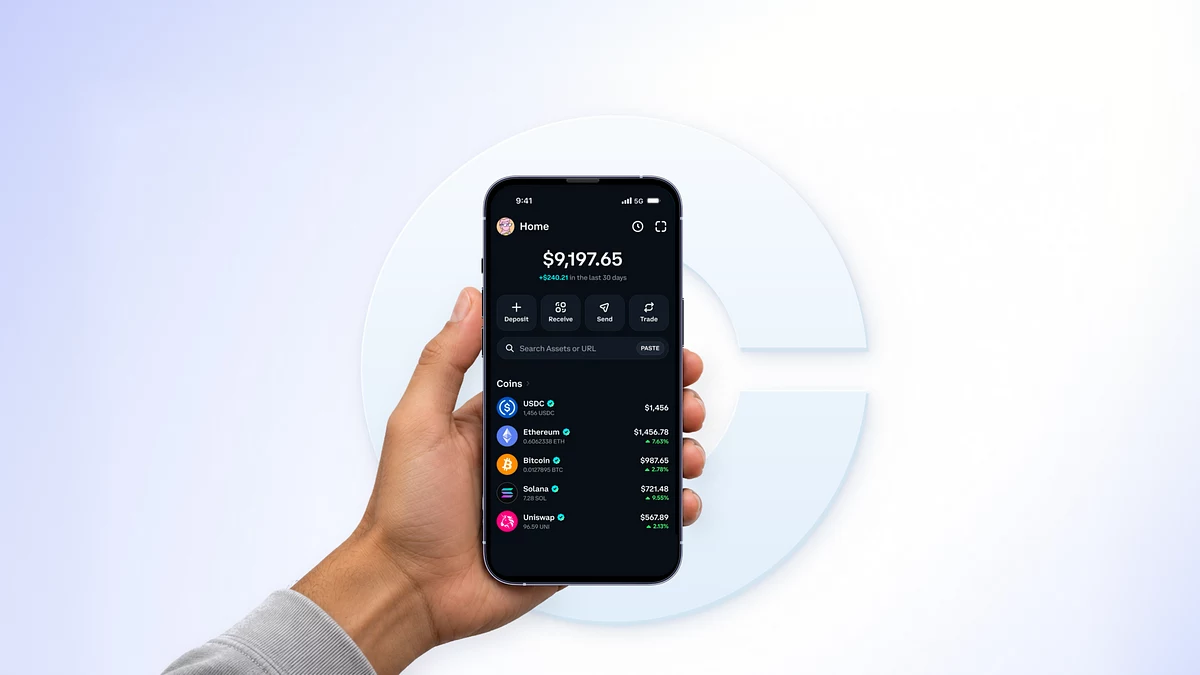
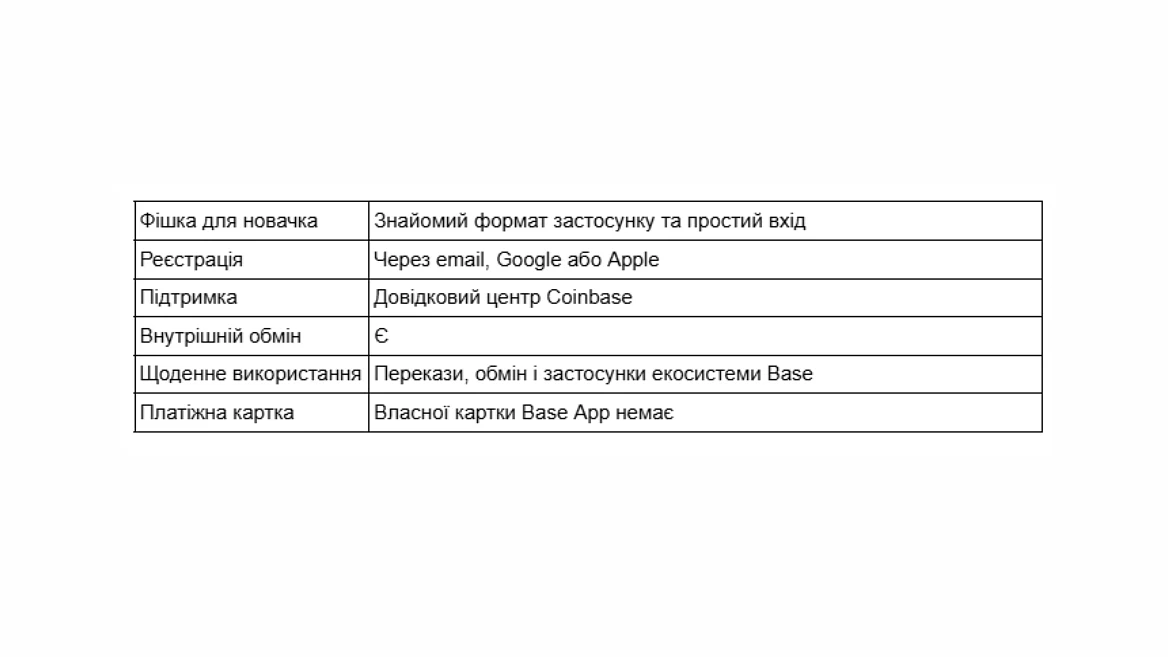
The Base App, formerly known as Coinbase Wallet, was introduced in July 2025. You can use email, Google, or Apple to get started; a separate Coinbase exchange account is not required.
The app combines a wallet, transfers, exchanges, communication, and access to on-chain applications. This is an attractive format for someone who likes familiar mobile services and plans to use the Base ecosystem.
But different Base App modes have different network support. If you need specific USDT or USDC, you should first check their network for your wallet type. The social and trading sections may also be redundant if you only need to receive and transfer.
7. Bitget Wallet
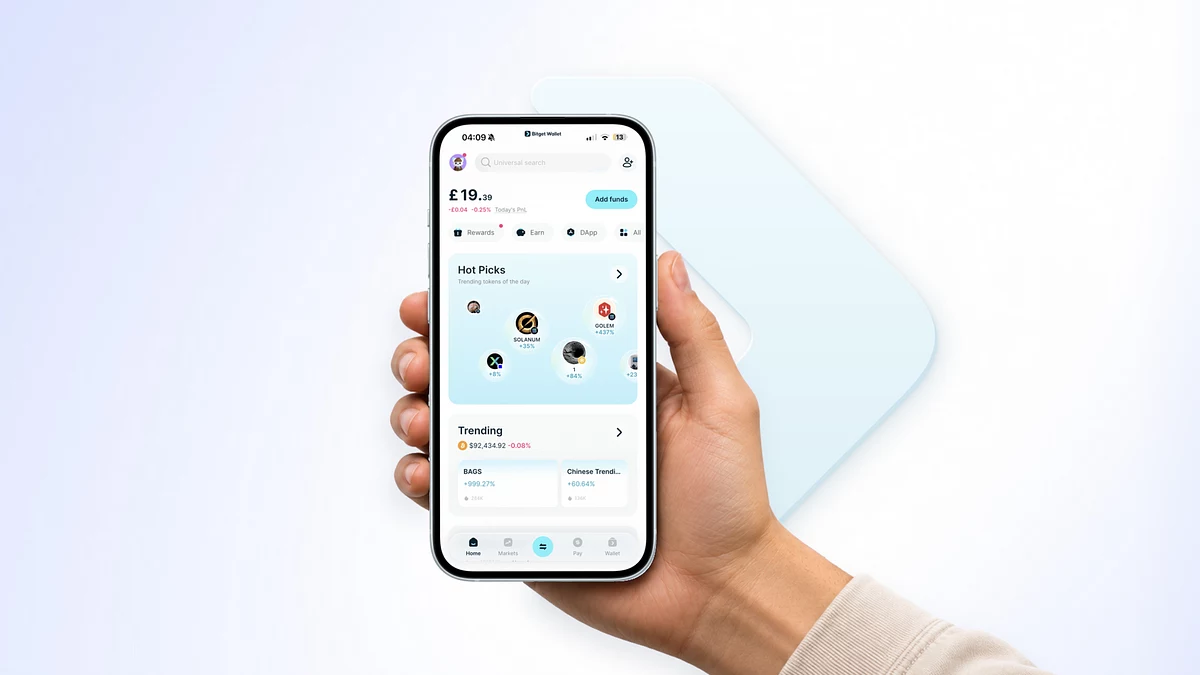
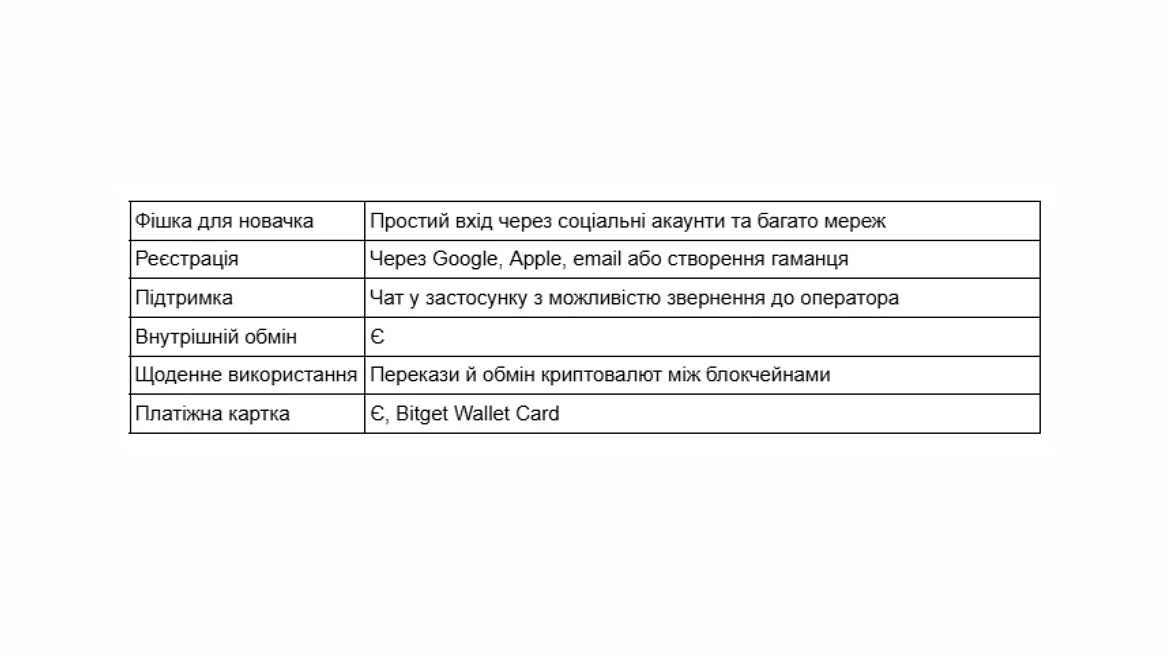
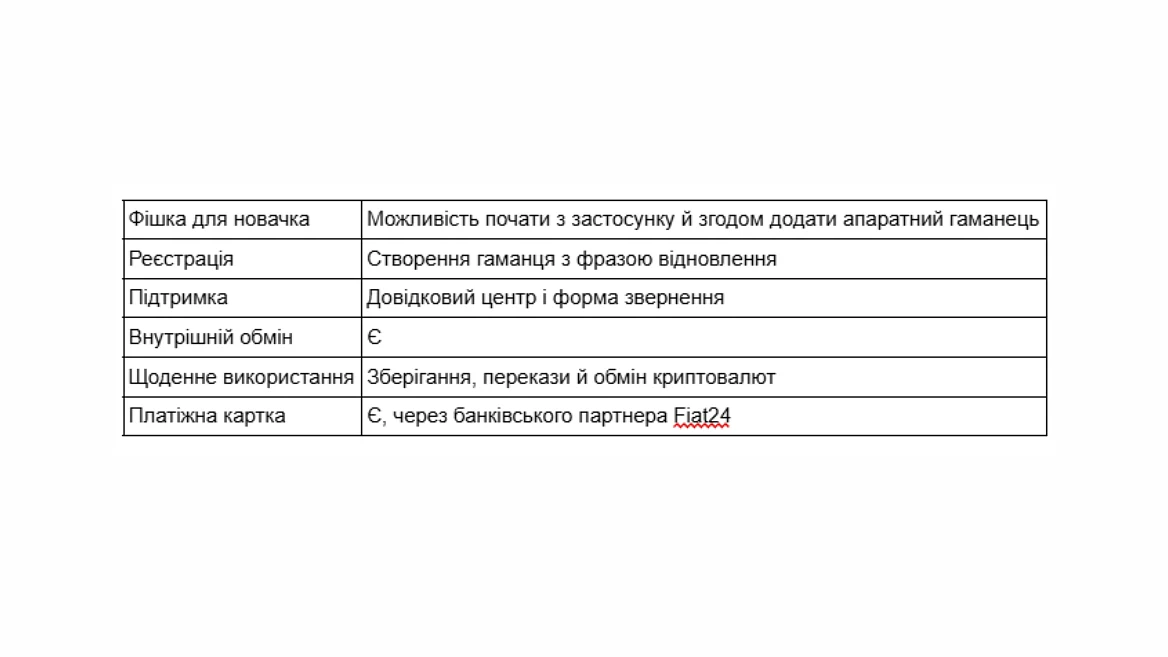
Bitget Wallet combines a wallet, an exchange, and many additional tools. It will come in handy if stablecoins are regularly received on different networks and you want to manage them from a single application. In supported scenarios, login via Google, Apple, or email is available.
Bitget Wallet's strengths are asset exchange and working with multiple blockchains, including cross-chain routing, which is convenient when you need to go beyond a single network.
At the first stage, a large number of sections can be distracting. It is worth starting with the balance, receipts and transfers. Help is available in the application: if the automatic response is not enough, you can request an operator in the chat using the "Live Agent" command.
8. SafePal
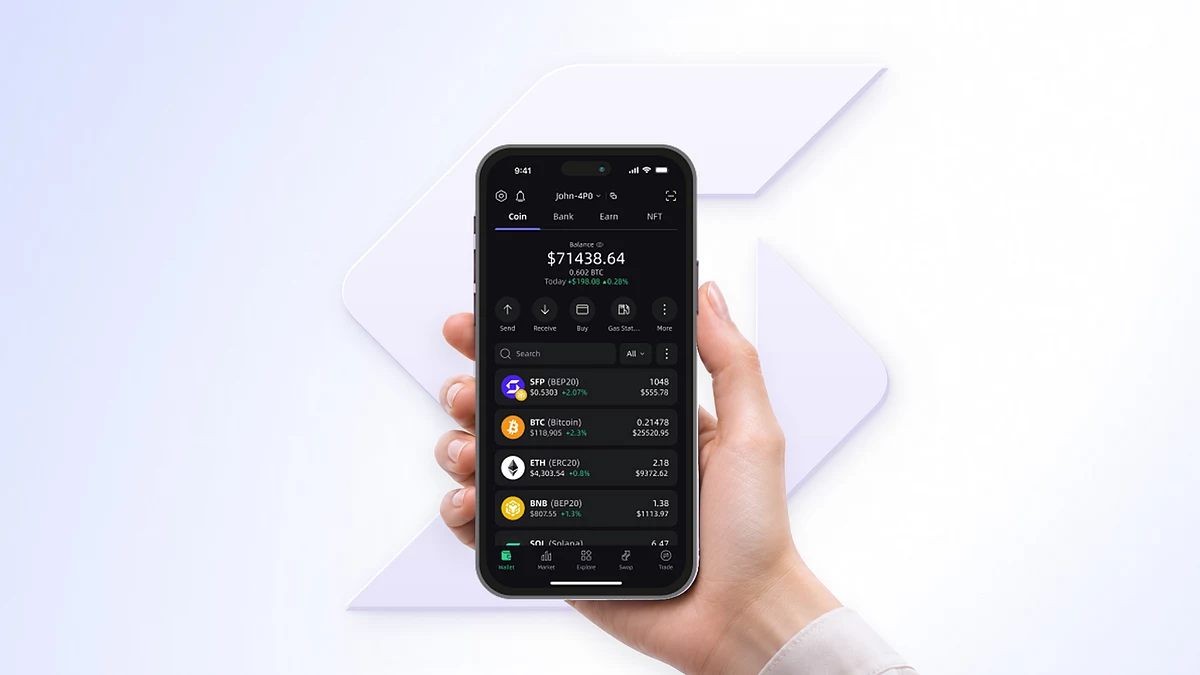
SafePal allows you to start with a mobile app, receive stablecoins, transfer assets, and use the exchange. If you later need a separate hardware device, it can be connected within the same ecosystem.
You won't have to switch to another app after purchasing the device. At the same time, you can try SafePal itself without additional equipment costs.
Token exchange and working capabilities depend on the selected network; connecting a device does not automatically expand them. There is a help center and a support team contact form for assistance.
9. MetaMask
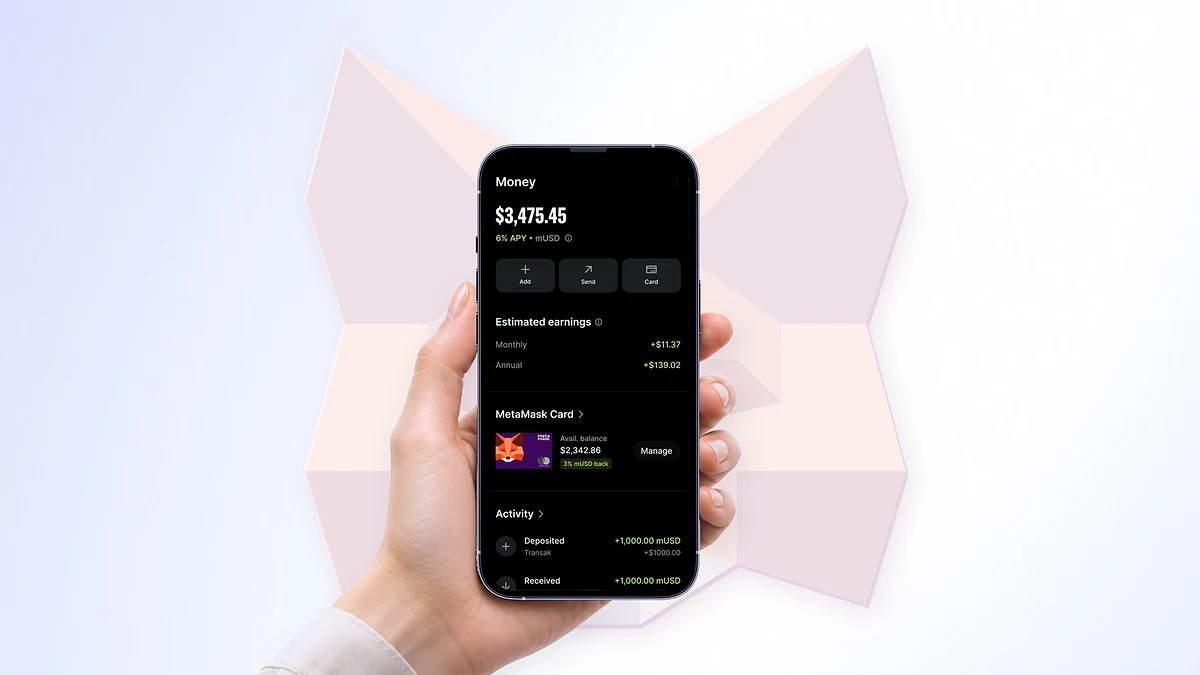
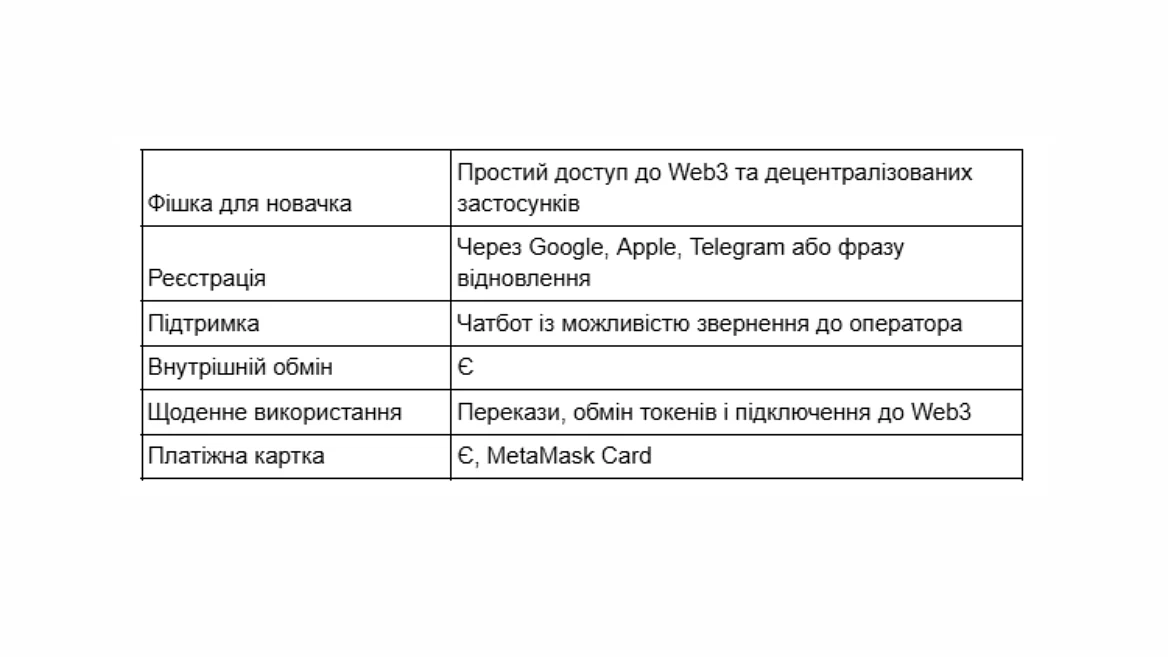
MetaMask is suitable for those who plan to not only receive cryptocurrency, but also connect to blockchain applications. It is available on a smartphone and as a browser extension, supports receiving tokens on compatible networks and has a built-in exchange.
For a regular transfer, you don't need to learn all the features of MetaMask right away. But when you want to try Web3 services, you can connect them through the wallet you already know.
More attention is required when connecting to sites and confirming actions. The permission of a smart contract to spend tokens is different from a regular transfer. If you have any questions, there is a chat on the MetaMask website: after the initial help of the bot, you can contact a support agent.
10. OKX Wallet
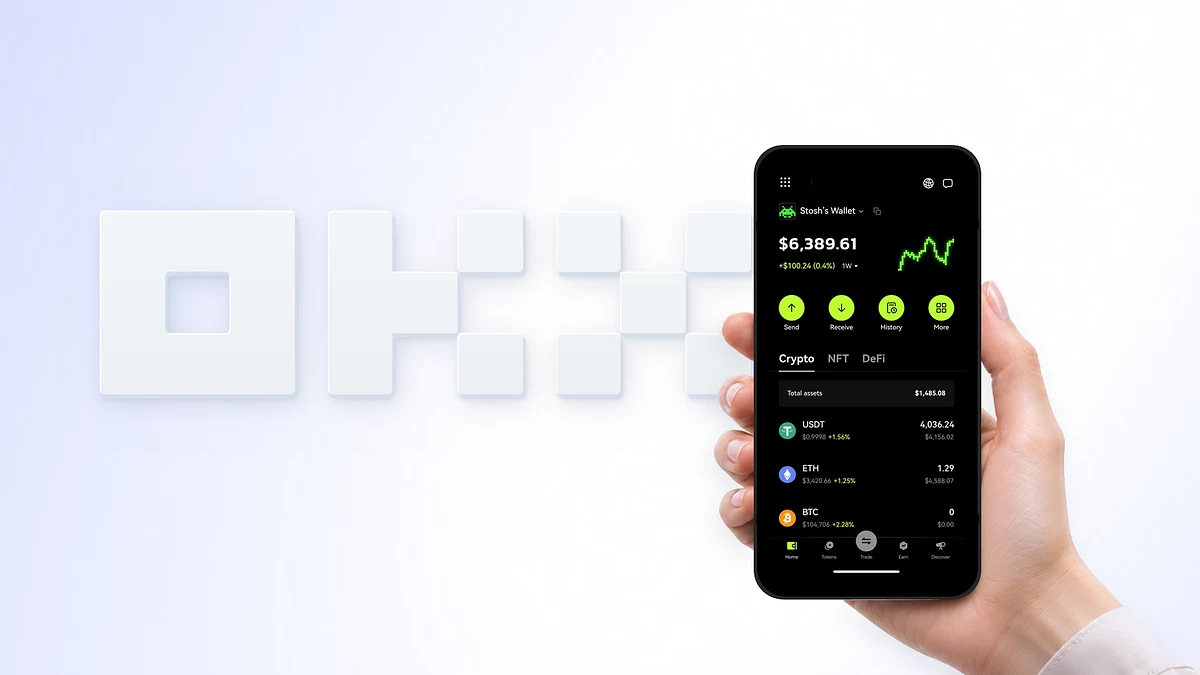
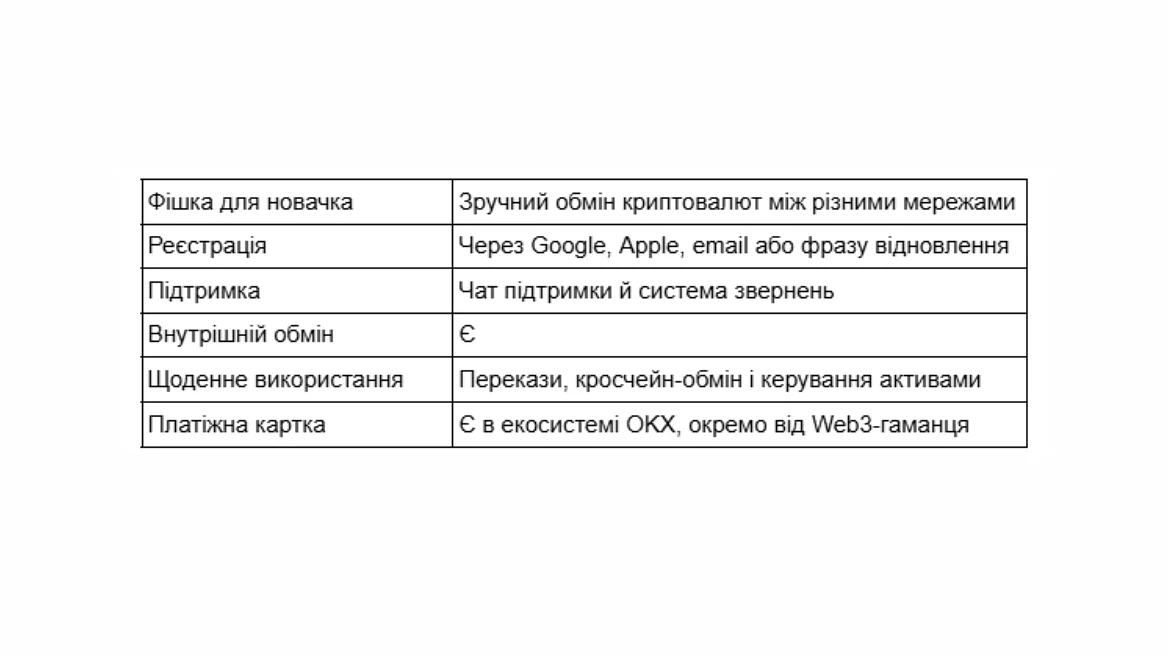
OKX Wallet is convenient when assets are already on different blockchains. It has receiving, transferring, exchanging, and cross-chain tools, and balances can be managed from a single interface.
The advantage of this approach is that you don't have to look for a separate service for each subsequent task. But for the first small addition, some of the features may simply be unnecessary.
It is also important to distinguish OKX Wallet from OKX exchange account. Depending on the version and availability, a separate wallet application or Web3 section is used. You can contact us for help via the official chat and request system.
5 tips for using a crypto wallet safely
Regardless of the wallet you choose, a beginner should learn a few simple rules that will help you avoid the most common mistakes when receiving, storing, and transferring cryptocurrency.
USDT and USDC exist on different blockchains, so a single coin name is not enough. Before receiving funds, make sure that the sender is using a network that your wallet supports for the selected asset. A mistake at this stage may result in the loss of funds.
If this is your first time receiving cryptocurrency to a new address, make a test transfer first. Wait for it to be credited, check your balance, and only then send the main amount. This will help you make sure that the address and network are selected correctly.
In a typical blockchain transfer, the network fee is paid by the sender, but individual services may set their own terms and conditions for crediting. You may also need the coin of the corresponding network to send funds. Before exchanging, it is worth checking not only the fee, but also the final amount you will receive.
Immediately after installation, set up your wallet's suggested method of protection and recovery. Depending on the service, this may be a recovery phrase, a backup, or another mechanism. If your wallet provides a secret phrase, keep it safe and do not share it with anyone. Losing recovery data in some wallets could mean permanent loss of access to your assets.
Do not share your login codes, passwords, and wallet secrets with third parties. Real support staff should not ask for your recovery phrase. If you need help, contact the official app or website, not links from strangers in messengers.
Conclusion
The best crypto wallet for a beginner doesn't necessarily have to support the most blockchains or offer dozens of additional features. What matters more is how easy it is to perform everyday transactions and get support when you need it.
If your main goal is to receive USDT and USDC, use them daily, and have support nearby, our first choice in this selection is Trustee Plus, provided that the service is available in your country. For those who want to work with cryptocurrency on their phone and computer, Exodus is a good option. Phantom is worth considering for working with Solana, and MetaMask is worth considering if you plan to gradually get acquainted with the world of Web3.
Trust Wallet, Bitget Wallet, and OKX Wallet are also suitable for assets on different blockchains. If convenient access recovery is especially important, pay attention to Zengo, and if you plan to use a hardware wallet later, pay attention to SafePal.
In any case, it's better to start with a wallet that solves your current tasks. You can receive cryptocurrency, exchange it, and make transfers without deep technical knowledge. You will have time to master the rest of the features with experience.