Хочете будувати кар’єру в Data Science та AI? Vodafone Big Data Lab відкриває новий набір —>
Вікторія ГорбікAI Eng
16 December 2024, 16:47
2024-12-16
An AI expert suggested spending a week with OpenAI. How could it make life easier?
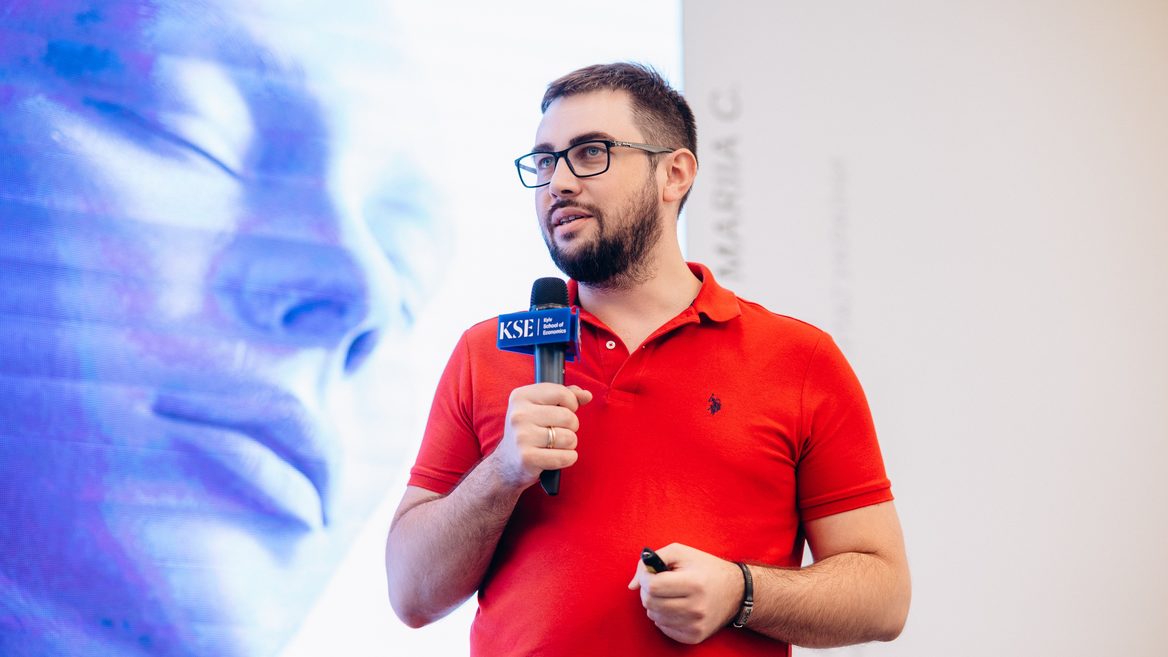
Investor and entrepreneur Mykhailo Patsan mentioned the new features offered by OpenAI. He believes that these are not just «wow technologies», but things that can really simplify life, work and even add a festive mood. Which, according to the expert, awaits users in the first week.
Investor and entrepreneur Mykhailo Patsan mentioned the new features offered by OpenAI. He believes that these are not just «wow technologies», but things that can really simplify life, work and even add a festive mood. Which, according to the expert, awaits users in the first week.
Day 1: The new O1 model — faster, smarter, safer
It’s not just an assistant anymore, it’s a super assistant. The new O1 is 50% faster, more accurate, and supports more languages (14).
What to do about this?
Write texts without nerves: need to write a term paper, blog, article, or even an official letter? O1 does it clearly, competently, and without nonsense.
Fast translations: If you work with foreign clients or are learning a language, it will now be much easier.
Research: Ideal for students and professionals, O1 will help you process large amounts of information and highlight the most important information.
Day 2: Artificial intelligence learned to learn better
In simple terms, we can train the model on our own. It’s like fine-tuning but with human feedback. The model now understands complex things, even if you give it just 12 examples. This technology is already used in medicine and law.
Where is this useful?
Education: Students can create a plan to prepare for exams or explain a complex topic (like physics or economics).
Medicine: for doctors or patients — quickly understand symptoms or even rare diseases.
Law: if you need to understand the laws or prepare important documents.
Day 3: SORA «much ado about nothing»
The Sora model can now create short videos from text or images. We waited a long time, we got it, interesting «but not quite.»
How to use it?
For social media: create cool videos for your blog or advertising (20 seconds of video in 1080p).
Educational materials: short videos for visualizing lessons — history, geography, biology.
Idea animation: if you have an idea for a short cartoon or presentation, you can test it.
Day 4: Canvas — your new workspace
It’s not just a chat. Now you can write, code, and edit documents in one place. You can even run Python code and see the results right away.
How does it work?
Write texts together with ChatGPT: for example, create a script for a video or edit a resume.
Analyze data: If you work with tables or graphs, Canvas helps you create visualizations right on the platform.
Task automation: set up individual GPTs that will help you with your work.
Day 5: ChatGPT is now on AppleYes, ChatGPT has now been integrated into Siri!
This means your iPhone or Mac is getting even smarter.
What to do about this?
Organize events: Siri can help you make a shopping list, schedule, or even choose music for a party.
Work with documents: use your voice to ask ChatGPT to summarize large text or find the right points.
Identify objects: iPhone can recognize, for example, a flower or a product, and ChatGPT will provide detailed information about it.
Day 6: Video chats + Santa online
Voice mode update: now you can not only talk to ChatGPT, but also see your screen and share yours in real time. There is also a special holiday mode «Santa».
Why is this?
Repair and assistance: show your screen and ChatGPT helps you, for example, configure the application or solve a technical problem.
Holiday mood: talk to «Santa», listen to stories, jokes or just ask him about life at the North Pole (kids will definitely love it).
Teamwork: convenient for meetings and demonstrations, for example, showing a presentation to colleagues.
Day 7: «Projects» — Claude laughed somewhere
You can now create «projects» in ChatGPT and collect all related conversations, files, and settings in them.
Where is this useful?
Event organization: for example, you’re preparing a Secret Santa party — all ideas, lists, and chats will be in one place.
Working with documents: research, coursework, or any large projects can now be easily divided into logical parts.
Programming: code files, instructions, discussion results — everything can be conveniently organized.
«I’m standing in a bank, throw me one bitcoin.» IT entrepreneur Mykhailo Patsan told how fraudsters used AI to trick him out of about 1 bitcoin, and in total received at least $0.5 million from other victims
Як нейромережі бачать вільну та незалежну Україну? Тест dev.ua
Нейронні мережі для генерації зображень бачать світ по-своєму, їхню логіку зрозуміти часом зовсім неможливо. Але таки хочеться. На честь Дня Незалежності України редакція dev.ua вирішила провести невеликий експеримент.
Ми задали чотирьом різним нейронним мережам п’ять однакових запитів: «прапор України», «День Незалежності України», «український Крим», «перемога України» та «українці». Отриманими результатами ми ділимося з вами нижче.
У TikTok тепер можна генерувати фон за допомогою нейромережі. Ми протестували її та ділимося результатами
У TikTok з’явилася нова функція «Розумний фон». З її допомогою як фон для тіктоків можна підставляти згенеровані нейромережею зображення. Редакція dev.ua протестувала цю технологію і ділиться своїми враженнями.