Хочете будувати кар’єру в Data Science та AI? Vodafone Big Data Lab відкриває новий набір —>
Наталя ХандусенкоStartup
21 October 2026, 12:15
2026-10-21
Ukrainian developer creates Folders — a file manager for macOS in the style of Windows Explorer
Ukrainian indie developer Andriy Konstantinov has released Folders, a file manager for macOS, created specifically for those who miss the classic Windows Explorer-style folder tree or want an easier adaptation after switching from a PC. He made the full-featured App Store version of the program completely free for Ukrainian Apple Account owners.
Ukrainian indie developer Andriy Konstantinov has released Folders, a file manager for macOS, created specifically for those who miss the classic Windows Explorer-style folder tree or want an easier adaptation after switching from a PC. He made the full-featured App Store version of the program completely free for Ukrainian Apple Account owners.
"For several years now, I've been working on Folders, a file manager for macOS for those who, for one reason or another, like to deal with a folder tree like in Windows Explorer," Andriy shared on Reddit.
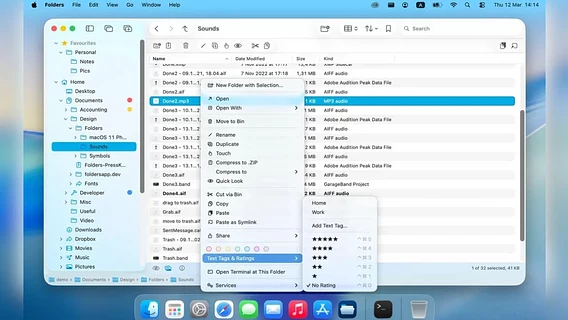
Many macOS users who have migrated from Windows find the Finder frustrating. Folders solves this problem by offering a familiar tree-based view of the file system and a clean, functional interface with the most popular tools at the top:
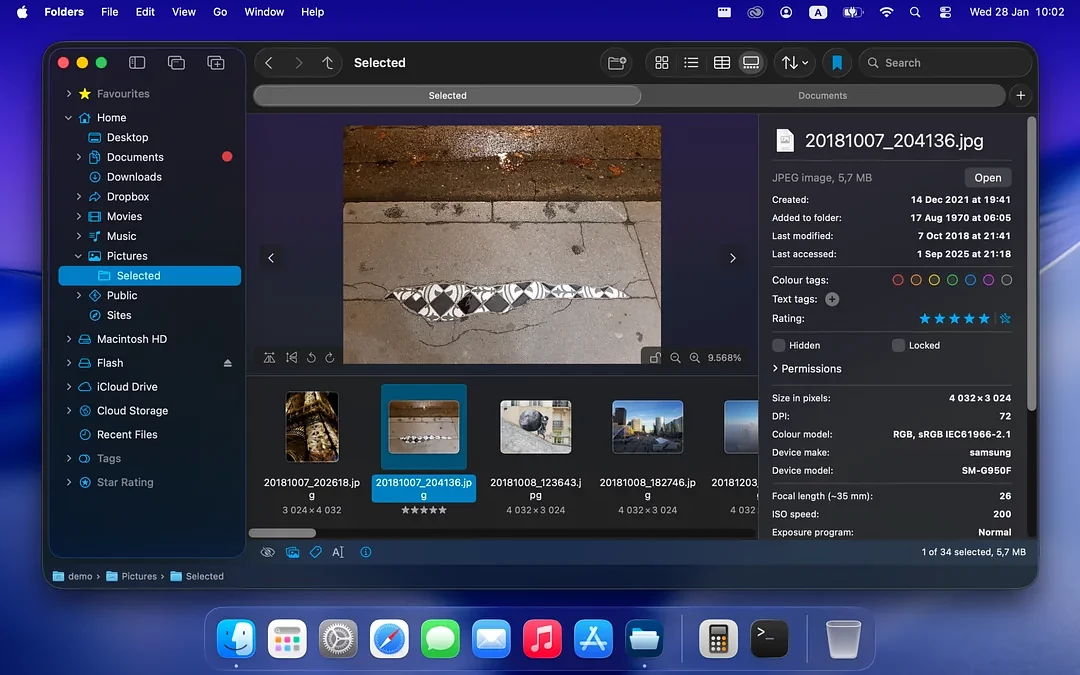
convenient access to your home directory, iCloud Drive, any cloud storage, Favorites, symlinks, recent files, as well as color and text tags or star ratings right in the navigation tree;
support for working in multiple windows and tabs with the ability to save tab sets;
active breadcrumbs and interactive path bar with autocomplete support;
Table, List, Icons and Gallery with the ability to individually save settings for individual folders.
The application is not limited to basic navigation, but offers a whole range of tools for daily work.
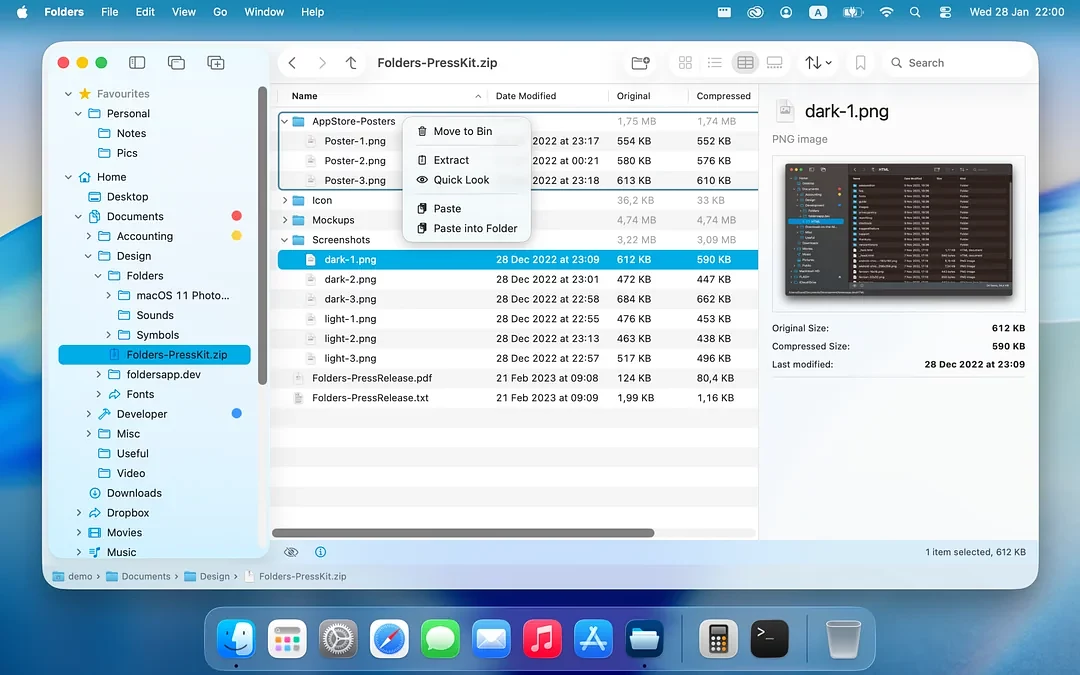
The application fully supports working with archives in ZIP, 7z, RAR (in read mode), TAR, XZ, GZ/GZIP, ZLIB, BZ2 and LZ4 formats, allowing you to view, create and edit their contents directly within the application without the need for prior unzipping. In addition, multimedia capabilities are integrated into the file manager: you can play audio and video files directly in Gallery mode or in a separate information panel, as well as read text from images thanks to the system Live Text function.
Folders provides a number of advanced operations to solve everyday and complex tasks. Users can cut files with the combination Cmd + X (via Cut via Trash), perform mass renaming, and also create new empty documents, office files or objects directly from the contents of the clipboard. Special attention deserves the built-in panel "The Shelf" - a special buffer that allows you to quickly accumulate files from different parts of the system for their subsequent simultaneous movement, copying or compression. In case of conflicts during copying, the program offers a detailed comparison of properties with the possibility of explicit merging of folders, and in case of any error, the action (including replacement or merging) can be canceled thanks to full support for the Undo function.
In addition to working with local data, the file manager offers tools for navigating and working with network resources. The built-in search system supports both quick Spotlight searches and full disk scans, allowing you to save frequent searches for later use. Additionally, Folders implements the detection, mounting, and reconnecting of network drives and shared resources.
A sandboxed version of the app (with appropriate features and minor limitations) is available in the App Store . For those who need functionality without the limitations of the macOS sandbox, an enhanced version called Folders Pro is also available.