Марія БровінськаAI Eng
9 September 2025, 10:00
2025-09-09
"There's no replacement for AI Studio yet." How Google's AI tools save time and improve IT workers' efficiency
Danylo Ivzhenko, Project Manager at Norml Studio, has tried a huge number of AI tools, and assures that nothing better than Google AI Studio has yet been invented. «In fact, there simply is no worthy replacement for AI Studio. It is unique in its tasks,» the specialist claims.
His approach is as follows: he takes a design from Figma, throws it into AI Studio, asks for a super-detailed description (down to colors and markup), and transfers it to the AI code editor, from where he receives the finished code. The result is an almost perfect copy of the design from Figma in the form of working code. This way, Danylo saves precious hours and has the opportunity to test several variants of the desired solution at once.
Danylo Ivzhenko, Project Manager at Norml Studio, has tried a huge number of AI tools, and assures that nothing better than Google AI Studio has yet been invented. «In fact, there simply is no worthy replacement for AI Studio. It is unique in its tasks,» the specialist claims.
His approach is as follows: he takes a design from Figma, throws it into AI Studio, asks for a super-detailed description (down to colors and markup), and transfers it to the AI code editor, from where he receives the finished code. The result is an almost perfect copy of the design from Figma in the form of working code. This way, Danylo saves precious hours and has the opportunity to test several variants of the desired solution at once.
Indeed, artificial intelligence is everywhere today. Tech giants are racing to create AI solutions that would meet the maximum number of user needs and add value to their products, saving time without sacrificing the quality of the result. In particular, Google releases dozens of tools, and it seems impossible to keep up with all of them. But which of these actually works in everyday work?
dev.ua collected feedback from Ukrainian IT professionals who tested Google’s AI tools on their own experience and learned how these solutions improve life and simplify tasks.
Content
Indispensable helpers
Modern developers without knowledge of AI tools will lose significantly to those who actively use such assistants in their work. After all, AI solutions significantly increase efficiency and help solve extremely complex tasks. However, you need to be able to write a correct prompt for a solution, otherwise you will have to spend a lot of money on finding and correcting errors. Google’s AI tools are very popular among IT professionals.
Currently, in addition to Google AI Studio, other useful AI tools from Google are actively gaining the attention of IT professionals. Among them are the console for interacting with Gemini CLI models, a simple website generator with the ability to export to Figma Stitch, a corporate tool within Google Cloud that allows you to train and customize your own Vertex AI models, a video generator with an audio track Veo 3, and others.
dev.ua talked to IT professionals who use these tools.
According to AI expert Oleksiy Minakov, Google AI Studio allows you to not only generate images without a designer, but also easily edit them. «‘Conversational editing’ is likely to become the new norm in the near future. And crafty editing with pens in Photoshop will be a thing of the past. For example, I uploaded a black-and-white photo of Lviv in 1964 and simply asked to colorize it with text. After 7 seconds, I received an edited color photo. Then I uploaded an image of a table and simply asked to add flowers to it with text. Then I uploaded a photo of myself and simply asked to change the background to space with text. Voila,» he shared his experience.
Vertex AI is a real «heavy artillery» for business. The tool allows you to build and scale AI solutions for your tasks — from financial analysis to service personalization. This allows you to significantly save resources: companies receive a ready-made platform with security, support, and scalability, instead of spending months on their own infrastructure.
Serhiy Bezrukov, a DevOps and startuper, says that he tested Vertex AI in a fintech startup back in 2024. «We generated financial conclusions from news and stock prices. This gave us a speed that simply didn’t exist before,» he told dev.ua. And Iryna Shevchenko, who works as a Data Scientist, says that Vertex AI is a real corporate tool used to build demand forecasting models.
«The system automatically pulls data from BigQuery, trains the model, and returns the result in the form of an API. Everything under one roof,» she says.
According to Iryna, the main advantage of Vertex AI is its integration with the Google Cloud ecosystem: «You don’t have to worry about infrastructure. Everything works natively: from data to deployment.» But there are also disadvantages: «The learning curve is quite steep, and the documentation is complicated in places. It will be difficult for beginners in data science. This is a tool that is really revealed only in companies with serious data projects.»
Anton Savchenko, ERP Support Engineer, admits that he only tested Gemini CLI superficially. But his favorite tool is another one: «I use NotebookLM all the time. I create podcasts in Ukrainian from anything: articles, PDFs, or even YouTube videos. It’s just the bomb.»
Anton says he dreams of figuring out graphRAG: «This is where vibe coding ends and engineering begins.»
In turn, Oleksiy Khomenko, a full-stack developer at a product company, admits that Gemini CLI seemed like a toy to him at first. «But it turned out to be a really working tool. I use it for quick analysis of the structure of projects: I throw the entire repository into the console and ask it to figure out which modules are connected where. This saves a lot of time when you go into new code,» he says.
In short, instead of opening dozens of windows, IT professionals work directly with AI in the terminal.
Developers say it saves hours on routine queries: code generation, error explanations, quick tips. Less Googling — more ready-made results here and now.
Alexey says that the biggest advantage of the tool is its simplicity: «You don’t need to open an IDE or any complicated tools. Write a couple of commands and you already have a clear picture.» Alexey adds that he is watching for updates and waiting for the moment when Gemini CLI becomes even more useful.
Danylo Ivzhenko says that using Veo 3 has allowed him to save money, save time, and produce more content than he would have done with other tools. With Veo3, companies can prepare materials in a few clicks and immediately test ideas in the market. Danylo uses Google’s Veo3 to generate short videos that can be added to the courses he creates to dilute the written text.
«This is the only video generator on the market that, in addition to videos, also generates an audio track in them,» the IT expert explains his choice.
According to him, this simplifies the work, because you don’t have to combine several AIs to get this result. Previously, to do this you had to use ChatGPT image gen, Runway and Elevenlabs
In addition, according to the IT specialist, the Stitch tool is very easy to use. It is actually the glue between different AI tools. It allows you to quickly integrate models and services into workflows without unnecessary development and solutions. The efficiency here is in reducing the integration time: instead of weeks of custom solutions, it takes a few hours and everything works.
«It is very easy to use, although it is not available in our country, but everyone knows about the existence of VPN for such cases. In fact, you can use v0/replit or any other site generator that supports export to figma, but stitch is interesting and free, so for free use it is what you need,» says Ivzhenko.
Tips for those who will use Google’s AI tools
IT professionals surveyed by dev.ua are unanimous in their opinion that using artificial intelligence in their work is worthwhile and even necessary. They are convinced that it opens up a lot of opportunities and significantly optimizes the workload.
Sergey Bezrukov, in turn, advises startups to think according to the AI First principle, and companies with processes to act more cautiously and take risks into account.
Danylo Ivzhenko adds that any AI tools should simply be tried before they stop being free or increase in price by a factor of 10.
In addition, IT experts advise that the Veo3 prompt should be written in json format, and every second should be described as a scene, then the result will be incredible.
And in Stitch, before generation, it’s better to divide everything into blocks and also paint each block/container in detail so that the design is nice.
Experts emphasize that it is worth carefully monitoring updates in these AIs so as not to miss the moment when they become much better than themselves.
Mini encyclopedia of AI tools for devs
If you look at it practically and without marketing hype, Google has several AI tools that can already be called a «must have» for most IT professionals. Here are the ten most in demand among developers:
Google AI Studio
Useful for front-end developers, designers, and project managers for quickly creating prompts, parsing layouts from Figma, generating structured descriptions, and even ready-made HTML/CSS layouts. There is no alternative with such a deep description of designs yet.
It is worth noting that among Google’s tools there are two studios that meet different needs:
1. Google AI Studio is a simpler tool for everyone. Here anyone can «touch» AI, test models, generate text or images. Ideal for experiments and everyday tasks.
2. Vertex AI Media Studio is already a «heavy artillery» for corporate clients. Here, data security, the ability to customize (tune) models for your tasks and process huge amounts of information come to the fore. Plus, there are extended quotas for the number of requests and the ability to create large artifacts: from images to videos.
That is, Google provides two different «entrances» to the world of AI: one to just try it, the second to work seriously at the business level.
Gemini CLI
A tool for developers who often work with other people’s code. It helps to conduct a qualitative analysis of the project structure, understand repository navigation, and make small changes directly through the console. This solution saves time on «entering» new code, helps to quickly understand the architecture, and is also part of Google Cloud.
Veo 3
Very useful for working on educational projects, in the work of marketers and content makers. Its main feature is the generation of short videos with an immediately ready-made audio track. There are currently no alternatives.
NotebookLM
A top tool for analysts, researchers, and those who read tons of documents. It will help you summarize articles, PDFs, or even videos/podcasts in the format of short summaries and podcasts in Ukrainian.
Vertex AI
Indispensable for data scientists, ML engineers, startups with their own models. It allows you to train ML models on company data, integrates with BigQuery, deploys APIs. Users call it «heavy artillery» that provides scalability. This tool easily integrates with Google Cloud, which greatly simplifies work.
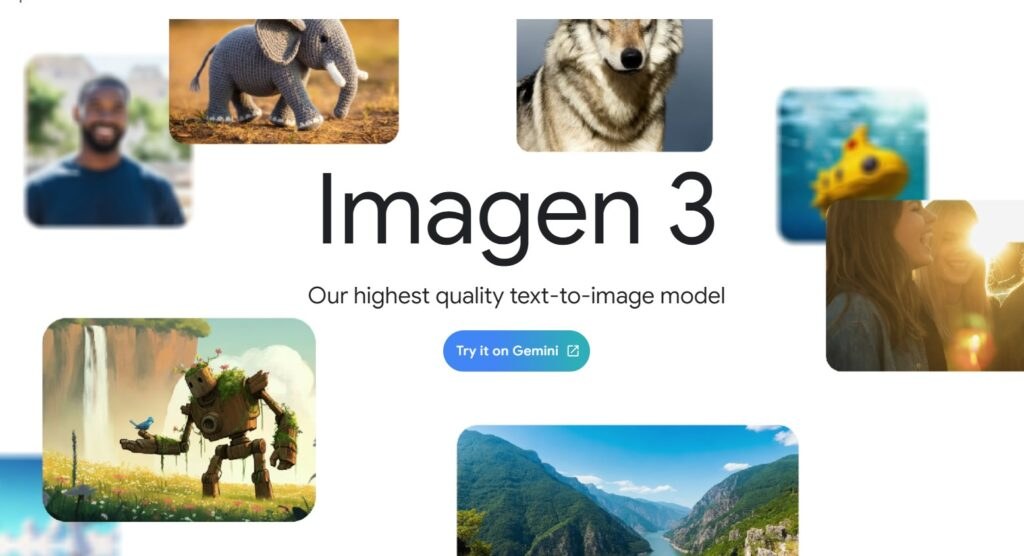
Image
This is a family of models for generating images from text descriptions (text-to-image), developed by Google DeepMind. This solution is useful for generating images for marketing, design, presentations, photo editing, creating visual assets for business. The tool has high quality and detail, supports different styles (photorealism, vector graphics, abstraction). This model is integrated with Gemini, Google AI Studio, Vertex AI Studio, Whisk. Imagen is available through Vertex AI, Gemini app, Google Workspace. Imagen 3 is available for free with limitations, Imagen 4 is available in premium plans or via API.
Lyria
This is a model for generating music from text descriptions (text-to-music). It creates high-quality instrumental tracks and supports a wide range of genres (from classical to techno). Creating soundtracks for videos, music for YouTube Shorts, experimental music projects, supporting the creative process of musicians is the main task of the model. Lirya is available through Vertex AI Media Studio or Gemini API.
Stitch
A tool for designers, front-end developers, and startups who quickly test ideas. It allows you to quickly generate websites from a description, is free, and extremely easy to use. For many, it’s a «quick sketchbook» — you can make a basic landing page in 10 minutes and show it to a customer or team.
Gemini Code Assist
Ideal for developers who want to quickly understand and improve code in a repository. Gemini Code Assist is an AI assistant right in the IDE or PR stream that explains code fragments, suggests refactoring, generates tests, fixes, and auto-completions based on the repository context. Useful for those who often visit other people’s projects: it helps to quickly navigate the architecture, find places for changes, and prepare edits. This tool belongs to the Google Cloud ecosystem, which means that the developer does not need to look for heavy infrastructure solutions. Alternatives include GitHub Copilot, Amazon CodeWhisperer, Tabnine. But Code Assist is distinguished by deeper integration of the repository context and the ability to make «smart» suggestions focused on the specifics of the project.
Chrome DevTools
A basic set of tools for front-end developers and testers. Chrome DevTools is a standard browser toolkit for JavaScript debugging, performance analysis, network requests, DOM/CSS inspection, memory profiling, mobile emulation, and accessibility testing. It’s the front-end developer’s first stop when tracking bugs, optimizing the rendering pipeline, or finding memory leaks—its Lighthouse integration and live edit capabilities make it indispensable.