Хочете будувати кар’єру в Data Science та AI? Vodafone Big Data Lab відкриває новий набір —>
Наталя ХандусенкоHot News
14 August 2026, 14:04
2026-08-14
A developer has created an extension that will help solve the problem of Chrome's "tab chaos"
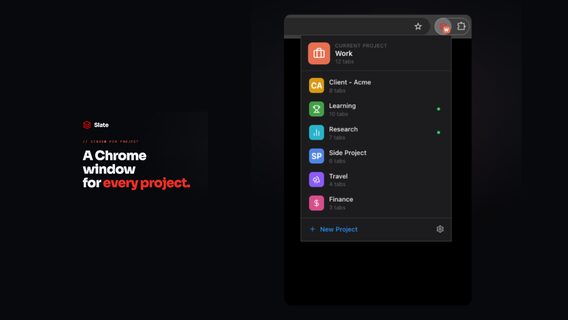
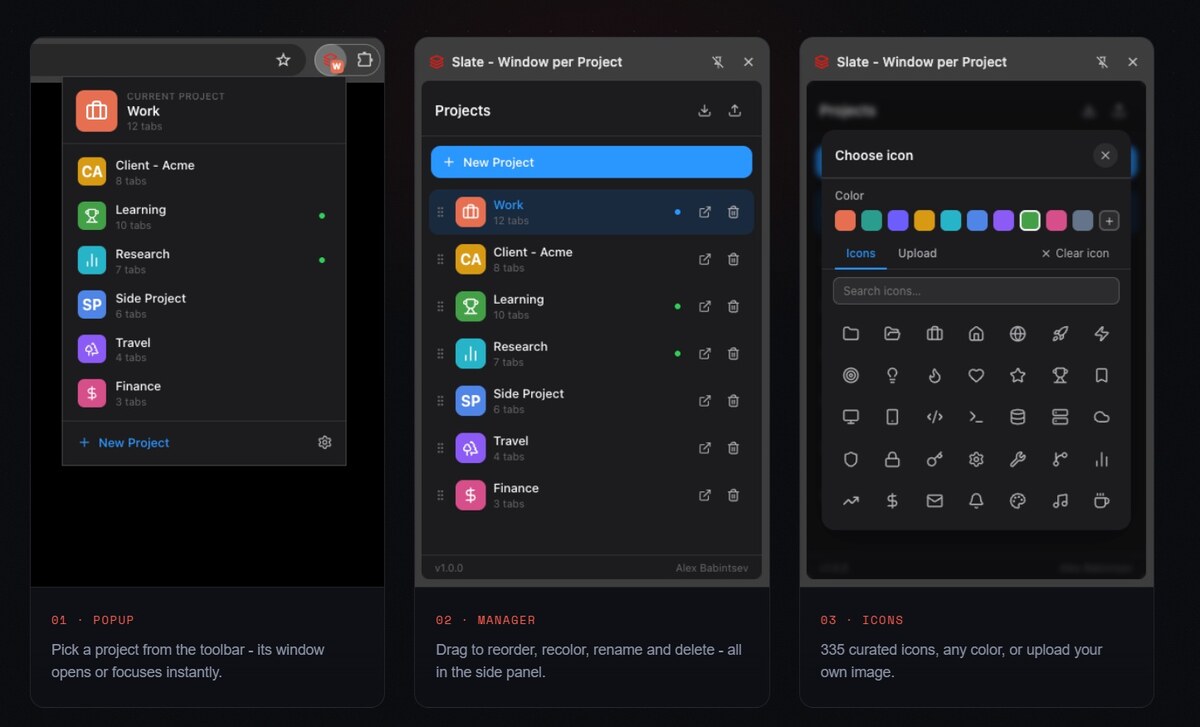
Lead Laravel Developer and Tech Lead Alexey Babintsev created his own free extension for Google Chrome called Slate. The tool binds each individual project to a separate browser window, automatically saving its working context. The idea for creating Slate arose from the developer's own daily practice: after trying a bunch of analogues, he decided to develop his own solution for effective organization of the workspace without unnecessary expenditure of computer resources.
Lead Laravel Developer and Tech Lead Alexey Babintsev created his own free extension for Google Chrome called Slate. The tool binds each individual project to a separate browser window, automatically saving its working context. The idea for creating Slate arose from the developer's own daily practice: after trying a bunch of analogues, he decided to develop his own solution for effective organization of the workspace without unnecessary expenditure of computer resources.
"My format for working with Chrome is one window per project. Each window has a bunch of pinned tabs: documentation, analytics, admin, repository, staging. And so on for each project. Every time I switch, it's unclear what to do with the current window: leave it open and let it eat up resources or close it and lose all context," said Oleksiy Babintsev.
Attempts to find a ready-made solution among existing tab managers (such as Session Buddy, OneTab, or Workona) did not bring the desired result: most tools turned out to be either too cumbersome with an overloaded interface, or too simple bookmark lists.
"I tried several ready-made extensions, but none of them were 100% suitable - either a lot of unnecessary functionality, or inconvenient to use on a daily basis. That's why I made Slate, a Chrome extension that binds the project to the window," the developer noted.
How Slate works
The main philosophy of Slate is to automatically save the window state without having to manually commit or restore sessions each time.
According to Alexey, the user only needs to create a project once, after which the extension works imperceptibly: any changes — adding or closing tabs, grouping them, or even closing the window completely — are automatically remembered. When the project is reopened, the workspace is restored to its original form, preserving the same tabs, pinned pages, and color groups.
At the same time, the developer emphasizes that the concept of a "project" goes far beyond purely work tasks.
Slate is just as convenient to use for everyday tasks — for example, choosing a car with the reviews and classifieds tabs or planning a vacation with hotels and a list of attractions.
All inactive projects remain closed and do not consume resources, and switching between them takes only a few seconds. Since the tool runs in regular Chrome windows, users do not have to get used to the new interface.
"Free, works locally, without an account. Cloud synchronization between devices is in the plans. Open to feedback - if you try it and something is missing, write in the comments, I'm really interested," the author of the project concludes.












дивне розширення
забрало головну сторінку браузера і просить якусь авторизацію
дивне розширення
забрало головну сторінку браузера і просить якусь авторизацію
дивне розширення
забрало головну сторінку браузера і просить якусь авторизацію