Ukrainian developer releases DiffMan desktop application for comparing files, folders, images, and PDFs
Software Architecture Igor Azarny has developed a desktop application called DiffMan, which combines tools for comparing different types of files and documents in one program. According to the IT professional, the goal of the project is to eliminate the need for users to switch between multiple tools for working with text, directories, images, and files of different formats.
Software Architecture Igor Azarny has developed a desktop application called DiffMan, which combines tools for comparing different types of files and documents in one program. According to the IT professional, the goal of the project is to eliminate the need for users to switch between multiple tools for working with text, directories, images, and files of different formats.
Igor Azarny spoke about his development on Reddit.
The application is available for macOS and Windows, works locally without uploading data to third-party servers, and supports launching from the command line.
DiffMan main features
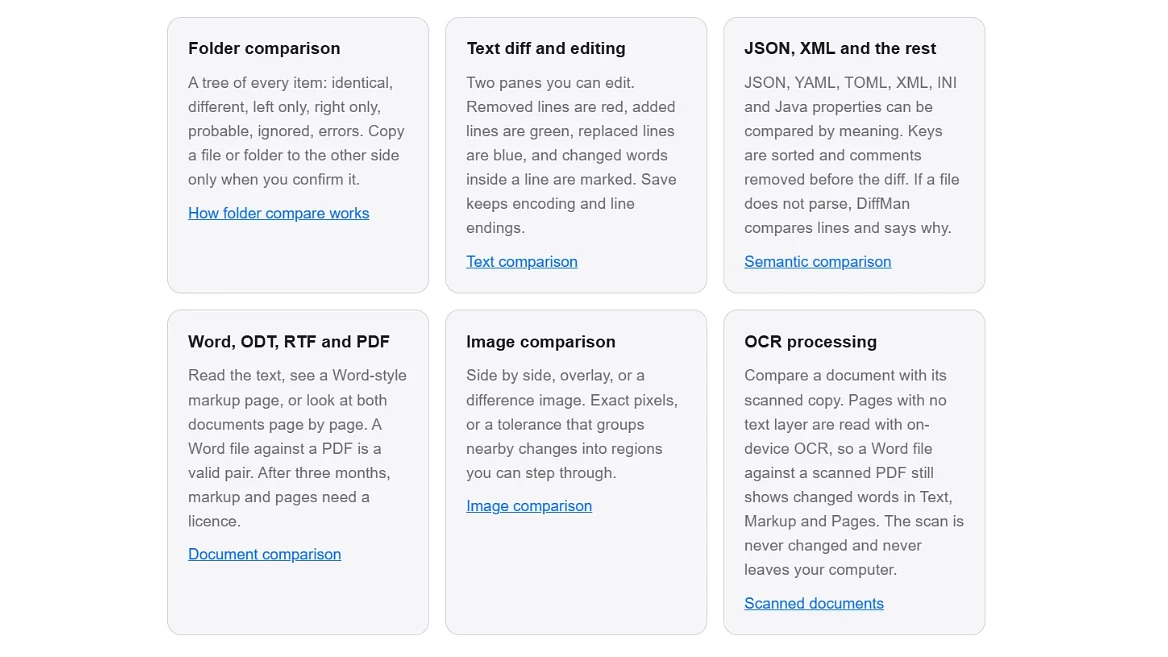
Text and structured data: Highlighting added, deleted, and changed rows, as well as semantic comparison for JSON, XML, CSV, and other formats, which helps you spot differences in data even when text formatting differs.
Directories: search for new, deleted, and modified files between two folders, viewing differences in their contents.
Image: Visually compare pictures to identify small differences.
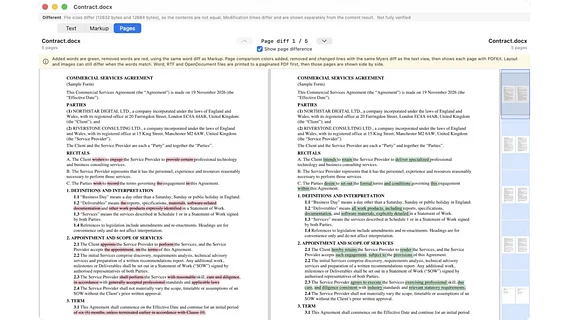
Different document formats and PDFs: Compare different file types (e.g. Word to PDF or RTF to ODT), as well as compare PDFs page by page based on extracted text or visually—helpful when checking scans after printing and rescanning.
Licensing restrictions and conditions
On macOS, the application runs in a sandbox, so to access paths outside of allowed directories, you need to use the interface selection or drag and drop files or folders.
During the first three months, users will have access to all the application's features. After that, folder comparison, text, image comparison, and semantic comparison will remain free, while Word-style markup mode and parallel viewing of document pages are planned to be transferred to a license costing $15 per year. Payment is currently not working, and details of the planned offer are described on the project website .