Хочете будувати кар’єру в Data Science та AI? Vodafone Big Data Lab відкриває новий набір —>
Nataliia KhandusenkoWork
19 November 2026, 10:40
2026-11-19
Ukrainian developer created TABIR utility for instant tab search across all browsers and profiles
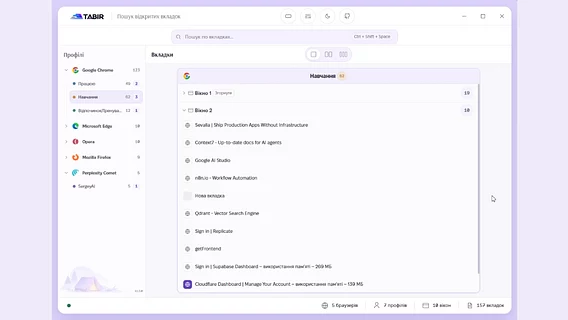
AI Engineer and Frontend Developer Serhiy Sidletskyi has developed a compact Windows application called TABIR, which allows you to quickly find and switch between open tabs in different browsers and their profiles without installing separate extensions.
AI Engineer and Frontend Developer Serhiy Sidletskyi has developed a compact Windows application called TABIR, which allows you to quickly find and switch between open tabs in different browsers and their profiles without installing separate extensions.
The idea for the project arose due to the navigation problem when a user works simultaneously in multiple browsers and profiles (work, school, personal), each of which has dozens of windows and tabs open.
"Everything is kept under control until you forget where everything was. How to quickly find the tab you need without going into each profile and going through Ctrl+Shift+A, and even understanding in which window it was open? And here there was no ready-made solution for quick search! You either have to install a separate tab manager in each profile, and then make 10 extra mouse clicks," the developer explained .
According to Sidletsky, the project’s name refers to the camp as a unifying place — only this time it collects "tabs" from all running programs in one interface.
How TABIR works
The application works with Google Chrome, Microsoft Edge, Opera, Mozilla Firefox, Brave, Vivaldi, and Perplexity Comet.
The program groups tabs by browsers and profiles. Search works by tab names, as well as by URL (if the browser passes the address of the active tab via Windows UI Automation).
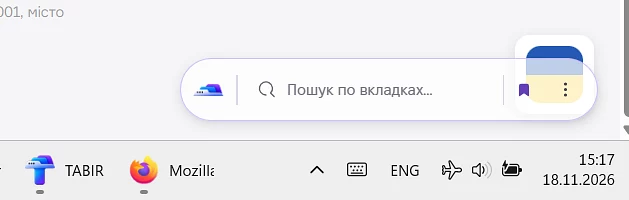
Compact mode
The utility starts with Windows and is called on top of all windows with the hotkey Ctrl+Shift+Space (the combination can be changed). After selecting a tab or losing focus, the TABIR window automatically hides.
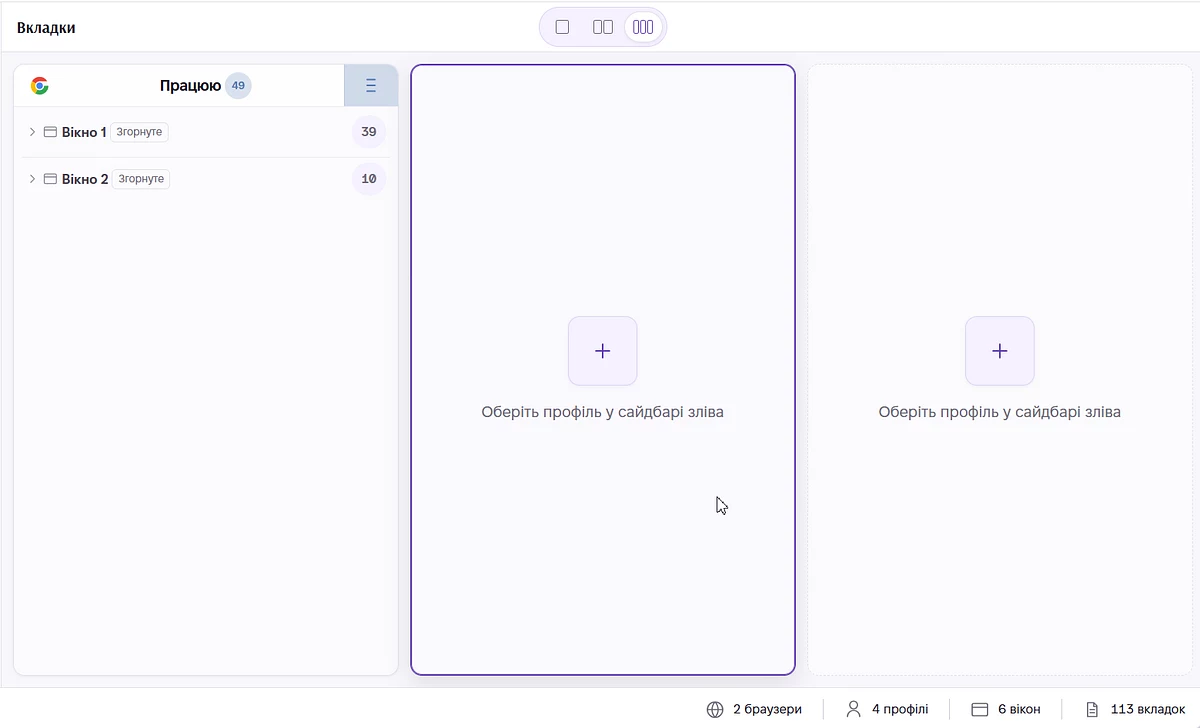
The interface allows you to choose one, two, or three columns to view tabs from up to three different browser profiles simultaneously.
Split screen
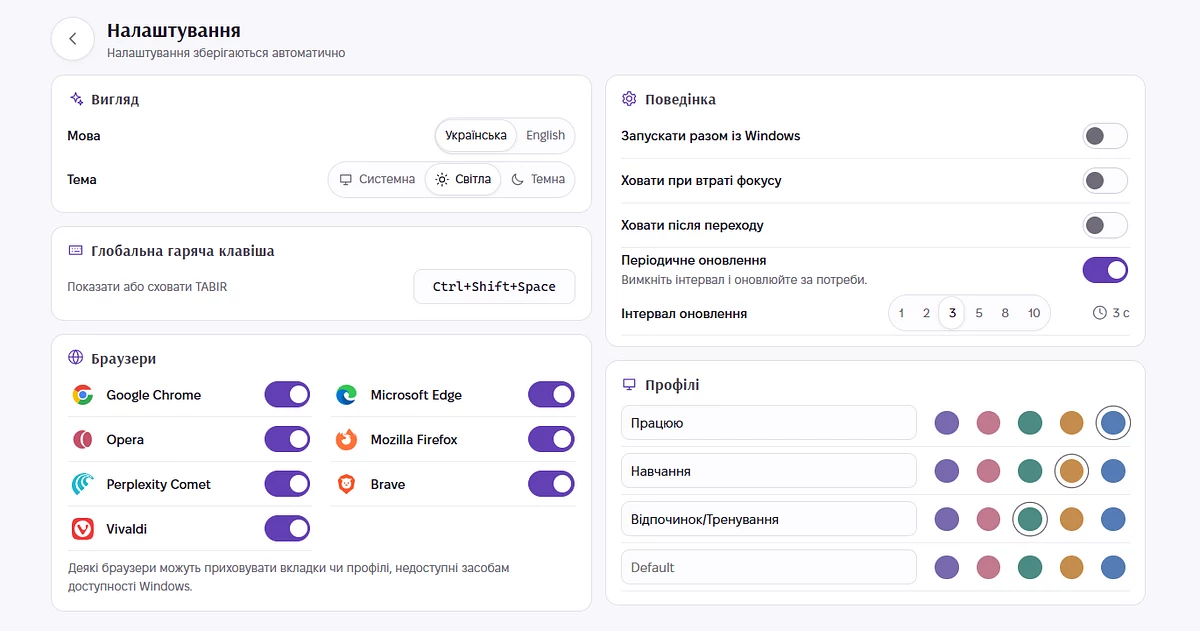
Users can configure language, theme, compact mode, window docking on top of others, and the interval for automatic tab scanning (from 1 to 10 seconds).
Settings
The application is based on native Windows logic in Rust (Tauri 2 shell), while the user interface is developed using React 19 and TypeScript.
The application is already available to users: you can download the portable version (v1.5.1), which simply needs to be unpacked and launched without installation, on the release page. More detailed information about the project is available in the GitHub repository.