Claude learned how to turn artifacts into separate desktop applications for macOS and Windows
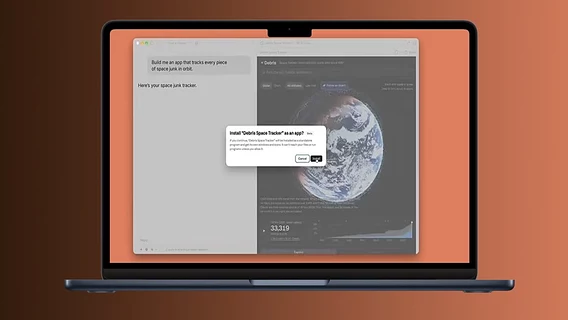
Anthropic has launched a beta version of its Install as app feature, which allows users to turn artifacts created in Claude into desktop applications for macOS and Windows and share them with others. However, these applications have a significant limitation: they do not work without an internet connection and authorization in a Claude account.
Anthropic has launched a beta version of its Install as app feature, which allows users to turn artifacts created in Claude into desktop applications for macOS and Windows and share them with others. However, these applications have a significant limitation: they do not work without an internet connection and authorization in a Claude account.
How Claude apps work
Previously, artifacts in Claude were only opened inside the chatbot interface (as web pages, graphs, or mini-tools). Now, the user can generate a tool with a single prompt and install it as an application on their computer with a single click, AppleInsider reports .
Such programs have their own icons, run in separate windows outside the main Claude desktop client, can add items to the Menu Bar, and send system notifications.
According to Anthropic, this feature has already been used to create file managers, layer-aware image editors, terminals, and menu bar utilities. Generated applications can access Claude itself and its connectors, but all such requests count against the user's data plan usage limits.
The main limitation is online addiction
Although the programs are installed on a computer, they remain semi-independent. The notes on the Anthropic website state that in order to run such an application, the user must be online and logged into Claude. Without a network connection, an already created and configured program will not open.
Permission levels and security
Since users can share the applications they create, and Anthropic itself does not verify them before installation, the company has implemented a three-level permission system:
Default: The application's capabilities are limited to the level of a regular web browser tab.
App permissions: An app may request access to features controlled by Claude — such as snapping windows on top of others, tracking global hotkeys, and sending notifications.
Full computer access: Full access to run other programs, as well as read, modify, and delete user files without repeated prompts. This mode can only be enabled for your own applications or, in Team and Enterprise plans, for tools created by colleagues in the same organization.
The Install as app feature is already available in beta mode on all Claude plans.
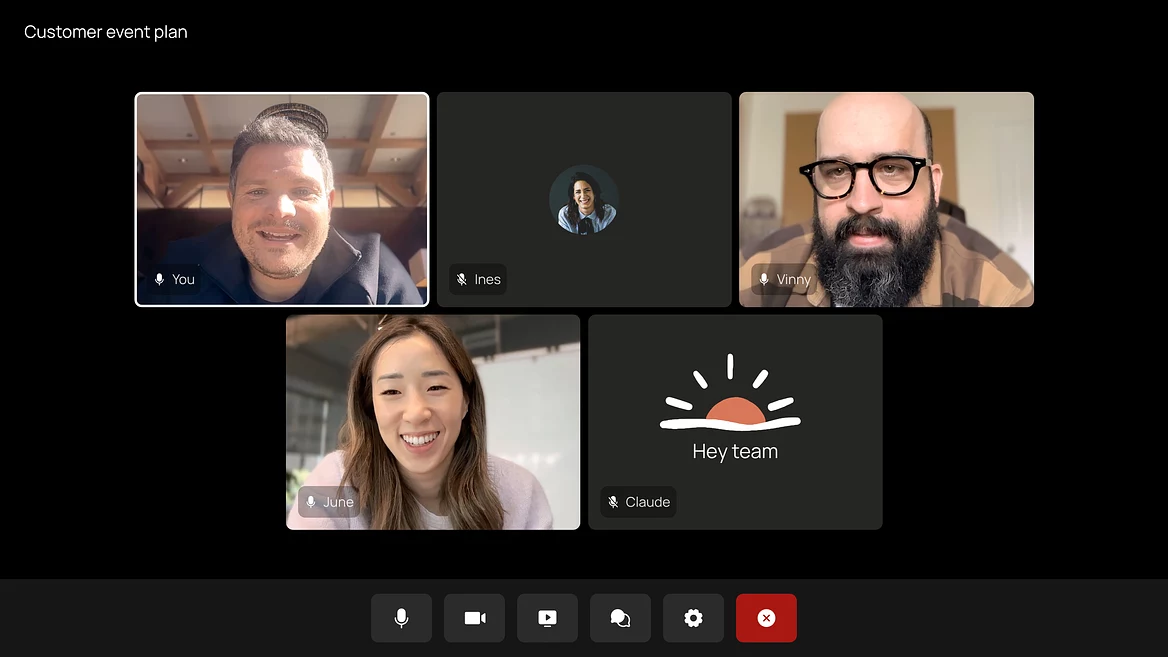
Claude can now be invited to a work call. The AI assistant will be able to answer questions, create documents, and complete tasks during a video meeting
Як нейромережі бачать вільну та незалежну Україну? Тест dev.ua
Нейронні мережі для генерації зображень бачать світ по-своєму, їхню логіку зрозуміти часом зовсім неможливо. Але таки хочеться. На честь Дня Незалежності України редакція dev.ua вирішила провести невеликий експеримент.
Ми задали чотирьом різним нейронним мережам п’ять однакових запитів: «прапор України», «День Незалежності України», «український Крим», «перемога України» та «українці». Отриманими результатами ми ділимося з вами нижче.
У TikTok тепер можна генерувати фон за допомогою нейромережі. Ми протестували її та ділимося результатами
У TikTok з’явилася нова функція «Розумний фон». З її допомогою як фон для тіктоків можна підставляти згенеровані нейромережею зображення. Редакція dev.ua протестувала цю технологію і ділиться своїми враженнями.