Apple explained how to adapt apps to the foldable iPhone Duo. What will change for developers and designers?
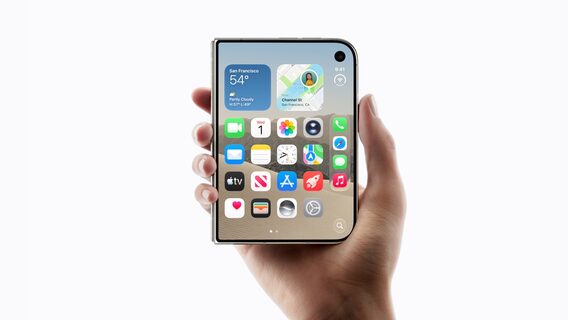
Apple has explained to designers and developers how to prepare iOS apps for the foldable iPhone Duo. For example, the company explained that there is no need to draw a separate interface for each possible bend of the smartphone - the app should be able to properly reconfigure itself.
Apple has explained to designers and developers how to prepare iOS apps for the foldable iPhone Duo. For example, the company explained that there is no need to draw a separate interface for each possible bend of the smartphone - the app should be able to properly reconfigure itself.
The company claims that applications that already use system components and respond normally to screen size changes may require very little modification.
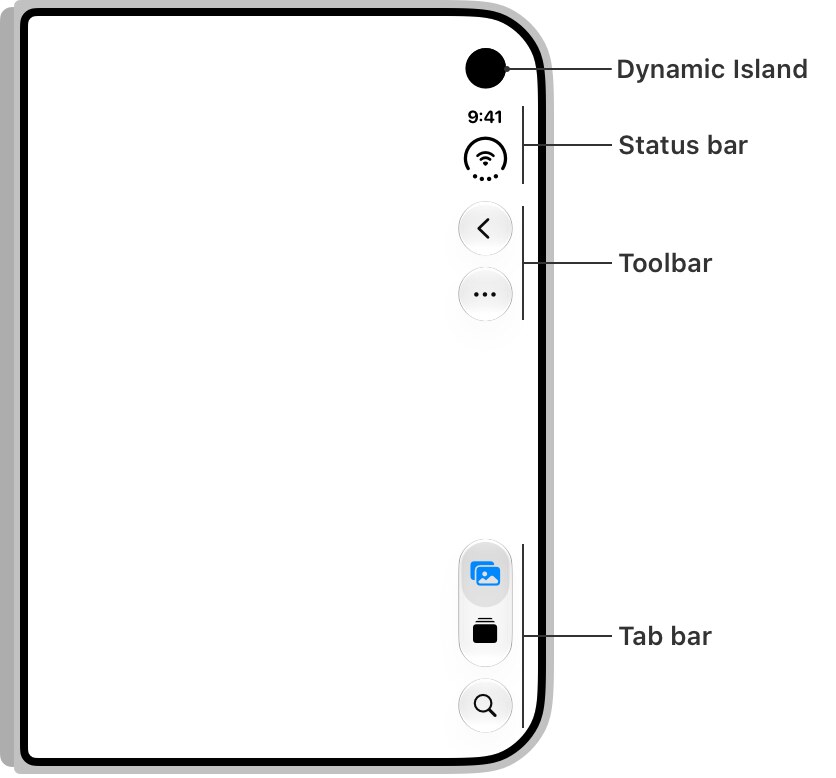
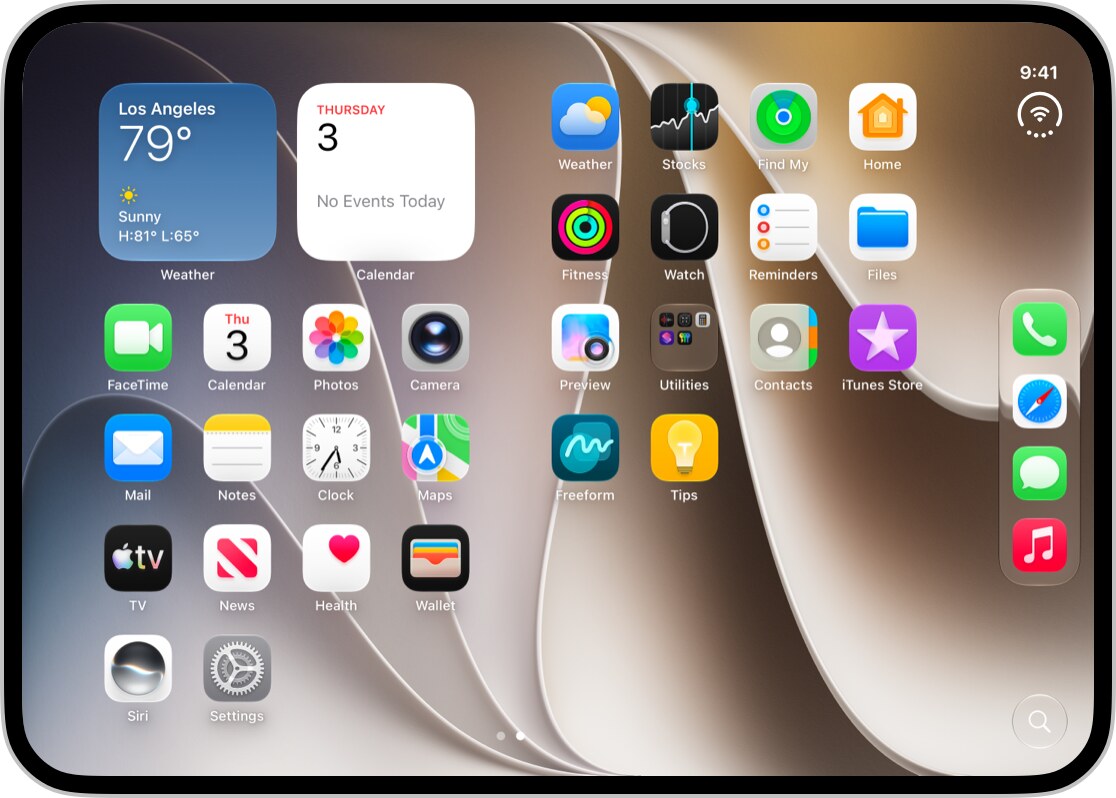
When folded, the Duo has a wider and lower display than a regular iPhone. So Apple decided to remove some of the controls from the top and bottom edges and move them to a vertical strip on the right. This could include a back button, toolbars, a tab bar, and other elements. This way, Apple frees up more vertical space for the content itself while keeping the buttons within easy reach of your thumb.
So if the application works correctly with a safe area, a safe area of the screen where system elements do not enter, the content will receive the necessary indentation on its own. And wide elements like text buttons or segmented controls can be left in a regular horizontal panel.
The Duo can be used fully open, closed, half-folded like a book, or placed on a surface at an angle, but Apple asks designers not to create a separate layout for each of these scenarios.
Instead, the company suggests focusing primarily on two width classes: compact for the external display and regular for the internal one. The interface should be reconfigured based on the available space, not on a specific screen model or a predefined width.
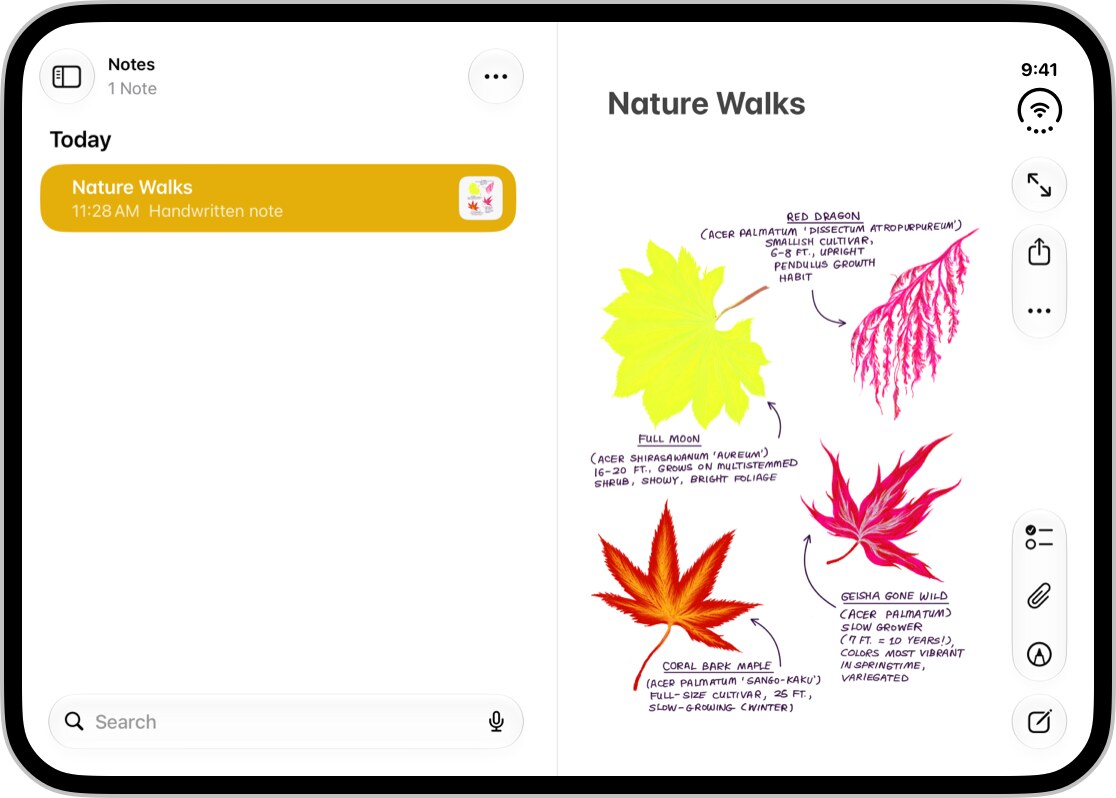
And the Duo's internal screen is 7.6 inches diagonally, so Apple recommends using the extra space for more information. For example, an app with multiple levels of navigation can show them simultaneously via Split View. And an interface that consists of a vertical list on a small screen can be rearranged into two columns on a large one.
Apple gives the example of Mail: when closed, the user sees either a list of messages or an open message, and when expanded, both parts can be displayed side by side. The structure of the application itself and its functions do not change.
However, there is a problem when the Duo is only partially folded: the button can end up in the middle of the fold, where it's awkward to press. Here, Apple does some of the work. Standard system components, such as alerts, menus, or toolbar buttons, can automatically move interactive elements away from the fold. So instead of drawing your own counterparts where there are already ready-made ones, the app can automatically adapt to the Duo's shape.
One of Apple's main requirements is to preserve the logic of the application regardless of the Duo's position. The user can unfold the phone right while working with the application. And after that, everything should remain in place: the open screen, selected data and available functions should not suddenly change or disappear.
Previously, dev.ua wrote that Apple officially introduced the iPhone Duo — its first foldable smartphone.
«Навряд чи можна вірити фідбекам компаній». Тестове в IT: робити чи не робити? Відповідають айтішники
Дизайнерка Анна Лазурко поскаржилася в LinkedIn, що жодна компанія, у яку вона робила тестове, не надала фідбек за її проханням чи без нього. «Отримали, ігнорили на тиждень-два, а потім „рухаємося з іншим кандидатом“. Це взагалі єдина фраза, якою мені відмовляють. Як зрозуміти, що ти робиш щось не так і не те, коли нема жодного фідбеку?», — запитала розчарована спеціалістка.