Хочете будувати кар’єру в Data Science та AI? Vodafone Big Data Lab відкриває новий набір —>
Наталя ХандусенкоStartup
23 October 2026, 10:40
2026-10-23
Ukrainian developer creates "Klats" extension that allows you to "disappear effectively" during online meetings
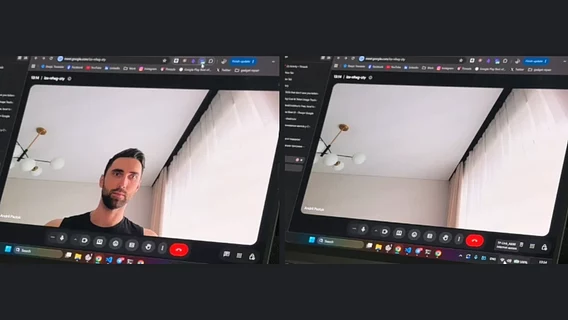
Senior Frontend Engineer Andriy Paziuk presented his first full-fledged product — the "Klats" extension. Its main function is the ability to instantly disappear from the frame during video calls in the web versions of Google Meet, Microsoft Teams, and Zoom.
Senior Frontend Engineer Andriy Paziuk presented his first full-fledged product — the "Klats" extension. Its main function is the ability to instantly disappear from the frame during video calls in the web versions of Google Meet, Microsoft Teams, and Zoom.
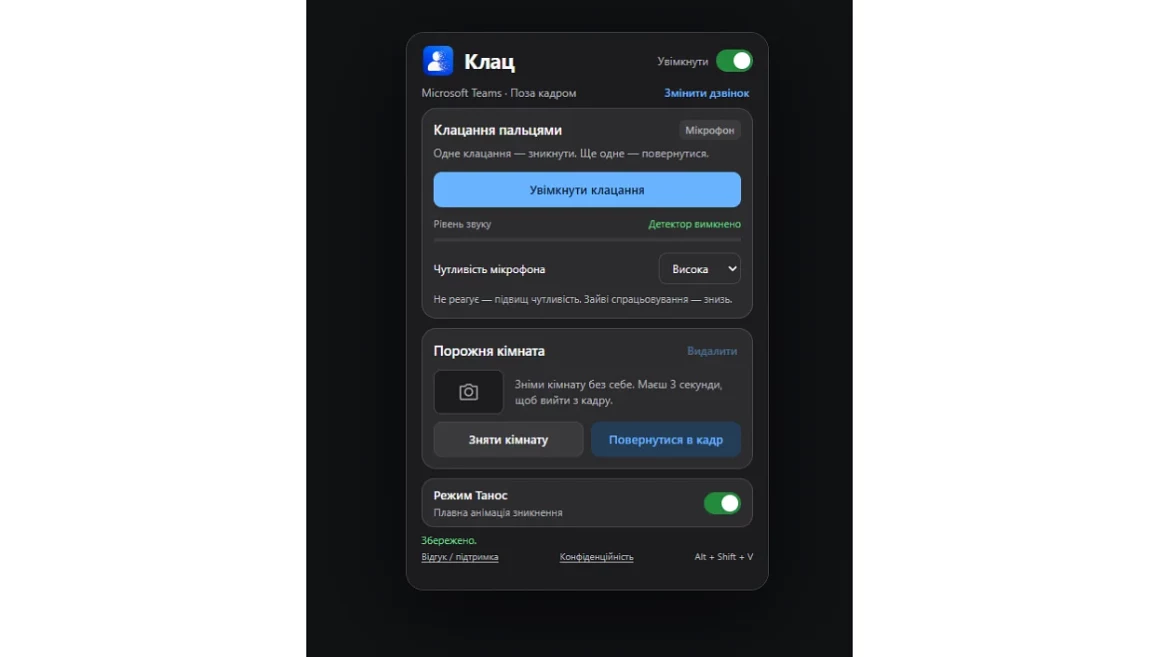
The "Clac" extension replaces a user’s live video with a pre-taken snapshot of an empty room. This can be done using hotkeys (Alt+Shift+V), by clicking a button in the menu, or even by physically clicking your fingers in the frame.
In addition to the usual disappearance, the expansion features an entertaining "Thanos Mode" that adds an animation of the image disintegrating into particles.
How the extension works
To start working with "Klats", the user needs to follow a few simple steps:
Open Google Meet, Microsoft Teams, or Zoom in your browser and turn on your webcam.
open the extension and click the "Use this call" button;
click "Remove room" and exit the frame for 3 seconds so that the service captures an empty background;
return to the frame and press "Disappear" (or the Alt+Shift+V combination) or activate a separate detector to recognize finger clicks.
Safety and technical features
According to the developer, all video streams and gesture recognition are processed exclusively locally on the user’s device. Settings and a snapshot of the empty room are stored in the browser and are not transmitted anywhere. To use the extension, you do not need to create an account or link payment cards.
Important nuances of use
The finger click detector works regardless of whether the microphone is muted in the call itself. The developer recommends turning it off manually in the Click interface when the tool is not needed.
For the first test, it is recommended to turn off the standard background effects of video services and check the result with your call partner.
The tool only supports the web versions of Google Meet, Teams, and Zoom in the browser (the Teams and Zoom desktop applications are not supported).
The extension is currently in early access, and all available features are completely free.