Хочете будувати кар’єру в Data Science та AI? Vodafone Big Data Lab відкриває новий набір —>
Олег ОнопрієнкоGameDev Eng
1 September 2026, 12:05
2026-09-01
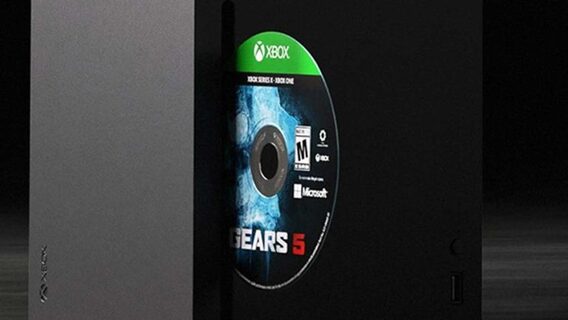
Microsoft has launched a Disc-to-Digital feature to transfer game licenses from physical Xbox discs to digital copies. Instructions on how to transfer your games
Microsoft has begun testing a new Disc-to-Digital feature for Xbox Insiders. The tool allows console owners to digitize physical Xbox One and Xbox Series X discs into full digital licenses.
Microsoft has begun testing a new Disc-to-Digital feature for Xbox Insiders. The tool allows console owners to digitize physical Xbox One and Xbox Series X discs into full digital licenses.
The rollout of the new functionality is reported by specialized gaming resources with references to Xbox ecosystem updates and the company’s official instructions.
Digitized projects receive all the benefits of modern digital versions. In particular, they will support cloud gaming through a Game Pass subscription and the Xbox Play Anywhere cross-platform game program on PC. The feature currently supports 174 games. Among them are even those projects that are no longer available for purchase in the official digital store Xbox Store due to copyright expiration (for example, the action game Deadpool).
How digitization works: official instructions
According to Microsoft’s published documentation, for basic digitization, simply insert a compatible disc into your console and launch the game while logged into your account. After that, a confirmation of the digital license will appear on the screen. All such games will be marked with a special «Disc to digital» badge in the «My games & apps» section (Full library -> All games).
For owners of large collections, the developers have provided a manual mass digitization mode, which allows you to avoid the lengthy automatic installation of each game. To use it, you need to:
In the console settings (Profile & system -> Settings -> Devices & connections -> Drive) uncheck the «Automatically play disc» option.
Insert the disc, select the game cover on the home screen, and press the «Menu» button on the gamepad.
Select «Get digital license» and click «Claim».
Wait for the notification, remove the disk and repeat the procedure for the next one.
Licensing nuances and compatibility checking
The digital license you receive is hardware-bound to a specific physical media. Microsoft warns that in order to maintain access to the digitized version, the system may periodically request confirmation of the presence of the disc. If a player loses, sells, or gives away the media, access to the digital license on their account will be limited or revoked. The right to the game will automatically transfer to the new owner the next time the disc is launched on another console.
At the same time, the developers warn that compatibility will not be 100% due to technical, licensing and publishing features of old games. To facilitate verification, the gaming community has already launched a specialized resource XCT.live. On this site, players form their own database, where they mark the statuses «Yes» or «No» for the possibility of converting a specific physical edition. Since the database is filled using the crowdsourcing method, it is unofficial.